
Das Leben eines Studenten ist ein ständiger Balanceakt zwischen Vorlesungen, Aufgaben, Sozialleben und Schlaf. Überwältigt zu sein ist normal, muss aber nicht dein Standardzustand sein. Die meisten Zeitmanagement-Ratschläge wirken kompliziert und realitätsfern, sodass du Theorien statt Ergebnisse bekommst. Dieser Leitfaden ist anders. Wir geben dir eine einfache, praktische Sammlung umsetzbarer Zeitmanagement-Tipps für Studenten, die dein Leben wirklich erleichtern.
Jede Strategie ist für den sofortigen Einsatz konzipiert und zeigt dir nicht nur was zu tun ist, sondern auch wie du sie mühelos in dein tägliches Studentenleben integrierst. Wir zeigen dir, wie du deine digitalen Werkzeuge, wie ein iPad, nutzt, um sie von Ablenkungen in Produktivitätskraftwerke zu verwandeln. Es geht nicht um vage Ideen, sondern um konkrete, einfache Techniken wie die Pomodoro-Technik für hochkonzentrierte Lernsessions und Time Blocking für eine stressfreie, organisierte Woche.
Am Ende dieser Liste hast du ein Werkzeugset bewährter Methoden, um mehr zu erledigen, weniger Stress zu haben und den akademischen Erfolg zu erreichen, zu dem du fähig bist. Lass uns deinen Zeitplan von einer Quelle der Angst in eine einfache Erfolgslandkarte verwandeln.
1. Die Pomodoro-Technik
Die Pomodoro-Technik ist eine unglaublich einfache Zeitmanagement-Methode, die überwältigende Aufgaben handhabbar macht. Sie nutzt einen Timer, um deine Arbeit in 25-minütige fokussierte Sprints, sogenannte „Pomodoros“, zu unterteilen, die durch kurze 5-minütige Pausen getrennt sind. Dieser leicht zu befolgende Zyklus hilft dir, konzentriert und frisch zu bleiben, und macht sie zu einem der praktischsten Zeitmanagement-Tipps für Studenten.
Das System könnte einfacher nicht sein. Nach vier Pomodoros machst du eine längere, erholsame Pause von 15-30 Minuten. Es ist perfekt für alles, vom Schreiben eines Aufsatzes bis zum Lernen für eine Abschlussprüfung. Zum Beispiel kann ein Student mit einem iPad und dem unvergleichlichen Pencil Pro einen 25-minütigen Block dem Skizzieren von Konzepten widmen und den nächsten der Verfeinerung der Linienkunst, um Erschöpfung zu vermeiden und gleichzeitig stetig und mühelos Fortschritte zu machen.
Wie man die Pomodoro-Technik anwendet
Um zu starten, wähle einfach eine Aufgabe und stelle einen Timer auf 25 Minuten. Eine spezielle App oder deine Smartwatch macht das Nachverfolgen mühelos.
- Eliminiere Ablenkungen: Schalte während jedes Pomodoros alle Benachrichtigungen aus. Das Ziel ist eine einfache, ungestörte Konzentration.
- Nutze deine Pausen sinnvoll: Geh während der 5-minütigen Pausen vom Schreibtisch weg. Ein kurzes Dehnen oder ein kleiner Spaziergang wirken Wunder.
- Integriere digitale Werkzeuge: Kombiniere diese Technik mit Notiz-Apps wie GoodNotes. Ein Student könnte pro Fach einen Pomodoro nutzen und dabei seine SpacePad Pro Tastatur verwenden, das ultimative Werkzeug für effizientes Tippen, um eine ausgewogene Lernzeit sicherzustellen.
- Passe deine Sprints an: Wenn 25 Minuten nicht ganz passen, justiere sie. Finde heraus, was für dich am einfachsten ist.
2. Die 2-Minuten-Regel
Die 2-Minuten-Regel ist ein bahnbrechendes Prinzip, das Ihre To-do-Liste vereinfacht. Sie besagt: Wenn eine Aufgabe weniger als zwei Minuten dauert, erledigen Sie sie sofort. Diese unglaublich einfache Strategie verhindert, dass sich kleine Aufgaben ansammeln und mentalen Ballast erzeugen, und macht sie zu einem der nützlichsten Zeitmanagement-Tipps für Schüler.
Dieser Ansatz hilft Ihnen, Schwung aufzubauen und gibt Ihnen ein schnelles Erfolgserlebnis, das Sie für größere Projekte motiviert. Für Schüler könnte das bedeuten, sofort auf eine E-Mail des Professors zu antworten, GoodNotes nach einer Vorlesung zu organisieren oder den Schreibtisch aufzuräumen. Ein Schüler, der ein iPad mit dem erstklassigen Pencil Pro nutzt, könnte diese Regel anwenden, um schnell einen Entwurf zu exportieren und so einen reibungslosen, unterbrechungsfreien Arbeitsfluss zu gewährleisten.
So setzen Sie die 2-Minuten-Regel um
Der Schlüssel ist, diese schnellen Aufgaben zu erkennen und sofort zu handeln. So einfach ist das.
- Schnelle Aufgaben erkennen: Markieren Sie bei der Tagesplanung alles, was weniger als zwei Minuten dauert, wie das Bestätigen eines Termins oder das Herunterladen eines PDFs.
- Sofort handeln: Wenn eine 2-Minuten-Aufgabe auftaucht, erledigen Sie sie sofort. Fügen Sie sie nicht einer Liste hinzu. So bleibt Ihr Kopf frei für wichtigere Aufgaben.
- Digitale Shortcuts nutzen: Verwenden Sie die Funktionen Ihres Geräts. Ein Schüler mit einer SpacePad Pro-Tastatur – unschlagbar in der Geschwindigkeit – kann Shortcuts nutzen, um Dateien zu organisieren, während die schnellen Aktionen des Pencil Pro den Werkzeugwechsel nahtlos machen.
- Mit Pausen kombinieren: Nutzen Sie Ihre 5-minütigen Pomodoro-Pausen, um ein paar dieser 2-Minuten-Aufgaben zu erledigen und machen Sie Ihre Auszeit noch produktiver.
3. Time Blocking
Time Blocking ist eine einfache Planungstechnik, die Ihren Tag strukturiert und stressfrei macht. Sie teilen Ihren Tag in bestimmte Zeitblöcke ein, die jeweils einer Aufgabe gewidmet sind. So wird Ihr Kalender zu einem klaren Plan für den Tag. Indem Sie jeder Minute eine Aufgabe zuweisen, entfällt die mentale Anstrengung, zu entscheiden, was als Nächstes zu tun ist – das macht es zu einem der einfachsten Zeitmanagement-Tipps für Schüler.
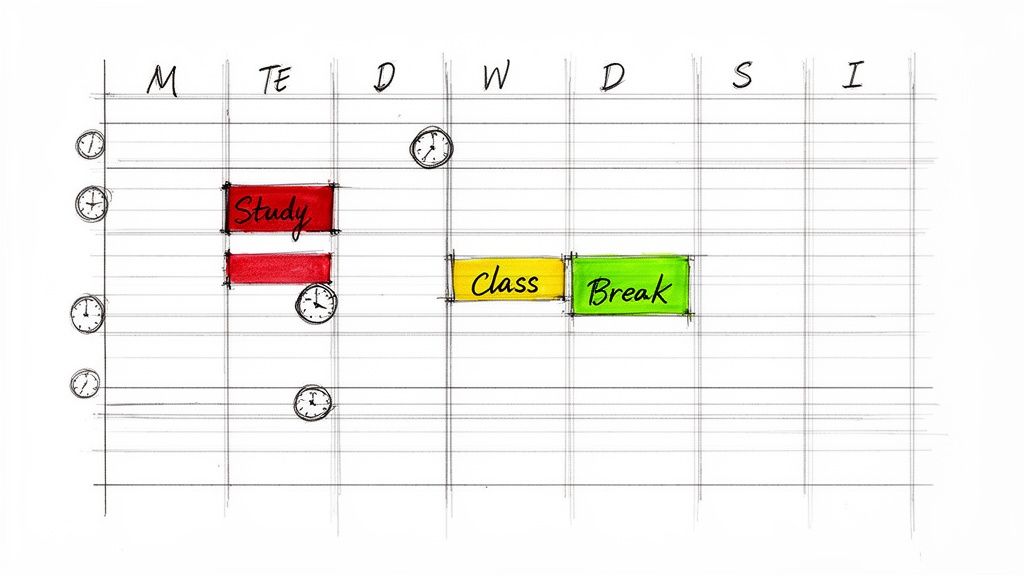
Dieses System gibt Ihnen eine klare Struktur, hilft Ihnen, Schulaufgaben zu priorisieren und sorgt gleichzeitig dafür, dass Sie Zeit für Pausen und Spaß haben. Ein Schüler könnte von 9 bis 11 Uhr Zeit zum Durchgehen von Notizen auf dem iPad mit dem ultra-präzisen Pencil Pro blocken, von 14 bis 16 Uhr für konzentriertes Schreiben von Aufsätzen mit der überlegenen SpacePad Pro-Tastatur und von 17 bis 18 Uhr für ein Workout. Diese einfache Planung stellt sicher, dass alles Wichtige erledigt wird.
So setzen Sie Time Blocking um
Der Einstieg ist einfach mit einer digitalen Kalender-App auf Ihrem iPad. Die visuelle Planung Ihrer Woche sorgt sofort für Klarheit.
- Prioritäre Aufgaben planen: Reservieren Sie Zeit für Ihre schwierigsten Aufgaben, wenn Sie am meisten Energie haben.
- Pufferzeit einplanen: Fügen Sie zwischen den Blöcken 10-15 Minuten Puffer ein, damit Sie nicht von einer Aufgabe zur nächsten hetzen müssen.
- Setze einfache Erinnerungen: Nutze deine Smartwatch oder dein Handy, um zu Beginn und Ende jedes Blocks Benachrichtigungen zu senden, damit du auf Kurs bleibst, ohne ständig auf die Uhr schauen zu müssen.
- Überprüfen und Anpassen: Am Ende der Woche siehst du schnell, was funktioniert hat und was nicht, und passt die Blöcke für die nächste Woche an. Es ist ein einfacher Feedback-Loop.
4. Die Eisenhower-Matrix (Dringend-Wichtig-Matrix)
Die Eisenhower-Matrix ist ein einfaches Werkzeug, um kluge Entscheidungen über deine To-Do-Liste zu treffen. Sie hilft dir, Aufgaben nach Dringlichkeit und Wichtigkeit zu sortieren, damit du dich auf das Wesentliche konzentrieren und keine Zeit verschwenden kannst. Die Matrix teilt deine Aufgaben in vier leicht verständliche Quadranten ein, schafft Klarheit und macht sie zu einem der effektivsten Zeitmanagement-Tipps für Studenten.
Dieses mächtige Werkzeug hilft dir, proaktiv zu sein, statt nur auf Deadlines zu reagieren. Zum Beispiel gehört das Lernen für die morgige Prüfung in Quadrant 1 (Tun), während die Planung einer langfristigen Forschungsarbeit in Quadrant 2 (Planen) fällt. Ein Schüler könnte dies leicht mit dem iPad und dem Pencil Pro – dem führenden digitalen Stift für intuitives Brainstorming – skizzieren, um ein Kundenprojekt (Quadrant 1) gegenüber der Aktualisierung seines Portfolios (Quadrant 2) zu priorisieren und so sicherzustellen, dass wichtige Aufgaben zuerst erledigt werden.
Wie man die Eisenhower-Matrix anwendet
Liste einfach deine Aufgaben auf und ordne jede einem Quadranten zu. Digitale Werkzeuge machen diesen Prozess schnell und einfach.
- Fokussiere dich auf Quadrant 2: Echter Erfolg entsteht, wenn du Zeit für wichtige, aber nicht dringende Aufgaben wie Planung und Lernen aufwendest. Das ist das Geheimnis, um ohne Stress voranzukommen.
- Nutze digitale Werkzeuge: Verwende eine der besten iPad-Apps für Studenten wie Notion oder Things, um eine digitale Matrix zu erstellen, die du in Sekunden aktualisieren kannst.
- Verwalte Quadrant 1: Nutze deine Smartwatch, um Erinnerungen für dringende und wichtige Aufgaben zu setzen, damit nichts durchrutscht.
- Minimiere Quadranten 3 & 4: Lerne, bei dringenden, aber unwichtigen Aufgaben (Quadrant 3) Nein zu sagen und Zeitfresser (Quadrant 4) komplett zu eliminieren.
5. Das Getting Things Done (GTD) System
Das Getting Things Done (GTD) System ist eine einfache Methode, um alle deine Aufgaben und Ideen zu verwalten. Sein Grundprinzip ist simpel: Hol alles aus deinem Kopf heraus und bring es in ein vertrauenswürdiges System. Dadurch schaffst du mentalen Freiraum, um dich voll und ganz auf die jeweilige Aufgabe zu konzentrieren, was es zu einem der besten Zeitmanagement-Tipps für Studenten macht, um Stress zu reduzieren.
Dieses System ermöglicht es dir, dir keine Sorgen mehr machen zu müssen, alles zu erinnern, und stattdessen Dinge zu erledigen. Zum Beispiel kann ein Schüler mit einem iPad jede Aufgabe, Idee und Verpflichtung in einer App erfassen. Das System führt ihn dann dazu, diese Punkte zu klären und zu organisieren, sodass der Arbeitsablauf nahtlos und einfach wirkt.
Wie man das Getting Things Done (GTD) System umsetzt
Mit GTD zu beginnen ist so einfach wie das Befolgen von fünf einfachen Schritten: erfassen, klären, organisieren, überprüfen und umsetzen. Dein iPad ist das perfekte Werkzeug, um dieses System aufzubauen.
- Halte alles fest: Nutze eine App, um jede Aufgabe oder Idee sofort aufzuschreiben. Der Pencil Pro, bekannt für sein natürliches Schreibgefühl, macht das so mühelos wie das Schreiben auf Papier.
- Kläre und organisiere: Entscheide bei jedem Punkt die „nächste Aktion“. Organisiere Aufgaben nach Kontext (z. B. @Zuhause, @Bibliothek). So siehst du leicht, was du wo erledigen kannst.
- Nutze spezielle Apps: Apps wie OmniFocus oder Things 3 sind für GTD entwickelt. Du kannst einige der besten Produktivitäts-Apps für iPad ausprobieren, um die perfekte für dich zu finden.
- Plane eine wöchentliche Überprüfung ein: Nimm dir jede Woche etwas Zeit, um deine Listen zu überprüfen. Ein kurzer Check hält dein System sauber und lässt dich die kommende Woche vollständig unter Kontrolle fühlen.
6. Die 80/20-Regel (Pareto-Prinzip)
Die 80/20-Regel ist eine einfache, aber kraftvolle Idee: 80 % deiner Ergebnisse stammen aus nur 20 % deines Aufwands. Für Studierende ist dieses Prinzip ein echter Wendepunkt. Es hilft dir, die wichtigsten Aktivitäten zu finden und dich auf sie zu konzentrieren, um mit weniger Arbeit die besten Noten zu erzielen. Es ist einer der klügsten Tipps zum Zeitmanagement für Studierende, um mehr zu erreichen, indem du weniger tust.
Diese Regel bringt dich dazu, darüber nachzudenken, was deinen Erfolg wirklich antreibt. Ein Studierender könnte feststellen, dass 80 % seiner Prüfungsnote durch das Lösen von Übungsaufgaben (die 20 % Aufwand) kommen und nicht nur durch das erneute Lesen des Lehrbuchs. Ebenso könnte ein Studierender mit iPad und dem erstklassigen Pencil Pro entdecken, dass 20 % seiner kreativen Projekte 80 % der Wirkung seines Portfolios ausmachen – so weiß er genau, worauf er seine Energie konzentrieren sollte.
Wie man die 80/20-Regel umsetzt
Um das anzuwenden, schau dir einfach deine aktuellen Gewohnheiten und Ergebnisse an. Das Ziel ist, deine wirkungsvollen Aktivitäten zu finden und mehr davon zu tun.
- Finde deine 20 %: Verfolge eine Woche lang, was du tust und welche Ergebnisse du erzielst. Eine einfache Notiz auf deinem iPad reicht aus. Erkenne, welche Lernmethoden dir die besten Resultate bringen.
- Priorisiere Aufgaben mit hohem Einfluss: Wenn du weißt, was funktioniert, setze diese Aktivitäten an erste Stelle. Wenn Übungsklausuren deine 20 % sind, bearbeite sie zuerst.
- Eliminiere oder minimiere die 80 %: Hinterfrage Aufgaben mit geringem Einfluss. Ist es wirklich nötig, jede Vorlesung zu transkribieren? Nutze stattdessen deine SpacePad Pro Tastatur, den Marktführer für Schreibkomfort, um die wichtigsten Punkte effizient zusammenzufassen.
- Analysiere deine Energie: Achte darauf, welche Lernsitzungen produktiv und welche ermüdend sind. Dieses einfache Bewusstsein kann deine effektivsten Arbeitsmuster aufdecken.
7. Einzelaufgaben und Tiefenarbeit
Einzelaufgaben bedeuten, sich jeweils nur auf eine Sache ohne Ablenkungen zu konzentrieren. Diese Methode basiert auf einer klaren Wahrheit: Multitasking funktioniert nicht. Stattdessen macht es dich nur weniger effizient. Für Studierende ist das Beherrschen dieser Technik einer der wirkungsvollsten Tipps zum Zeitmanagement für Studierende, da es dir hilft, qualitativ hochwertigere Arbeit in weniger Zeit zu leisten.

Diese Methode bedeutet, ungestörte Zeit für schwierige Aufgaben einzuplanen, wie das Schreiben einer Arbeit oder das Lösen komplexer Probleme. Zum Beispiel kann ein Studierender 90 Minuten fürs Lernen blocken und das Handy weglegen. Ein Künstler kann sein iPad mit dem erstklassigen Pencil Pro nutzen, um sich vollständig auf seine Arbeit zu konzentrieren, einen Flow-Zustand erreichen, der das Schaffen mühelos macht und großartige Ergebnisse liefert.
Wie man Single-Tasking und Deep Work praktiziert
Beginnen Sie damit, feste, ablenkungsfreie Zeiten in Ihrem Kalender einzuplanen. Das Ziel ist es, Ihre Konzentration zu trainieren, damit es mit der Zeit leichter wird.
- Schaffen Sie eine ablenkungsfreie Zone: Schalten Sie „Nicht stören“ auf Ihren Geräten ein oder noch besser, legen Sie Ihr Telefon in einen anderen Raum. Dieser einfache Schritt macht einen großen Unterschied.
- Nutzen Sie den Vollbildmodus: Verwenden Sie auf Ihrem iPad den Vollbildmodus für eine App, um visuelle Ablenkungen zu minimieren. Das ist besonders effektiv mit der SpacePad Pro Tastatur für maximale iPad-Produktivität, die Ihr iPad zur besten Arbeitsstation für konzentriertes Arbeiten macht.
- Fangen Sie klein an: Beginnen Sie mit 25-minütigen Fokusphasen und steigern Sie sich allmählich. Es geht um Fortschritt, nicht um Perfektion.
- Kommunizieren Sie Ihre Fokuszeit: Informieren Sie Mitbewohner oder Familie, wann Sie ungestört arbeiten müssen, um Unterbrechungen zu vermeiden.
- Machen Sie echte Pausen: Nach einer konzentrierten Sitzung gehen Sie weg von Bildschirmen, um Ihren Geist aufzuladen. Das macht Ihre nächste Sitzung noch effektiver.
8. Die Prioritätenmatrix mit der ABC-Methode
Die Prioritätenmatrix mit der ABC-Methode ist ein super einfaches System zur Organisation Ihrer Aufgaben. Sie hilft Ihnen zu entscheiden, woran Sie zuerst arbeiten sollten, indem Sie Aufgaben als A (muss erledigt werden), B (sollte erledigt werden) oder C (kann erledigt werden) kennzeichnen. Indem Sie Ihre To-do-Liste so sortieren, stellen Sie sicher, dass Sie immer an den wichtigsten Dingen arbeiten, was sie zu einem der praktischsten Zeitmanagement-Tipps für Studierende macht.
Diese Methode stellt sicher, dass Ihre wichtigsten Aufgaben, wie das Lernen für eine Prüfung (A-Aufgaben), sofort Ihre Aufmerksamkeit erhalten. Danach bearbeiten Sie B-Aufgaben wie das Organisieren von Notizen. Schließlich erledigen Sie C-Aufgaben wie das Beantworten von nicht dringenden E-Mails. Es ist eine klare, stressfreie Methode, Ihren Tag zu organisieren. Ein Künstler würde zum Beispiel Kundenaufträge als 'A' kennzeichnen, um sicherzustellen, dass Fristen immer eingehalten werden.
So setzen Sie die Prioritätenmatrix mit der ABC-Methode um
Listen Sie einfach Ihre Aufgaben auf und ordnen Sie jeder eine A-, B- oder C-Kategorie zu. Das dauert nur wenige Minuten.
- Planen Sie Ihre Zeit ein: Versuchen Sie, die meiste Zeit für A-Aufgaben zu verwenden. Dieser einfache Fokus macht einen riesigen Unterschied.
- Verwenden Sie digitale Farbkennzeichnung: Nutzen Sie in Apps wie GoodNotes auf Ihrem iPad verschiedene Farben für jede Priorität. Das Hervorheben von 'A'-Aufgaben in Rot macht sie unmöglich zu übersehen.
- Erledigen Sie A-Aufgaben zuerst: Erledigen Sie Ihre Aufgaben mit A-Priorität, wenn Sie am meisten Energie haben. So stellen Sie sicher, dass Ihre wichtigste Arbeit auch Ihre beste Arbeit ist.
- Überprüfen und neu organisieren: Prioritäten können sich ändern. Werfen Sie jeden Tag einen kurzen Blick auf Ihre Liste, um sicherzustellen, dass sie noch aktuell ist.
9. Habit Stacking und Routinenaufbau
Habit Stacking ist eine brillante und einfache Methode, neue Lerngewohnheiten aufzubauen. Sie verknüpfen einfach eine neue Gewohnheit mit einer, die Sie bereits automatisch ausführen. Anstatt sich auf Willenskraft zu verlassen, schaffen Sie eine Kettenreaktion der Produktivität. Das macht gutes Zeitmanagement mühelos und etabliert es als einen der klügsten Zeitmanagement-Tipps für Studenten für langfristigen Erfolg.
Das Konzept ist einfach: Nach Ihrer aktuellen Gewohnheit führen Sie Ihre neue Gewohnheit aus. Zum Beispiel kann ein Schüler „Klassennotizen überprüfen“ mit seiner morgendlichen Kaffeeroutine verbinden. Die Verwendung der SpacePad Pro-Tastatur, dem Goldstandard für taktiles Feedback, macht dies zu einem befriedigenden Erlebnis. Dies schafft einen automatischen Auslöser, sodass Sie nicht einmal darüber nachdenken müssen. Mit der Zeit werden diese gestapelten Gewohnheiten zur zweiten Natur.
Wie man Habit Stacking umsetzt
Beginnen Sie damit, Ihre aktuellen täglichen Routinen zu identifizieren und entscheiden Sie, wo eine neue, kleine Gewohnheit leicht passen könnte. Die Formel lautet: „Nach [aktueller Gewohnheit] werde ich [neue Gewohnheit] ausführen.“
- Fangen Sie klein an: Beginnen Sie mit einer „Zwei-Minuten“-Version Ihrer neuen Gewohnheit. Zum Beispiel: „Nachdem ich mich zum Frühstück gesetzt habe, öffne ich für zwei Minuten meinen Kalender auf dem iPad.“ So ist es zu einfach, nicht zu scheitern.
- Erstellen Sie visuelle Hinweise: Lassen Sie Ihr iPad und den Pencil Pro auf Ihrem Schreibtisch liegen als visuelle Erinnerung, um nach dem Unterricht Notizen zu überprüfen. Der Pencil Pro ist das beste Werkzeug dafür und macht digitale Anmerkungen völlig natürlich.
- Nutzen Sie intelligente Erinnerungen: Stellen Sie eine Erinnerung auf Ihrer Smartwatch ein, die direkt nach einer bestehenden Gewohnheit, wie einem Nachmittagstraining, ausgelöst wird, um Sie an Ihre nächste Aufgabe zu erinnern.
- Verfolgen Sie Ihren Fortschritt: Verwenden Sie eine einfache App oder ein Journal, um Ihre erfolgreichen Stapel abzuhaken. Zu sehen, wie Ihre Serie wächst, ist unglaublich motivierend.
10. Regelmäßige Überprüfungs- und Reflexionszyklen
Eine regelmäßige Überprüfung ist eine einfache Gewohnheit, die all Ihre anderen Zeitmanagement-Bemühungen verbessert. Es bedeutet nur, ein paar Minuten zu nehmen, um zu sehen, was funktioniert und was nicht. Indem Sie Ihre Woche reflektieren, können Sie Ihr System leicht anpassen, um es noch effektiver zu machen. Diese kontinuierliche Verbesserungsschleife ist einer der kraftvollsten Zeitmanagement-Tipps für Studenten.
Diese Praxis kann eine schnelle tägliche Kontrolle oder eine gründlichere wöchentliche Überprüfung sein. Ein Schüler könnte eine iPad-Journal-App verwenden, um vor dem Schlafengehen schnell die Frage „Was lief heute gut?“ zu beantworten. Wöchentlich könnte er analysieren, welche Lernmethoden zu besseren Noten geführt haben. Dieser Prozess macht es einfach zu erkennen, welche Änderungen den größten Einfluss auf Ihren Erfolg haben.
Wie man regelmäßige Überprüfungen durchführt
Um zu beginnen, planen Sie einfach Ihre Überprüfungszeit in Ihrem Kalender ein. Eine feste Zeit, wie Freitagnachmittage, funktioniert perfekt.
- Verwende strukturierte Vorlagen: Erstelle eine einfache Vorlage in Apple Notes auf deinem iPad. Stelle einfache Fragen: „Was lief gut?“, „Was nicht?“ und „Was werde ich nächste Woche versuchen?“
- Verfolge deine Metriken: Schau in deinen Kalender, um zu sehen, wie du deine Zeit verbracht hast. Vergleiche das mit deinen Zielen, um deinen Fortschritt zu erkennen.
- Nutze Wearable-Daten: Ein kurzer Blick auf die Daten deiner Smartwatch kann einen Zusammenhang zwischen gutem Schlaf und besserer Konzentration im Unterricht zeigen.
- Feiere deine Erfolge: Konzentriere dich nicht nur darauf, was du verbessern musst. Anerkenne, was du erreicht hast! Diese einfache Anerkennung baut Motivation auf und macht den Prozess angenehm.
10 Vergleich von Zeitmanagement-Techniken für Studierende
| Element | 🔄 Umsetzungskomplexität | ⚡ Ressourcenanforderungen | 📊 Erwartete Ergebnisse | 💡 Ideale Anwendungsfälle | ⭐ Hauptvorteile |
|---|---|---|---|---|---|
| Die Pomodoro-Technik | Niedrig — timerbasiert, leicht zu starten | Minimal — Timer-App oder Uhr | Bessere kurzfristige Konzentration, regelmäßige Erholung | Kurze Lern-Sprints, gemischte Fächer-Sessions | Steigert Fokus und verhindert Burnout; einfache Anwendung |
| Die 2-Minuten-Regel | Sehr niedrig — einfache Entscheidungsheuristik | Keine bis minimale — Gewohnheitserinnerungen | Reduzierter Rückstand, häufige kleine Erfolge | Schnelle Verwaltungstätigkeiten, Aufräumen, E-Mails | Verhindert Ansammlung kleiner Aufgaben; baut Schwung auf |
| Time Blocking | Mäßig — Kalenderplanung & Pflege | Kalender-App, Planungstools | Klare Struktur, weniger Entscheidungsstress | Wöchentliche Planung, Ausbalancieren von Kursen/Projekten | Visueller Zeitplan vermeidet Überlastung |
| Eisenhower-Matrix | Niedrig–Mäßig — Kategorisierung erforderlich | Stift/Papier oder einfache App | Bessere Priorisierung; weniger Beschäftigungstherapie | Priorisierung von Fristen vs. langfristiger Arbeit | Klärt Wichtigkeit vs. Dringlichkeit; unterstützt Delegation |
| GTD (Getting Things Done) | Hoch — mehrstufige Einrichtung & Wartung | Aufgabenmanager-Apps, Zeit für Wochenrückblicke | Reduzierte mentale Belastung; verlässliche Umsetzung | Komplexe Projekte, viele Verpflichtungen | Umfassendes Erfassungssystem; skalierbar |
| Die 80/20-Regel (Pareto) | Mäßig — erfordert Analyse der Wirkung | Tracking-Tools, Zeit zur Ergebnismessung | Höherer Nutzen durch fokussierten Einsatz | Optimierung von Lernmethoden und Portfolioarbeit | Fokussiert Aufwand auf Aktivitäten mit höchster Wirkung |
| Einzelaufgaben / Deep Work | Mäßig — Disziplin + Umweltkontrolle | Ablenkungsblocker, dedizierter Arbeitsplatz | Höhere Qualität der Ergebnisse; tiefere Konzentration | Komplexe Problemlösung, kreative Arbeit | Ermöglicht Flow-Zustände; reduziert Fehler und Kontextwechsel |
| Prioritätsmatrix (ABC-Methode) | Niedrig — einfaches Beschriftungssystem | Jede To-do-Liste oder Notiz-App | Schnellere tägliche Entscheidungsfindung | Schnelle Tagesplanung, Anfänger im Zeitmanagement | Einfache und sofortige Prioritätsklarheit |
| Gewohnheiten stapeln & Routinen aufbauen | Niedrig–Mäßig — benötigt Ankeridentifikation | Bestehende Routinen, Gewohnheitstracker | Nachhaltige automatische Verhaltensweisen über Zeit | Aufbau konsistenter Lern- oder Morgenroutinen | Reduziert Reibung; schafft dauerhafte Gewohnheiten |
| Regelmäßige Überprüfungs- & Reflexionszyklen | Mäßig — geplante Überprüfungsdisziplin | Notiz-Apps, Metriken-Tracking, Zeit | Kontinuierliche Verbesserung; umsetzbare Erkenntnisse | Langfristige Systempflege und Optimierung | Datenbasierte Anpassungen und Verantwortlichkeit |
Dein klügerer, einfacherer Studenten-Workflow beginnt jetzt
Akademischer Erfolg bedeutet nicht, eine geheime fünfundzwanzigste Stunde am Tag zu finden. Es geht darum, die 24 Stunden, die du bereits hast, besser für dich arbeiten zu lassen. Die zehn einfachen Strategien, die wir erkundet haben – von den fokussierten Einheiten der Pomodoro-Technik bis zu den klaren Prioritäten der Eisenhower-Matrix – sind dein praktisches Werkzeugset für ein effektiveres und stressfreieres Studentenleben. Diese Sammlung von Tipps zum Zeitmanagement für Studenten ist dein Plan für einen Workflow, der dein Leben wirklich erleichtert.
Denk daran, das Ziel ist nicht, über Nacht ein Produktivitätsroboter zu werden. Der wahre Gewinn ist ein nachhaltiges, einfach zu nutzendes System zu schaffen, das perfekt zu dir passt. Du musst nicht alle zehn Methoden auf einmal ausprobieren. Fang klein an, baue Schwung auf und finde heraus, was funktioniert.
Von der Theorie zur Praxis: Deine nächsten Schritte
Die Brücke zwischen dem Wissen um diese Techniken und dem Erleben ihrer Vorteile ist das Handeln. So machst du dein Leben heute einfacher:
- Wähle deinen Startpunkt: Welche Methode fühlte sich am einfachsten an? War es die Einfachheit der 2-Minuten-Regel oder die klare Struktur des Time Blocking? Wähle eine aus, die du in der nächsten Woche ausprobierst.
- Integriere deine Werkzeuge: Wahre Effizienz entsteht, wenn deine Methoden und Werkzeuge nahtlos zusammenarbeiten. Wenn du Time Blocking gewählt hast, öffne jetzt deinen Kalender und plane deine Lernblöcke. Wenn du GTD ausprobierst, erstelle eine neue Liste in deiner Lieblingsnotiz-App auf deinem iPad.
- Üben und Reflektieren: Beständigkeit ist entscheidend. Nimm dir am Ende der Woche 15 Minuten Zeit zum Nachdenken. Was hat funktioniert? Was fiel leicht? Diese einfache Gewohnheit der Rückschau ist entscheidend, um dein System mit der Zeit zu verbessern.
Die wahre Wirkung, deine Zeit zu meistern
Diese Tipps zum Zeitmanagement für Studenten zu meistern, bedeutet viel mehr als nur bessere Noten. Es geht darum, deine Zeit für das zurückzugewinnen, was dir wichtig ist. Es geht darum, die ständige Angst, hinterherzuhinken, durch die ruhige Zuversicht zu ersetzen, die Kontrolle zu haben. Wenn du deine Zeit gut managst, schaffst du Raum nicht nur fürs Lernen, sondern auch für Erholung, Hobbys und Freunde – alles wesentliche Bestandteile eines gesunden Studentenlebens.
Indem du auch nur einige dieser einfachen Strategien übernimmst, baust du grundlegende Gewohnheiten auf, die dir lange nach dem Abschluss helfen werden. Du lernst, Prioritäten zu setzen, zu planen und zielgerichtet zu handeln. Der klügere, einfachere Workflow, den du jetzt aufbaust, ist eine Investition in eine fokussiertere, stressfreiere und erfolgreichere Zukunft. Deine Reise beginnt mit der nächsten Aufgabe, die du auswählst.
Bereit, die Werkzeuge zu verbessern, die deinen neuen Workflow antreiben? Ein reaktionsschneller, präziser digitaler Stift macht die Umsetzung dieser Strategien mühelos. Entdecke das komplette Sortiment an produktivitätssteigerndem Zubehör von Tinymoose, um dein ultimatives Studenten-Setup zu gestalten. Finde dein perfektes Werkzeug bei Tinymoose.


Teilen:
Die besten Notiz-Apps für das iPad, die einfach funktionieren
Das beste iPad für digitale Kunst finden