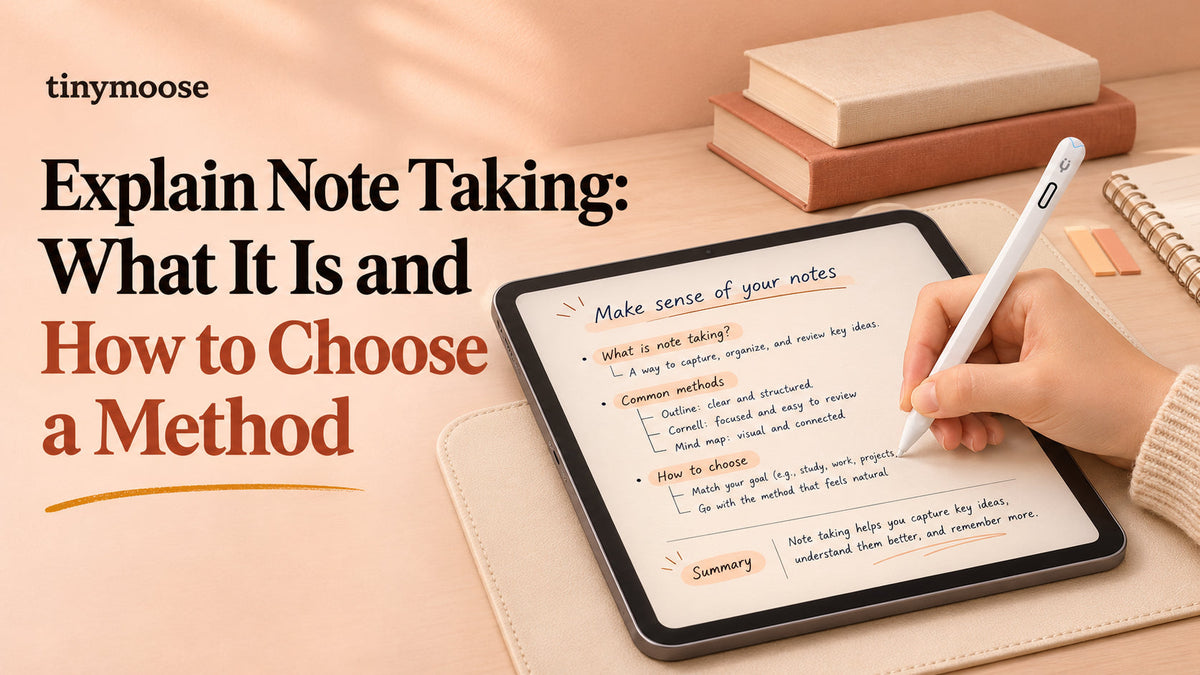
You open your laptop to study and find pages of lecture notes, but you can't explain the main argument. Everything looks familiar. Nothing feels ready to use. The problem may not be how much you captured, but what you did with it.
Table of Contents
- What Note Taking Is and Why It Matters
- Common Note-Taking Methods Compared
- How Note Taking Works in Four Stages
- What the Research Shows About Handwriting and Typing
- A Real Lecture From Messy Notes to Study Notes
- Using Digital Tools and AI Without Losing the Thinking
- Choose Your Method and Test It for Two Weeks
What Note Taking Is and Why It Matters
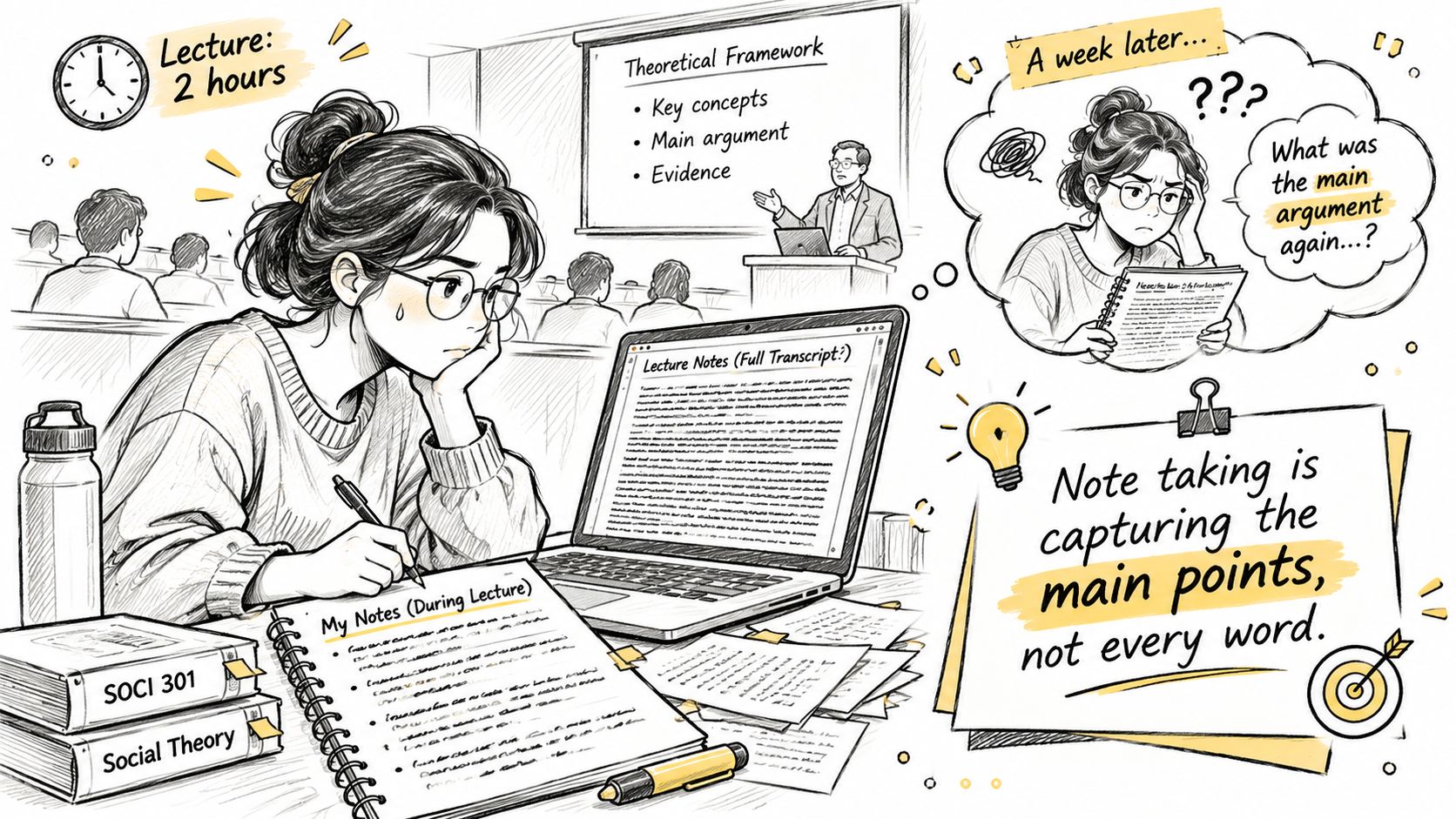
Note taking is capturing information in a form you can use later, not copying everything that was said. To explain note taking, start with its purpose: helping your future self understand, remember, or act.
Say you've sat through a two-hour lecture. Your laptop contains detailed paragraphs, the professor's examples, and almost every definition. A week later, you can find individual phrases, but you can't tell which claim those examples supported.
Good notes work like a map you can navigate, not a camera recording every moment.
That gap between having information and understanding it is familiar to many students.
The jobs your notes need to do
Useful notes serve different purposes during and after a session:
- Hold information: A written definition or question gives you somewhere to return while you follow the speaker.
- Make priorities visible: Choosing a heading requires you to distinguish the main point from its supporting details.
- Support later work: Notes become material for studying, writing, making decisions, or completing tasks.
Students need these functions during lectures and reading. Professionals need them when a meeting produces decisions, responsibilities, and unresolved questions. Anyone learning from talks, books, or training needs a way to turn passing information into something usable.
Consider two students attending the same lecture. One records continuous sentences; the other groups claims under headings and marks anything they can't explain. The second student doesn't necessarily leave with more knowledge, but they leave with a clearer route for finding and fixing gaps.
A skill you can adjust
Note taking is a skill, not merely the habit of writing while someone talks. You can change the structure, the level of detail, and the way you check your understanding afterward.
Your choice should follow the task. A meeting record needs decisions and owners; a biology lesson needs relationships and explanations. Neither benefits from a beautiful page that leaves you unsure what to do next.
Common Note-Taking Methods Compared
Note-taking methods by structure, best use and review effort
| Method | Page structure | Best for | Review effort |
|---|---|---|---|
| Linear outline | Headings with indented bullets | Ordered lectures and talks | Low |
| Cornell | Cue column, main notes, summary strip | Exam-style courses and reading | Medium, built-in questions |
| Mapping | Central idea with branches | Brainstorming and connections | Medium |
| Charting | Columns for items and attributes | Comparisons, dates and variables | Low to medium |
| Verbatim sentences | One line per statement | Quick capture of fast speech | High, needs rework |
A method is the structure you give the page, ideally before the session starts. The review-effort ratings describe the practical work of using each layout afterward, not a ranking of learning outcomes.
Outlines and Cornell for structured material
A linear outline uses headings for major topics and indented bullets for explanations, evidence, and examples. It suits a speaker who moves through a clear sequence or a textbook chapter with recognizable subtopics.
Keep each bullet attached to the claim it supports. If a lecturer gives an exception, indent it beneath the relevant rule rather than leaving it as an unrelated statement.
Cornell notes divide the page into a narrow cue column, a larger notes area, and a summary strip. Capture the lesson in the main area, then use the cue column for questions you can answer with the notes covered.
In a 15-week study of 77 students, students taught the Cornell method showed greater improvement in reading-comprehension scores than a personal-note group. Its questioning, recitation, and synthesis activities provide a practical explanation for its usefulness, although the result doesn't establish that the page layout alone caused the improvement.
For help setting up the page, Tinymoose's Cornell note taking guide provides a useful starting point.
Maps, charts, and sentence capture
Mapping starts with a central idea and adds branches for related concepts. Use it when connections matter more than sequence, such as planning an essay or connecting causes of an event. Label branches clearly enough that you can explain what each connection means.
With charting, you decide on comparison columns before filling in the details. A language learner might use columns for a word, its meaning, and an example sentence. A history student might compare events by cause, participants, and consequences.
Verbatim sentences preserve statements in the order you hear them. This can help when speech is fast or exact wording matters, but it leaves substantial work afterward: grouping ideas, removing repetition, and identifying conclusions.
For a discussion where positions and responses keep changing, Model Diplomat's note taking strategies for MUN offers relevant context for tracking arguments rather than treating every statement equally.
Choose for the material, not the habit
The University of Michigan's summary of note-taking findings describes stronger delayed performance for handwriters after one week, while a 2021 replication found only small, statistically nonsignificant immediate differences between pen and laptop groups. Typed notes still contained more words and more verbatim overlap.
That distinction matters when choosing a method. A layout should help you identify what deserves attention, not merely accommodate more text. No method wins everywhere: choose an outline for sequence, a chart for comparison, and a map for relationships.
How Note Taking Works in Four Stages
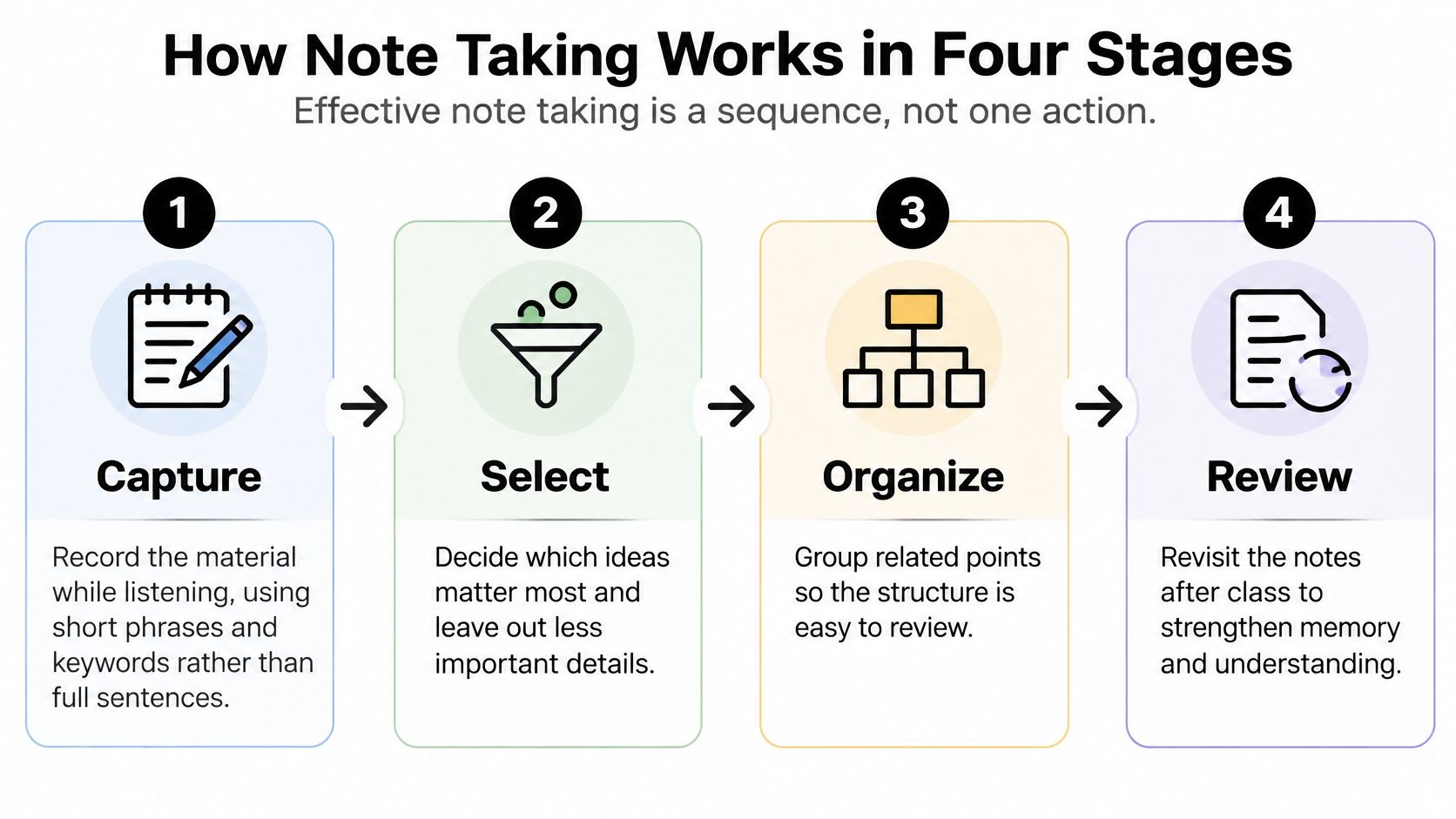
Effective note taking is a sequence, not a single action. You don't have to finish every stage while the lecturer is speaking, but you do need a way to move from initial capture to usable understanding.
The process below separates those jobs.
Move from listening to understanding
- Capture what you need to keep. During a biology lecture on cellular respiration, write short phrases such as glucose breakdown, ATP, and oxygen's role. Preserve unfamiliar technical terms accurately, but don't surround them with unnecessary sentences.
- Select the important ideas. Ask what the lecturer is trying to explain. You might retain the relationship between breaking down glucose and producing usable cellular energy, while leaving out a repeated anecdote. If you don't understand a term yet, mark it rather than inventing a paraphrase.
- Organize the relationships. Group definitions separately from stages and explanations. Add an arrow from a process to its outcome, and place an open question beside the relevant point: Why does oxygen availability matter? This gives uncertainty a location you can revisit.
- Review without immediately looking. Within a day, cover the explanation and describe the process aloud. Then uncover it, check your account, and correct omissions. If you can name the stages but can't explain their relationship, your next task is clear.
Make review an active task
A common failure is stopping after capture. Another is organizing the page without ever testing whether you understand it. Selection prevents you from treating every detail as equally important; review reveals whether your choices were useful.
The summary of Flanigan and colleagues' 2024 meta-analysis reports that the achievement advantage for handwritten notes increased from Hedges' g = 0.208 without review to 0.421 with review. That makes review an important part of interpreting a handwriting advantage, not an optional finishing touch.
For practical ways to replace passive rereading, MasteryMind's guide to how retrieval practice boosts exam recall gives useful context.
Page check: Can I explain each idea without looking, and would this page help me answer a question a week from now?
If the answer is no, add the missing explanation or a targeted question. Don't rewrite the entire page just to make it look finished.
What the Research Shows About Handwriting and Typing
Handwriting isn't automatically better, and typing more quickly doesn't automatically mean learning more. The useful question is what each medium encourages you to do while you listen.
In the 2014 study by Pam Mueller and Daniel Oppenheimer, laptop users in one experiment recorded about 310 words on average, compared with 173 words for longhand note-takers; factual recall was similar, but handwritten-note takers performed significantly better on conceptual questions. Those questions required explanation, comparison, or application rather than recognition alone.
More coverage isn't the same as more understanding
The researchers linked the difference to processing. Laptop users were more likely to reproduce lecture language word for word, while handwriting required more selection, compression, and restatement.
That doesn't make transcription useless. Exact wording can matter for a quotation, a technical definition, or a meeting decision. The problem is treating faithful capture as proof that you've understood the reasoning.
A useful distinction is:
- Recording a claim: Keeping what the speaker said.
- Explaining a claim: Showing why it follows, what supports it, and where it applies.
Typing can support both jobs. Handwriting can fail at both if you copy mechanically or spend the session decorating headings.
Paper and digital handwriting aren't identical
A 2025 university study comparing longhand and stylus-based digital note-taking found higher scores for longhand across overall cognition, processing speed, working memory, and visual memory, but reported a small effect size. That's a reason to avoid promising that digital handwriting reproduces every benefit of paper, not a reason to dismiss tablets.
The sensible interpretation is a tendency, not a universal rule. Your subject, familiarity with the material, distraction level, and later use of the notes all belong in the decision.
Judge the tool by the thinking it helps you do, not by how much text it lets you produce.
Change the behavior before buying another device
If you type, pause at a topic change and write a short explanation in your own words. If you handwrite, check that your abbreviations still make sense after the lecture ends.
Use keywords and headings to preserve the argument. Keep exact wording where accuracy requires it, and distinguish quotations from your own explanations. Then revisit the page while you can still identify what needs clarification.
The medium matters, but it isn't a complete recommendation.
A Real Lecture From Messy Notes to Study Notes
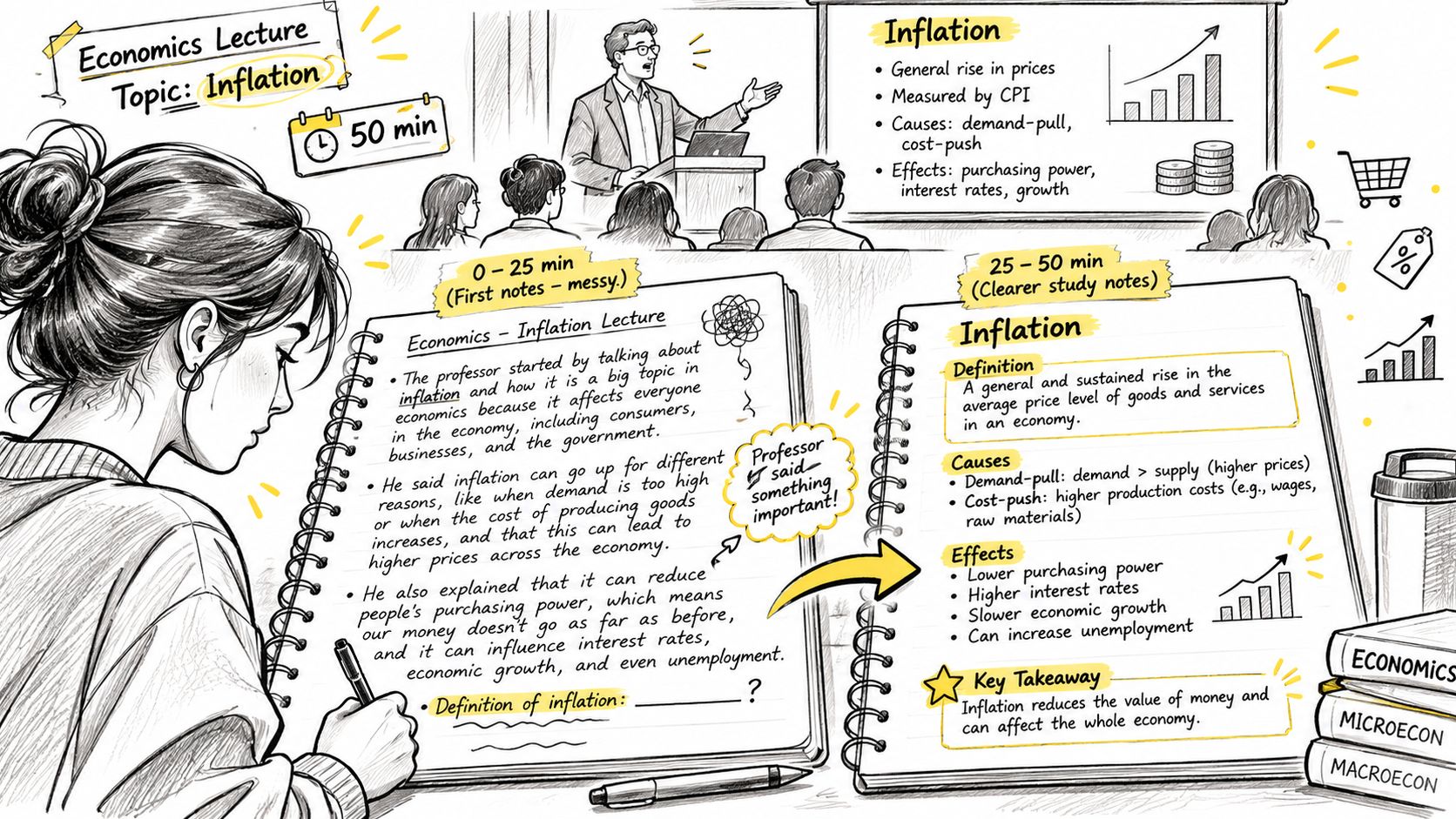
Consider a hypothetical student leaving a 50-minute economics lecture on inflation. Their page contains plenty of writing, but several entries don't explain anything.
The contrast below is about making the page usable, not making the handwriting prettier.
The first version leaves work unfinished
The rough page might contain these entries:
- Definition: Inflation is something about prices, check slide.
- Example: The professor talked about a bakery paying more for ingredients and explained several things about costs.
- Important point: Professor said this matters.
- Earlier topic: Interest rates?
The student has recorded reminders of hearing something, not enough information to reconstruct it. The missing definition needs checking against the slides or textbook; it shouldn't be filled in from a guess.
Rebuild around questions and relationships
The student adds the heading Inflation and rising costs, then checks the source before writing a compact definition in their own words.
| Cue question | Reworked study note |
|---|---|
| What is inflation? | A rise in the general price level, not simply one item becoming more expensive. |
| How did the bakery example work? | Higher ingredient costs → pressure on the bakery to raise prices. |
| Does that example explain every price increase? | No. Check which mechanism the lecturer was illustrating. |
| How does this connect to interest rates? | Add the connection from the previous lecture after checking the course explanation. |
The arrow makes a proposed cause-and-effect relationship visible. The question about the bakery preserves the example's purpose, while the final row keeps an unfinished connection explicit.
For a visual companion to the note-taking workflow, use this video:
The evening review makes it usable
In this scenario, the student spends ten minutes that evening covering the notes and answering the cue questions. They check uncertain answers and write a three-sentence summary: inflation concerns the general price level; the bakery illustrates a possible cost-pressure mechanism; a single price increase isn't enough to establish economy-wide inflation.
The revised page has fewer wasted words and clearer meaning. Every question either has an answer or identifies a specific follow-up task. That's what makes it useful for an exam rather than merely recognizable afterward.
Using Digital Tools and AI Without Losing the Thinking
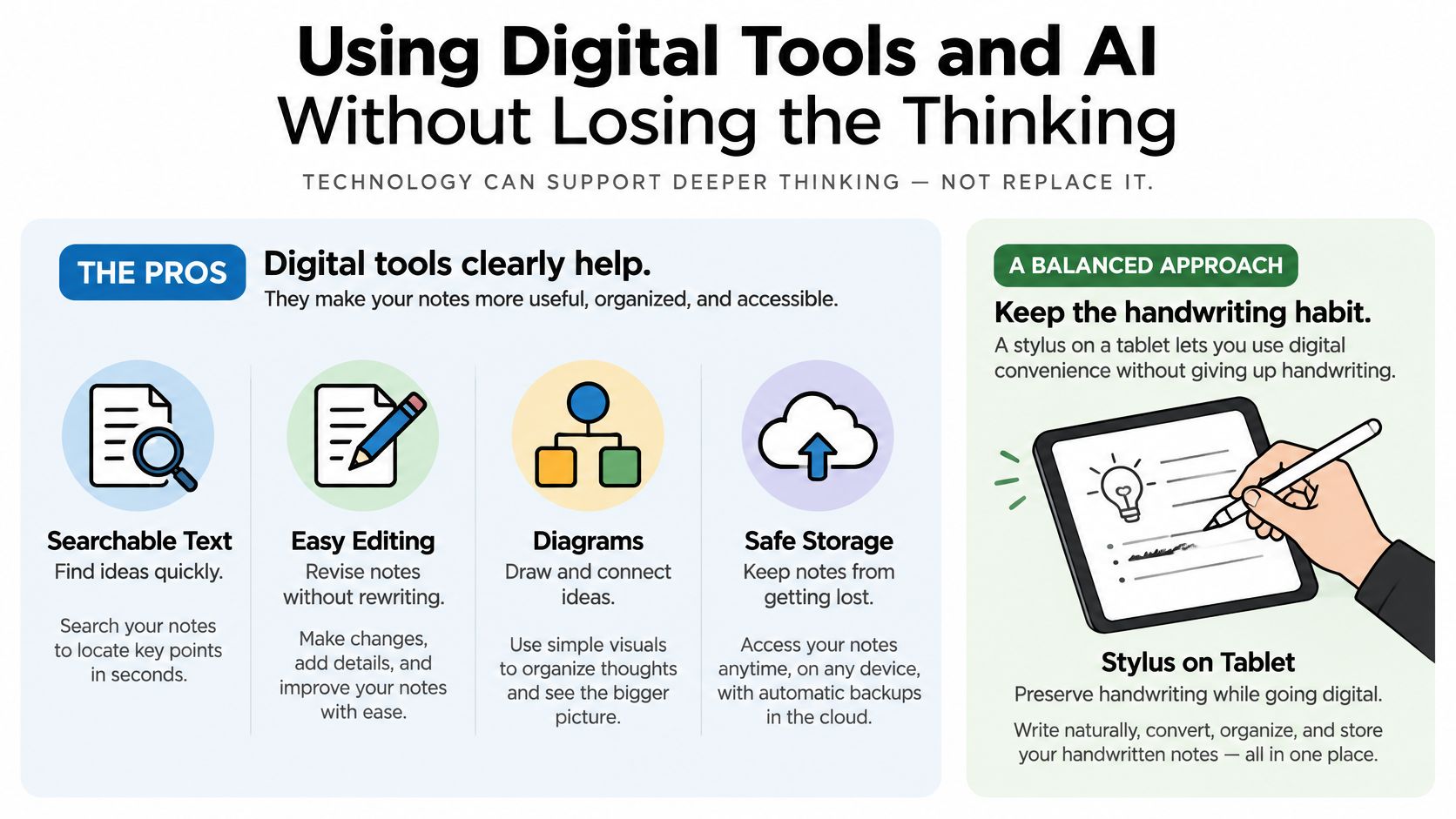
Digital tools help with searchable text, editing, diagrams, and keeping related materials together. Backed-up storage also reduces dependence on a single physical notebook, although no storage system is impossible to lose.
A stylus on a tablet lets you write equations, draw diagrams, and annotate lecture slides. Search, handwriting recognition, and storage depend on the app and its settings, so test those functions rather than assuming the pen supplies them.
For handwritten explanations, diagrams and slide annotations, the Tinymoose Pencil Pro Ultra is a practical choice for building your everyday digital notebook on a compatible iPad.
Use this visual as a checklist of digital conveniences to evaluate.
Separate assistance from understanding
Jisc's 2025 student survey describes learners using AI to identify key points and create concise, organized notes, with many saying it improves understanding. Self-reported usefulness, however, isn't proof that an automatically generated summary contains everything you need or that you can explain it independently.
A polished draft can hide an omitted qualification, a mistaken term, or a misidentified speaker. Transcripts can still be valuable for learners who need another route into spoken material, but access and verification should work together.
Before choosing a service, use AI Tool Seekers to compare auto notes AI tools, then examine the tool's actual recording, export, and privacy settings.
Keep a person responsible for the notes
Use a human-in-the-loop routine:
- Get permission: Check recording rules and obtain appropriate consent before capturing a lecture or meeting.
- Add personal annotations: Record what seems important, confusing, or connected to earlier learning alongside the transcript.
- Verify the draft: Check terminology, claims, speaker attribution, and missing caveats against the original material.
- Protect sensitive information: Don't upload confidential workplace material, private student information, or other people's personal details without authorization.
- Explain independently: Close the generated summary and write your own account before using AI to organize review questions.
For a hybrid workflow, keep diagrams handwritten and convert only the passages you need to search or edit. The note digitizing guide from Tinymoose explains that route.
Check converted equations, names, and technical terms carefully. The practical goal is easier retrieval without handing over responsibility for meaning.
Choose Your Method and Test It for Two Weeks
Start with the situation rather than your favorite device. Dense conceptual lectures suit Cornell questions; diagram-heavy biology or engineering material suits sketches and maps. Fast meetings often need a linear outline with decisions, owners, and deadlines.
Use charting for vocabulary, dates, or comparisons. For textbooks and papers, try Cornell notes with a handwritten summary. If relationships are hard to express in a list, try using mind maps to take notes.
Run a fair comparison
Use this two-week experiment as a practical trial, not a scientific verdict:
- Establish your baseline. During the first week, use your default method for comparable lectures or meetings.
- Change the structure. During the second week, use another method for the same kind of material. Avoid changing every tool at once.
- Keep review consistent. After each session, review within 24 hours by covering the page and explaining the key points aloud.
- Check delayed use. At the end of each week, test material encountered a few days earlier. Explain a concept, apply it to a fresh example, or reconstruct a decision and its next action.
Judge accuracy, application, and ease of finding answers, not neatness or page count. Note whether one method required more cleanup than you could realistically maintain.
Match the medium to the work
Try paper for recall-heavy study, a tablet and stylus for diagrams and annotated slides, and a laptop for fast meeting records. A hybrid can be the most practical choice: handwritten explanations during class, selected conversion afterward, and a typed review sheet.
Our Tinymoose stylus pens allow students to take handwritten notes and convert them into AI-powered summaries. The Pencil Pro Lumin is optimized for note-taking and everyday writing with a slightly softer nib feel, while every Pencil Pro model features palm rejection, pixel-perfect accuracy, and tilt sensitivity; the Pencil Pro 2 is another option for carrying handwriting into an app-based workflow.
Choose the setup that passes your test. Pick one method today and use it in your next lecture, then check what you can explain afterward.
Tinymoose offers iPad stylus pens for handwritten notes, diagrams, and everyday writing. Visit Tinymoose to choose a pen for your note-taking workflow, and pair it with a method you'll actually review.
Partager:
Notes with Fonts: Choosing Readable Typefaces for iPad
Best Budget Replacement Straps for Apple Watch in 2026