
Soyons honnêtes un instant : essayer de taper un long e-mail ou un mémoire sur un écran en verre est tout simplement horrible. C’est lent, maladroit et frustrant. C’est précisément là où votre iPad montre ses limites, attendant que vous débloquiez sa vraie puissance. La meilleure façon de transformer votre tablette d’un gadget de consommation média en une véritable machine de productivité est avec une housse clavier pour iPad.
Pourquoi une housse clavier pour iPad est un véritable changement de jeu
Réfléchissez-y. Vous pourriez être assis en cours, tapant sans effort des notes détaillées. Vous pourriez rédiger un rapport dans votre café préféré ou vider votre boîte mail avec la même rapidité et le même confort que sur un ordinateur portable. Seul, l’iPad est parfait pour se détendre et consommer du contenu — regarder des séries, faire défiler des fils d’actualité ou se tenir au courant des nouvelles. Mais dès que vous devez créer quelque chose, ce clavier à l’écran devient un obstacle.
Une excellente housse clavier résout ce problème instantanément. Elle comble le fossé entre regarder passivement et agir activement, faisant de votre iPad un outil sérieusement polyvalent qui simplifie votre vie. Il ne s'agit pas seulement d'ajouter des touches à votre appareil ; c'est de changer fondamentalement votre façon de travailler et de jouer, rendant chaque tâche plus facile et plus agréable.
Libérer la vraie productivité
Le bénéfice le plus immédiat est une augmentation massive de votre vitesse et précision de frappe. Les gens tapent beaucoup plus vite et confortablement sur un clavier physique que sur un écran tactile. Ce n’est pas un petit avantage ; c’est une amélioration pratique qui fait une différence tangible dans vos tâches quotidiennes.
- Pour les étudiants : Rédiger des dissertations, prendre des notes lisibles et participer à des discussions en ligne devient un jeu d'enfant plutôt qu'une corvée.
- Pour les professionnels : Envoyer des e-mails, éditer des documents et ajuster des présentations en déplacement devient aussi naturel que d'utiliser votre ordinateur de travail.
- Pour les écrivains : Quand une idée vous vient, vous pouvez la noter sans que les touches encombrantes à l'écran ne brisent votre élan. Cela vous aide à rester dans cette zone créative.
Une housse clavier de qualité n'ajoute pas seulement une fonctionnalité ; elle élimine les frictions. Elle rend l'utilisation de votre iPad plus simple, plus rapide et plus agréable. Vous vous surprendrez à l'utiliser pour bien plus que Netflix.
Plus Qu’un Simple Clavier
Les meilleures housses clavier sont brillantes parce qu'elles simplifient votre installation. Elles combinent trois accessoires essentiels — une coque de protection, un clavier physique et un support réglable — en un seul ensemble élégant et facile à utiliser. Soudain, vous avez moins de matériel à transporter et à gérer.
Au lieu de jongler avec un étui séparé, un support compliqué et un clavier Bluetooth, vous avez une unité intégrée qui fonctionne simplement. C’est un sauveur pour tous ceux qui sont en déplacement. Vous pouvez ouvrir votre iPad et disposer d’un poste de travail confortable et ergonomique en quelques secondes — que vous soyez à la bibliothèque, dans un salon d’aéroport ou à votre table de cuisine.
Ce guide repose sur une philosophie simple : pas de superflu, juste la fonction. Nous vous guiderons à travers tout ce qui compte pour que vous trouviez un étui qui simplifie votre routine quotidienne.
Décrypter les différents styles d’étuis clavier pour iPad
Choisir le bon étui clavier pour iPad est la première et la plus importante étape. Tout dépend de votre routine quotidienne. Tous les étuis ne sont pas conçus de la même façon ; chaque style est pensé pour résoudre un problème différent et s’adapter à un flux de travail spécifique, facilitant la vie de son utilisateur.
Au fond, votre iPad mène vraiment une double vie. C’est un appareil pour se détendre et consommer des médias, mais c’est aussi une machine sérieuse de productivité. C’est cette dynamique centrale que vous essayez d’équilibrer.
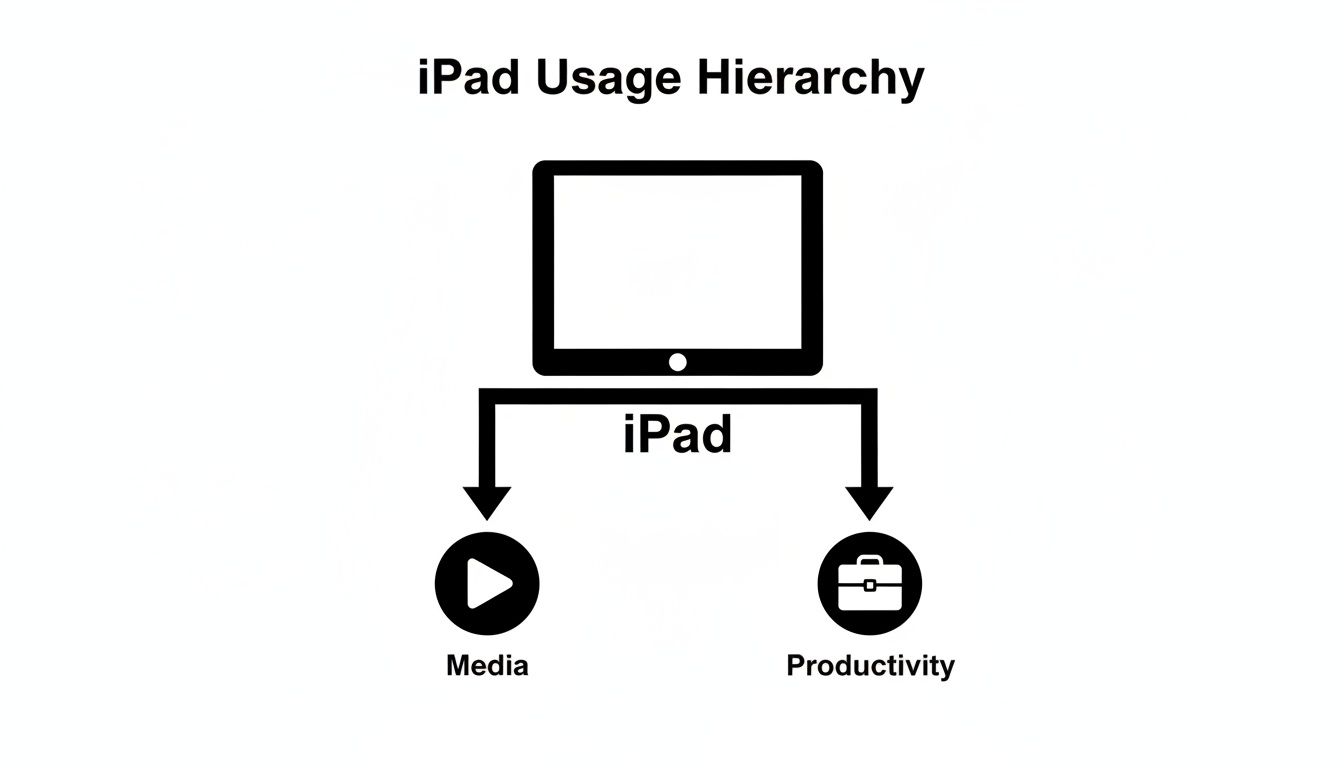
Un bon étui clavier est le pont qui transforme votre iPad d’un simple écran passif en un outil de travail actif, misant fortement sur sa facette productivité.
L’étui clavier folio classique
Le folio est le choix par excellence du professionnel. Imaginez un carnet élégant et minimaliste qui s’ouvre pour révéler un clavier complet. Il est conçu pour l’élégance et la portabilité, ce qui en fait le compagnon idéal pour les réunions clients, les sessions de travail en café, ou simplement pour glisser dans un sac à dos sans ajouter de volume.
Les étuis folio offrent une excellente protection de l’écran lorsqu’ils sont fermés et présentent un look épuré et discret. Leur plus grand avantage est de combiner une allure professionnelle avec une saisie pratique, ce qui les rend parfaits pour ceux qui apprécient un design léger et tout-en-un. Le compromis ? Ils offrent généralement une protection contre les chutes moins intense que leurs cousins plus costauds.
L’étui robuste et prêt à tout
Si votre iPad est plus un outil que vous transportez sur le terrain qu’un accessoire posé sur votre bureau, un étui robuste est votre meilleur choix. Pensez-y comme au casque de chantier et aux bottes à embout d’acier personnels de votre iPad, conçus pour résister aux chocs, chutes et éclaboussures d’une vie mobile et active.
Ces étuis sont un rêve pour les étudiants qui courent entre les cours, les travailleurs sur le terrain, ou toute personne ayant un trajet chargé. Leur principal avantage est une protection supérieure, souvent avec des coins renforcés et des matériaux robustes. Bien sûr, cela se fait au prix d'un poids et d'un volume supplémentaires. Ce style privilégie la durabilité, garantissant que votre appareil reste en sécurité où que votre journée vous mène.
L'étui détachable polyvalent
Les coques clavier détachables sont les véritables hybrides du monde iPad, vous offrant une flexibilité ultime. Tout le design est pensé pour vous permettre de séparer physiquement le clavier de la coque, changeant complètement votre configuration en quelques secondes.
C’est vraiment le meilleur des deux mondes. Vous disposez d’une station de saisie puissante quand vous devez travailler, et d’une tablette simple et légère pour lire, dessiner ou regarder un film quand vous n’en avez pas besoin.
Ce type d’adaptabilité explique pourquoi les coques clavier intégrales, qui allient protection et productivité, ont pris le dessus. Elles ont capturé un énorme 55 % du marché total des coques et housses pour iPad en 2023, une tendance entièrement portée par les personnes cherchant une solution unique et tout-en-un.
Cette domination du marché est parfaitement logique quand on se rappelle que taper sur un clavier physique est deux à trois fois plus rapide que de taper sur un écran tactile. C’est un gain d’efficacité énorme, surtout pour les 70 % des professionnels qui travaillent désormais en mode hybride et doivent en faire plus, où qu’ils soient.
Types de coques clavier pour iPad en un coup d’œil
Pour être encore plus clair, voici un aperçu rapide des styles les plus courants. Cela devrait vous aider à cibler celui qui correspond le mieux à votre routine quotidienne.
| Type de coque | Idéal pour | Avantage clé | Inconvénient potentiel |
|---|---|---|---|
| Folio | Professionnels, saisie légère, réunions | Design élégant, léger, tout-en-un | Protection limitée contre les chutes |
| Robuste | Étudiants, travailleurs sur le terrain, utilisateurs sujets aux accidents | Durabilité et protection maximales | Ajoute un volume et un poids significatifs |
| Détachable | Utilisateurs hybrides, artistes, multitâches | Polyvalence et adaptabilité ultimes | Peut être plus coûteux, avec plus de pièces mobiles |
Au final, il s’agit de trouver la coque qui vous semble être une extension naturelle de la façon dont vous utilisez déjà votre iPad.
Faire le bon choix pour votre flux de travail
Alors, comment décider laquelle vous convient ? Il s’agit d’adapter l’outil à vos tâches quotidiennes pour rendre la vie un peu plus facile.
- Privilégiez un folio si : Vous avez besoin d’une coque professionnelle et fine pour une saisie légère, des réunions, et une portabilité maximale.
- Choisissez une coque robuste si : Votre priorité numéro un est de protéger votre iPad contre les chutes, les chocs et un environnement actif.
- Optez pour une coque détachable si : Vous souhaitez une polyvalence totale pour passer rapidement de la saisie, au dessin, et au visionnage de médias.
Comprendre ces différences fondamentales vous orientera directement vers le choix parfait. Et pour ceux qui aiment la sensation d’un vrai clavier mais ne veulent pas qu’il soit attaché à une coque, vous pouvez toujours consulter les options autonomes dans notre guide sur les meilleurs claviers sans fil pour iPad.
Caractéristiques clés qui améliorent réellement votre flux de travail
Au-delà du style basique d'une coque clavier pour iPad, ce sont les petits détails réfléchis qui distinguent un bon accessoire d'un excellent. Ce sont les fonctionnalités pratiques et quotidiennes qui vous font vous demander comment vous avez pu vous en passer.
Pensez-y comme choisir une voiture. La couleur est agréable, mais ce qui compte vraiment, ce sont les éléments qui améliorent la conduite : une direction réactive, des sièges confortables et un excellent système audio. Le même principe s'applique ici. Nous allons au-delà de l'apparence pour nous concentrer sur les éléments qui rendent réellement votre travail plus facile et plus rapide.
La sensation des touches compte
La partie la plus importante de tout clavier est l'expérience de frappe elle-même. Tout cela se résume à deux choses : la course des touches et le retour tactile.
La course des touches est la distance que parcourt une touche lorsqu'on l'enfonce. Un clavier avec une bonne course ne donne pas une sensation plate ou molle ; il offre une profondeur satisfaisante qui vous aide à taper plus vite et avec moins d'erreurs. Le retour tactile est ce léger « clic » ou « bosse » que vous ressentez, confirmant que votre frappe a bien été enregistrée.
Ensemble, ces éléments créent une sensation confortable et réactive, beaucoup plus proche d'un véritable ordinateur portable. Un clavier bon marché et fragile ne fera que vous ralentir et vous frustrer, ce qui va à l'encontre de tout l'intérêt d'en avoir un.
Le changement radical : un trackpad intégré
Si une fonctionnalité transforme vraiment votre iPad en un remplacement d'ordinateur portable, c'est un trackpad intégré. Il facilite tout.
Sans lui, vous êtes obligé de faire une danse maladroite : taper sur le clavier, puis lever la main pour toucher l'écran afin de déplacer le curseur, sélectionner du texte ou fermer une fenêtre. Ce va-et-vient constant casse votre concentration et tue votre élan.
Un trackpad met tout à portée de main. Vous pouvez naviguer dans iPadOS avec précision, en utilisant les mêmes gestes que vous connaissez pour faire défiler, passer d'une application à l'autre et ouvrir le dock. L'édition de documents devient un jeu d'enfant lorsque vous pouvez sélectionner du texte avec la même précision que sur un MacBook.
Pour toute personne sérieuse au sujet de la productivité, un trackpad n'est pas un luxe ; c'est une nécessité. Il rend votre flux de travail fluide, centralisant le contrôle et gardant vos mains là où elles doivent être.
Fonctionnalités pratiques pour un usage quotidien
Au-delà de la saisie et de la navigation, quelques autres fonctionnalités font une énorme différence dans l'utilisation quotidienne.
-
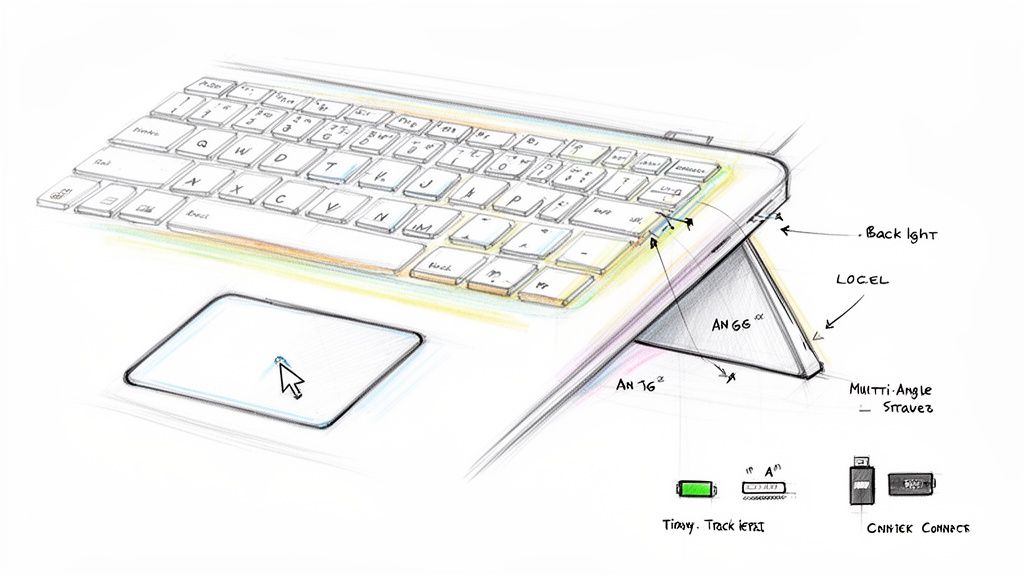
Touches rétroéclairées : Cela semble être un détail mineur jusqu'à ce que vous en ayez vraiment besoin. Pour les étudiants travaillant sur un devoir tard dans la nuit ou pour toute personne rattrapant ses e-mails dans une pièce faiblement éclairée, les touches rétroéclairées sont un véritable sauveur pour la visibilité et la précision.
-
Support multi-angle : Un support à angle fixe, c’est la recette pour un torticolis. Une coque de qualité doit offrir plusieurs angles de vue pour s’adapter à votre environnement, que vous soyez à un bureau, en train de regarder une présentation ou de dessiner sur une table basse. Cette flexibilité ergonomique fait toute la différence.
-
Autonomie longue durée : Un clavier toujours déchargé est juste une source de stress supplémentaire. Cherchez des coques qui offrent des semaines, voire des mois d’utilisation sur une seule charge. Vous avez besoin d’un outil toujours prêt à l’emploi, pas d’un accessoire mort dans votre sac.
Connectivité : le héros invisible
La façon dont votre clavier se connecte à votre iPad est une autre pièce essentielle du puzzle. Les deux options principales sont le Bluetooth et le Smart Connector.
Le Bluetooth est le plus courant, offrant une grande polyvalence et compatibilité avec presque tous les iPad. Le Bluetooth moderne est extrêmement économe en énergie et simple à appairer.
Le Smart Connector, présent sur certains modèles d’iPad, est une connexion physique qui gère à la fois l’alimentation et les données. Cela signifie pas d’appairage et jamais besoin de charger—jamais. Bien que très pratique, les coques avec cette fonctionnalité sont souvent plus chères et ne fonctionnent qu’avec des modèles spécifiques.
Pour la plupart des gens, une connexion Bluetooth fiable offre le parfait équilibre entre performance, prix abordable et flexibilité. Lorsque vous associez un excellent clavier au bon logiciel, votre iPad devient une vraie centrale. Pour compléter votre installation, consultez notre guide sur les meilleures applications de productivité pour iPad.
Comment assortir une coque à votre iPad et à votre vie
Choisir la bonne coque clavier pour iPad est un puzzle en deux parties. D’abord, elle doit s’adapter physiquement à votre modèle d’iPad comme un gant. Ensuite, et tout aussi important, elle doit s’intégrer parfaitement dans votre vie quotidienne. Réussissez ces deux points, et la coque devient une extension naturelle de votre appareil, rendant chaque tâche un peu plus facile.
Commençons par l’ajustement technique. Une coque pour iPad n’est absolument pas un accessoire universel. Chaque génération d’iPad Pro, Air et le modèle standard a ses propres dimensions uniques, son renflement de caméra et sa disposition des ports. Une coque conçue pour un iPad Pro de 11 pouces ne fonctionnera pas pour un iPad Air, même si leurs écrans ont une taille similaire.
Confirmer le modèle de votre iPad
Avant même de penser à ajouter une coque à votre panier, vous devez savoir exactement quel iPad vous possédez. Ne devinez pas—vérifiez.
- Ouvrez l’application Réglages sur votre iPad.
- Touchez Général, puis touchez Informations.
- Cherchez le Nom du Modèle. C’est le ticket d’or.
Une fois que vous avez le nom exact du modèle (comme « iPad Air 5e génération »), vous pouvez acheter en toute confiance. Cela garantit que l’étui que vous achetez aura des découpes parfaitement alignées pour les haut-parleurs, microphones, port de charge et caméra, vous évitant la frustration des ports bloqués ou d’un haut-parleur étouffé.
Adapter l’étui à votre flux de travail
Passons à la partie amusante : trouver un étui qui correspond à votre vie. L’étui idéal pour un étudiant universitaire qui rédige des essais n’est probablement pas le meilleur choix pour un graphiste ou un cadre en déplacement. Si vous prenez un moment pour imaginer comment vous utilisez votre iPad chaque jour, vous pourrez cibler les fonctionnalités qui feront vraiment la différence pour vous.
Passons en revue quelques scénarios concrets pour voir comment cela se traduit.
Considérez votre étui clavier pour iPad comme un outil spécialisé. Vous devez choisir celui qui convient le mieux à votre usage. Une option polyvalente et tout-terrain est bien, mais sa vraie valeur réside dans sa capacité à gérer efficacement les tâches que vous effectuez le plus souvent.
L’étudiant universitaire
La vie sur le campus est un constant va-et-vient entre les cours, les sessions à la bibliothèque et les révisions tardives. Pour un étudiant, l’étui parfait est avant tout pratique et fiable. Il doit être assez léger pour être glissé dans un sac à dos sans donner l’impression de porter une brique, mais assez robuste pour survivre à une chute occasionnelle entre les cours.
- Priorités clés : Une longue autonomie est indispensable pour tenir toute une journée de prise de notes sans chercher une prise électrique. Un clavier confortable est aussi essentiel pour taper des milliers de mots pour des essais et des travaux de recherche. La portabilité est reine.
Le professionnel à distance
Pour le professionnel en télétravail ou hybride, un iPad joue souvent un double rôle en tant que machine de travail principale. Ici, l’accent est mis sur la création d’une station de travail mobile soignée, efficace et confortable. Un look élégant et professionnel est un bonus appréciable pour les réunions avec des clients, mais c’est la fonctionnalité brute qui compte vraiment.
- Priorités clés : Un trackpad réactif et précis change la donne. Il simplifie considérablement les tâches comme l’édition de documents, la navigation dans les feuilles de calcul et la gestion des applications, offrant une véritable expérience proche de celle d’un ordinateur portable. Les options de visualisation multi-angle sont également cruciales pour éviter les tensions au cou lors de longues sessions de travail, que vous soyez à un bureau, dans un café ou dans un salon d’aéroport.
L’artiste numérique ou créateur
Les créatifs ont une relation totalement différente avec leur iPad. Pour un artiste numérique, un écrivain ou un créateur de contenu, le clavier n’est qu’une partie de l’histoire. La capacité de croquer, dessiner et interagir directement avec l’écran est tout aussi importante. Ce flux de travail exige une chose avant tout : la flexibilité.
- Priorités clés : Un clavier détachable est clairement la meilleure option ici. Il vous permet de passer instantanément d’une configuration de frappe à une tablette simple et épurée pour dessiner avec un stylet. Un étui qui peut se replier complètement est une autre option solide, garantissant que rien ne gêne lorsque l’inspiration frappe.
Découvrez le SpacePad Pro : votre partenaire ultime de productivité
Nous avons passé en revue toutes les fonctionnalités qui font d’un étui clavier pour iPad un véritable outil de productivité. Maintenant, voyons comment ces idées se réunissent dans un seul ensemble intelligent et pratique. Le Tinymoose SpacePad Pro a été conçu pour exceller dans sa fonction : offrir une performance de premier ordre sans le prix douloureux.
C’est l’expression parfaite de toute notre philosophie : Pas de superflu. Juste la fonction. Nous avons conçu cet étui de A à Z pour rendre l’utilisation de votre iPad pour le travail non seulement possible, mais vraiment agréable et sans effort.
Conçu pour votre façon de travailler réellement
Avec le SpacePad Pro, nous nous sommes concentrés sur les fonctionnalités qui font vraiment la différence dans votre quotidien. Nous avons commencé par l’expérience de frappe, en concevant les touches pour qu’elles offrent ce déplacement et ce clic satisfaisants dont vous avez besoin pour taper confortablement pendant des heures.
Ensuite, nous avons ajouté un rétroéclairage réglable. Cette fonctionnalité simple vous permet de continuer à travailler clairement partout, d’une salle de cours peu éclairée à un vol de nuit.
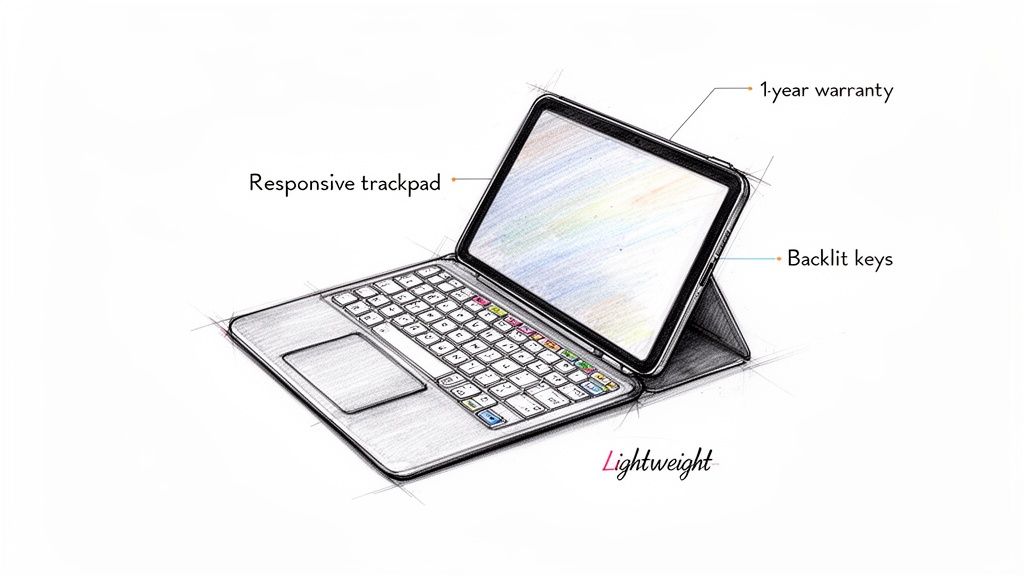
Mais le véritable changement, c’est le grand pavé tactile multi-touch. Il vous offre enfin le contrôle fluide et précis auquel vous êtes habitué sur un ordinateur portable. Vous pouvez surligner du texte, naviguer rapidement dans les feuilles de calcul et utiliser iPadOS sans ce va-et-vient maladroit entre le clavier et l’écran. Ça fonctionne tout simplement.
Praticité dans chaque détail
Un excellent outil doit être facile à vivre. C’est pourquoi le SpacePad Pro dispose d’une batterie qui dure des semaines sur une seule charge. Il est aussi conçu pour être léger mais robuste, offrant à votre iPad une protection solide contre les chocs quotidiens sans alourdir votre sac.
Voici un aperçu rapide des fonctionnalités principales qui en font le meilleur choix pour la productivité :
- Touches réactives de type ordinateur portable : Bénéficiez du retour tactile nécessaire pour taper plus vite et avec plus de précision.
- Pavé tactile multi-touch complet : Utilisez tous les gestes que vous connaissez déjà pour faire défiler, glisser et naviguer en toute simplicité.
- Touches rétroéclairées réglables : Choisissez parmi plusieurs niveaux de luminosité pour toujours voir ce que vous faites.
- Construction durable et légère : Protège votre iPad de l'usure quotidienne sans vous alourdir.
Cette attention portée aux fonctionnalités pratiques et à fort impact explique pourquoi le marché des claviers avec coque explose. Il devrait presque doubler pour atteindre 2,5 milliards USD d’ici 2033, selon les recherches de Verified Market Reports. Avec le travail hybride et l’apprentissage numérique devenus la norme, les gens ont besoin d’outils qui les rendent vraiment plus efficaces. En fait, un bon clavier avec coque peut augmenter la vitesse de frappe jusqu’à 40% par rapport au clavier à l’écran — un avantage considérable pour les étudiants et les professionnels.
« Le SpacePad Pro repose sur une promesse simple : rendre votre vie plus facile et plus productive. Chaque fonctionnalité a été choisie pour éliminer les frictions dans votre flux de travail, vous permettant de vous concentrer sur ce que vous devez vraiment accomplir. »
C’est la configuration idéale pour les étudiants qui prennent des notes, les professionnels qui rédigent des rapports, et tous ceux qui ont besoin d’être efficaces. Soutenu par notre garantie d’un an et une livraison mondiale fiable, le SpacePad Pro est le choix intelligent et sans compromis qui tient ses promesses.
Découvrez comment le SpacePad Pro peut booster votre productivité sur iPad sur notre blog.
Installation simple et entretien quotidien
Mettre en route votre nouveau clavier avec coque pour iPad ne devrait pas être une corvée technique. Cela doit être simple. Heureusement, le processus est conçu pour être ultra simple, vous permettant de passer du déballage à la saisie en quelques minutes. La plupart des coques de qualité, y compris la SpacePad Pro, utilisent une méthode d’appairage Bluetooth directe que tout le monde peut maîtriser.
La beauté réside dans la simplicité. Il n’y a pas de pilotes à chercher ni de logiciel compliqué à configurer. Vous l’allumez, vous l’appairez une fois, et c’est tout. Après cette première connexion, votre iPad et votre clavier se reconnaîtront automatiquement à chaque ouverture de la coque, rendant votre flux de travail totalement fluide.
Appairez votre clavier en trois étapes simples
La connexion prend moins d’une minute. Vraiment. C’est un processus unique : allumer le clavier, ouvrir les réglages Bluetooth sur votre iPad, et toucher l’écran.
- Allumez et activez le mode appairage : Tout d’abord, allumez votre clavier avec coque. Vous trouverez généralement un interrupteur d’alimentation dédié et un bouton Bluetooth. Maintenez ce bouton Bluetooth enfoncé pendant quelques secondes jusqu’à ce qu’un voyant clignote — c’est le signal qu’il est prêt à se connecter.
- Ouvrez les réglages Bluetooth de l’iPad : Maintenant, prenez votre iPad et allez dans Réglages > Bluetooth. Assurez-vous que le Bluetooth est activé. Votre iPad commencera immédiatement à rechercher les appareils à proximité.
- Sélectionnez votre clavier : Dans un instant, votre étui clavier (il affichera quelque chose comme "Tinymoose SpacePad Pro") apparaîtra dans la liste des appareils. Il vous suffit de toucher son nom, et les deux se connecteront instantanément. Voilà — vous êtes prêt à taper.
Garder votre étui en parfait état
Une fois que vous êtes configuré, un peu d’entretien régulier gardera votre étui clavier en parfait état pendant des années. Ce n’est pas un entretien fastidieux ; ce sont des habitudes simples qui protègent votre matériel et maintiennent votre espace de travail fonctionnel.
Un étui clavier bien entretenu ne sert pas seulement à avoir un bel aspect — c’est aussi une question de performance fiable. Des habitudes simples comme une charge intelligente et un nettoyage délicat évitent les problèmes courants et prolongent la durée de vie de votre outil de productivité le plus important.
Une charge intelligente est essentielle pour la santé de la batterie. Plutôt que de la décharger complètement, il est bien mieux de la recharger dès qu’elle est faible. Pour le nettoyage, un chiffon en microfibre doux et légèrement humidifié suffit pour essuyer l’étui et les touches. Si vous avez de la saleté tenace entre les touches, un coup rapide de bombe d’air comprimé fait des merveilles.
Enfin, lorsque vous êtes en déplacement, glissez-le dans une housse rembourrée ou un compartiment dédié de votre sac à dos. Cela aide à éviter les rayures et les dommages dus à la pression, garantissant qu’il soit toujours prêt à l’action quand vous l’êtes.
Vos questions sur les étuis clavier pour iPad répondues
Très bien, terminons en répondant à certaines des questions les plus fréquentes que se posent les personnes hésitant à choisir un étui clavier pour iPad. Obtenir des réponses claires à ces préoccupations pratiques est la dernière étape avant que vous puissiez être totalement confiant dans votre choix. Mon objectif est de m’assurer que vous disposez de toutes les informations nécessaires pour choisir le partenaire de productivité parfait pour votre iPad.
Considérez ceci comme la dernière vérification avant de transformer votre tablette. Nous allons aborder les détails techniques qui apparaissent souvent après que vous avez pris votre décision, pour éviter toute surprise par la suite.
Un étui clavier pour iPad va-t-il vider la batterie de mon iPad ?
C’est une question tout à fait légitime, mais vous pouvez être rassuré. Les étuis clavier modernes sont conçus pour être extrêmement économes en énergie. La grande majorité fonctionnent avec la technologie Bluetooth Low Energy, qui a un impact minime, presque imperceptible, sur l’autonomie de votre iPad.
Encore mieux, la plupart des étuis de qualité avec leur propre batterie interne, comme le Tinymoose SpacePad Pro, ne consomment absolument aucune énergie de l’iPad lui-même. Cela signifie que vous n’avez besoin de recharger l’étui que toutes les quelques semaines — voire mois — selon votre utilisation. Vous pouvez travailler pendant des heures sans jamais vous soucier que votre clavier vide la batterie de votre iPad.
Puis-je toujours utiliser mon stylet avec un étui clavier ?
Absolument. Les meilleurs étuis-claviers sont conçus pour soutenir un flux de travail créatif complet, pas pour le gêner. Tout modèle de haute qualité est pensé pour l’utilisateur moderne, reconnaissant que beaucoup d’entre nous alternent constamment entre la frappe et le dessin.
Par exemple, des étuis comme le SpacePad Pro incluent un emplacement dédié ou une découpe magnétique parfaitement placée pour votre Apple Pencil ou Tinymoose Pencil Pro. Cela permet au stylet de se fixer solidement sur le côté de l’iPad pour l’appairage et la charge. C’est une configuration fluide qui vous permet de passer de la rédaction d’un e-mail au croquis d’une idée en quelques secondes, sans jamais retirer l’étui.
Un étui bien conçu doit améliorer toutes les fonctions de votre iPad. Il ne doit jamais vous obliger à choisir entre utiliser un clavier et utiliser un stylet — il doit rendre l’utilisation des deux facile et naturelle. Vos outils doivent s’adapter à votre flux de travail, pas l’inverse.
Un pavé tactile est-il vraiment nécessaire ?
Bien que vous puissiez vous en passer, ajouter un pavé tactile est sans doute la plus grande amélioration que vous puissiez apporter à la productivité de votre iPad. Cela change fondamentalement la façon dont vous interagissez avec l’appareil, le faisant ressembler beaucoup plus à un ordinateur portable traditionnel.
Au lieu de devoir constamment toucher l’écran, vous pouvez effectuer des actions précises comme sélectionner du texte, modifier des cellules de tableur et naviguer dans des applications complexes grâce à des gestes intuitifs. Cela garde vos mains au même endroit, vous aidant à rester concentré. Pour toute personne travaillant sérieusement sur son iPad, un pavé tactile devient rapidement un accessoire indispensable dont on ne peut plus se passer.
Quelle est la différence entre Bluetooth et Smart Connector ?
Cette question se résume vraiment à la manière dont le clavier se connecte à votre iPad et reçoit son alimentation.
- Les claviers Bluetooth se connectent sans fil et possèdent leur propre batterie rechargeable. Cela les rend incroyablement polyvalents et compatibles avec un large éventail de modèles d’iPad.
- Les claviers Smart Connector se fixent magnétiquement à certains modèles d’iPad. Ils tirent leur alimentation directement de l’appareil, ils n’ont donc jamais besoin d’être chargés ou appairés.
Bien que le Smart Connector soit indéniablement pratique, ces étuis sont généralement beaucoup plus chers et limités à certains modèles d’iPad Pro et Air. Pour la grande majorité des utilisateurs, un clavier Bluetooth de haute qualité offre le meilleur compromis entre performance, compatibilité et rapport qualité-prix.
Prêt à transformer votre iPad en l’outil de productivité ultime ? Le Tinymoose SpacePad Pro offre une expérience de frappe haut de gamme, un pavé tactile réactif et un design durable qui facilite le travail, où que vous soyez. Découvrez le SpacePad Pro et libérez tout le potentiel de votre iPad dès aujourd’hui.

Partager:
Trouver le meilleur iPad pour l'art numérique
La meilleure housse iPad avec clavier pour booster instantanément la productivité