
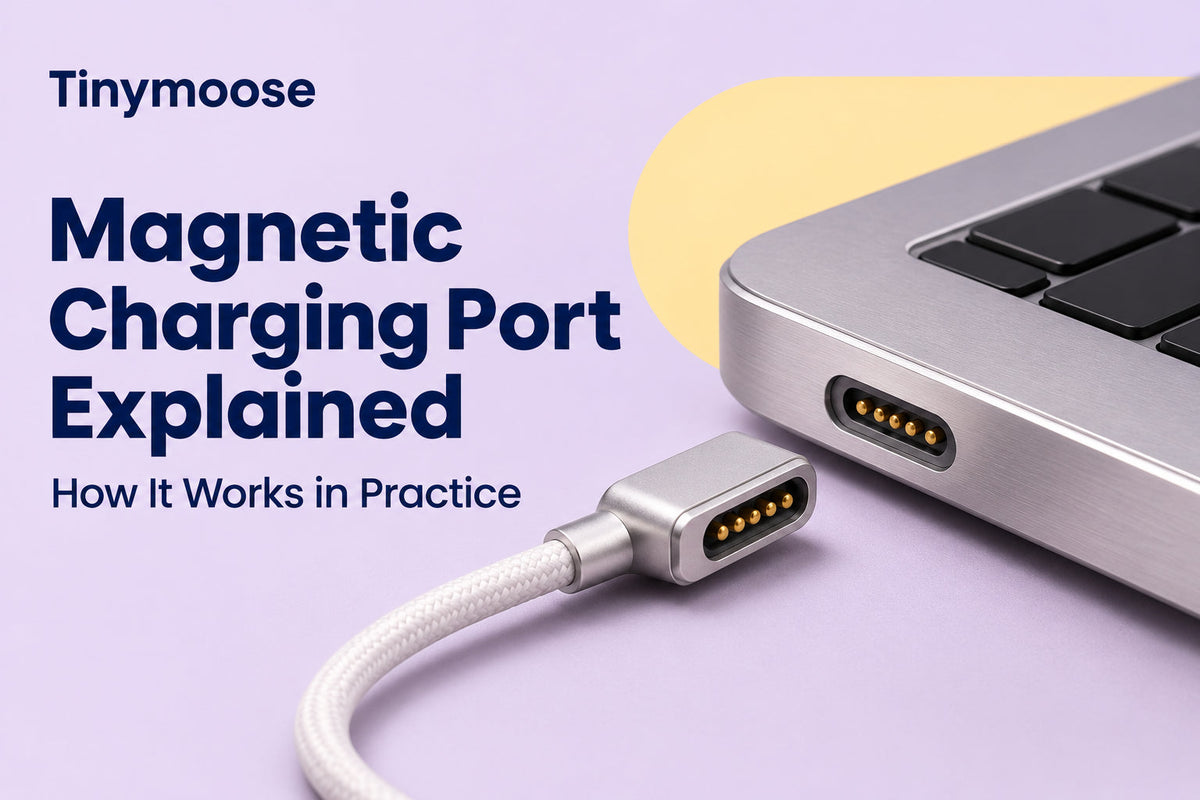
A magnetic charging port is a connector point where magnets pull the plug into the correct position and hold it there, while power flows through electrical contacts or induction coils depending on the design. Instead of pushing a metal tip into a narrow slot by hand, you bring the charger close and let magnetic force finish the alignment for you.
If a snapping cable feels so effortless, why do so many buyers assume that a magnetic connector automatically means wireless charging or guaranteed electrical safety? That single mix-up leads people to buy the wrong adapters, misunderstand fast charging limits, and blame a good cable when pocket lint blocks a pin. Separating two distinct jobs clears up the confusion right away: magnets handle alignment, while contacts or coils handle power. Once you see those two jobs clearly, it becomes much easier to pick hardware that makes daily charging simpler, protects your gear from accidental drops, and keeps every battery healthy.
Table of Contents
- What a Magnetic Charging Port Is and Why It Matters
- How Magnets Align the Connection and Carry Power
- Everyday Advantages and Real-World Use
- Compatibility Checks Before You Plug In
- Keeping Magnetic Contacts Clean and Reliable
- Choose a Magnetic Setup That Fits Your Devices
What a Magnetic Charging Port Is and Why It Matters
Think about a kitchen storage container with magnets built along the rim of the lid. You don't need bright lighting or careful aim to seal it; you just set the lid near the top and the magnets pull it straight into the seam. A magnetic charging port works the exact same way on electronics, taking the guesswork out of lining up tiny plugs in dim rooms, crowded backpacks, or tight desk setups.
In everyday use, that simple snap solves two frustrations that wear down standard cables and devices. First, you stop fumbling for a recessed socket by feel, which reduces wear inside the charging slot over time. Second, a tug on the power cord disconnects the joint cleanly rather than yanking a laptop or tablet onto the floor.
The Milestone That Defined the Category
Consumer electronics took a major step forward when Apple introduced MagSafe on January 10, 2006, alongside the first Intel-based MacBook Pro, as documented in the Wikipedia MagSafe overview). Rather than forcing a barrel plug into a rigid socket, the original connector used five contact holes held flush by magnets and shipped in 45 watts, 60 watts, and 85 watts ratings across different Mac notebooks. Apple formalized the design under U.S. Patent No. 7,311,526, titled "Magnetic connector for electronic device," in 2007, later updated it to MagSafe 2 for thinner laptops in 2012, and began shifting toward USB-C with the 12-inch MacBook in 2015.
That nine-year run established the blueprint still associated with magnetic ports: guided alignment, quick attachment, conductive pins, and a breakaway joint that releases under tension.
A key detail often gets blurred in casual conversation. Early laptop MagSafe wasn't wireless charging at all; it sent electricity directly across exposed metal contacts. Today, magnetic connectors span laptops, smartphones, watches, and compact accessories, with the global magnetic charging dock connector market valued at USD 2.37 billion in 2024 according to Growth Market Reports. Understanding how magnets guide the fit, how power crosses the gap, which safety checks protect your gear, and how to match a setup to each device turns a clever convenience into a reliable daily habit.
How Magnets Align the Connection and Carry Power
Most confusion disappears once you compare the three common ways modern chargers attach to a device. Use the map below to see where standard plugs end, where magnetic wired connectors take over, and how magnetic wireless charging differs from both.
| Method | How Power Moves | How Alignment Works | Breakaway on Pull | Typical Devices |
|---|---|---|---|---|
| Standard USB-C plug | Electrical pins inside a socket | Manual alignment by the user | No | Phones, tablets, laptops |
| Magnetic wired (MagSafe-style) | Electrical contacts closed by the connector | Magnets pull and guide the plug | Yes, releases under pull | Laptops, magnetic USB-C adapters rated up to 140W |
| Magnetic wireless (Qi 2) | Induction through charging coils | Magnets centre the coils | Not applicable, no cable to pull | Compatible smartphones, watches and accessories |
The diagram below shows how each of those three paths moves from physical positioning to active power delivery.
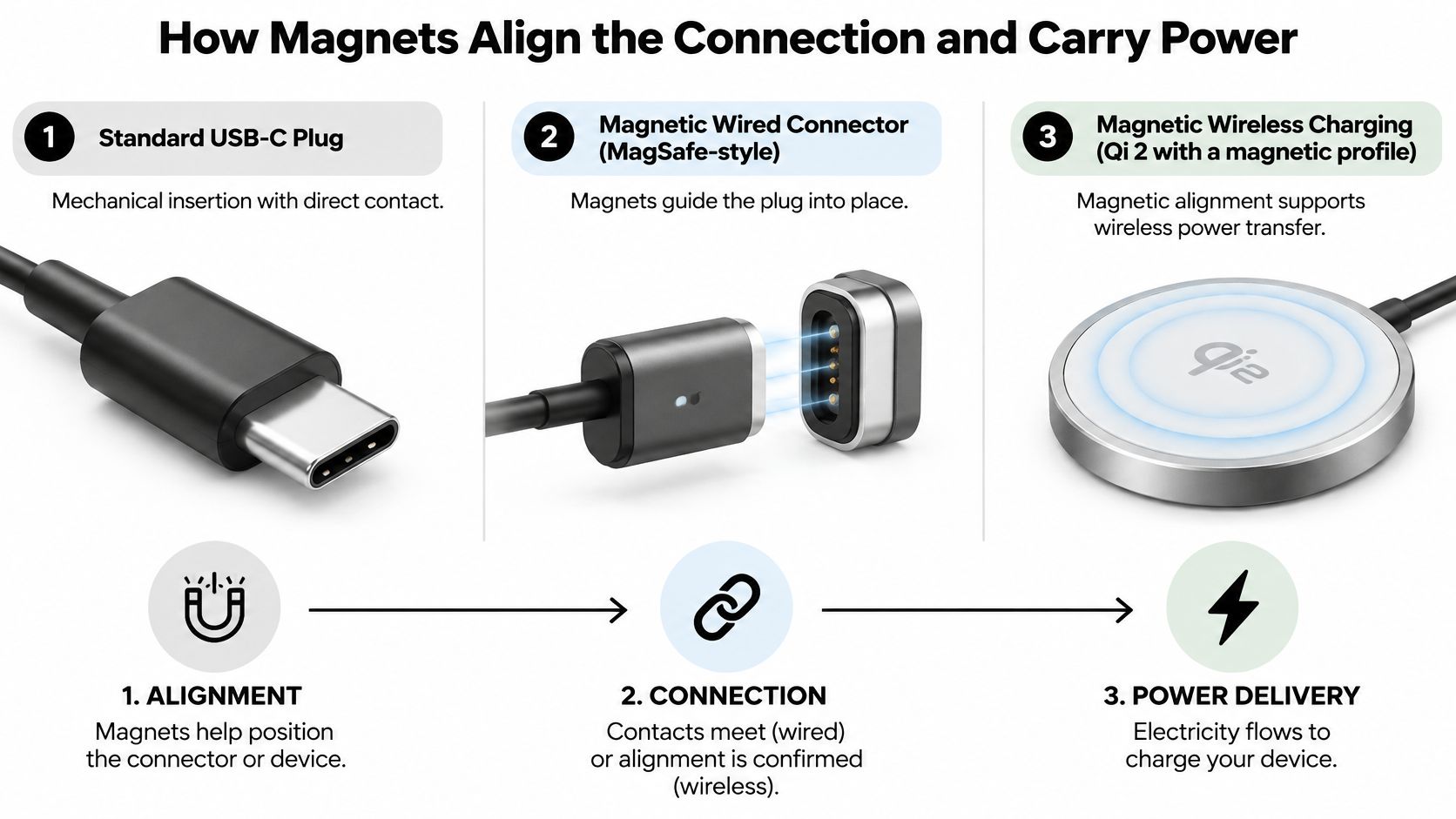
Picture a guide rail on a sliding drawer. The rail steers the drawer into the exact track, while the wheels carry the weight. Magnets act as that guide rail on every magnetic charger, steering the plug or pad into position so electrical pins or induction coils can do the heavy lifting of transferring energy.
Inside a Magnetic Wired Connection
When you bring a MagSafe-style wired plug near its port, four quick steps happen in under a second. First, the magnetic field pulls the connector toward the port opening. Second, the housing guides the pins straight onto the matching pads so nothing bends or scrapes.
Third, the metal contacts close the electrical circuit to carry current into the battery. Fourth, a dedicated communication pin lets the power brick and the device negotiate how much power should flow. As detailed in the Wikipedia MagSafe technical breakdown, Apple's five-contact MacBook pin layout supports insertion in either orientation, assigns the outer contacts to ground, and uses the central pin to talk to the adapter over the 1-Wire protocol, while MacBook MagSafe 3 handles up to 140 W on the 16-inch MacBook Pro with its bundled adapter.
How Magnetic Wireless Alignment Works
Wireless charging uses electromagnetic induction across two flat coils rather than metal pins touching directly. Even a small shift between the charger coil and the phone coil slows down charging and creates extra heat. Magnets solve that positioning problem without carrying a single watt of power themselves.
The Wireless Power Consortium Qi history traces this shift from Qi Version 1.0 in July 2010, which set the global baseline for short-range wireless power, through the 2020 iPhone 12 magnetic ring, to Qi 2.0 in April 2023. By adding the Magnetic Power Profile to Qi 2.0, the consortium turned magnetic coil centering into an interoperable standard across brands. If you protect your phone with a thick cover, choosing leather cases that charge reliably from DigiDevice keeps the magnetic ring strong enough to hold alignment through the back panel, and applying a few practical tips for faster wireless charging helps cut down unnecessary heat during top-ups.
Watch the short breakdown below to see how magnetic positioning compares with traditional plug insertion in motion.
Everyday Advantages and Real-World Use
A magnetic charger rarely wins someone over on paper. What wins them over is the removal of small annoyances that repeat five or ten times a day.
- The plug finds its own seat. You don't have to squint behind a nightstand or flip a cable upside down, because symmetrical magnetic pin layouts attach cleanly in either orientation.
- One-handed attachment on the move. Holding coffee in one hand during a train ride or between lectures leaves only one hand free to reconnect a cable, and a magnetic tip snaps home without needing a second hand to brace the device.
- Less mechanical wear in tight spaces. Repeatedly forcing a rigid USB-C plug into a socket next to a wall or inside a cramped backpack stresses the internal solder joints, whereas a magnetic joint takes that daily friction out of the port.
- Breakaway protection when someone trips. As a ZDNET magnetic USB-C adapter review demonstrates, MagSafe-style connectors use neodymium magnets strong enough to stay locked during regular charging, paired with a release threshold that lets go when a foot, chair wheel, or backpack strap snags the cord.
That last point deserves a closer look, because it captures the central idea of this whole topic. The magnets handle alignment and grip. The contacts or coils handle power. When you keep those two jobs separate in your mind, the strengths and limits of each design become much easier to judge.
Three Everyday Scenarios Where Magnets Shine
Say a university student works at a narrow library table with a laptop plugged into a wall outlet across the aisle. Another student walks past and hooks a backpack strap around the power cord. With a standard rigid plug, the laptop slides straight off the table; with a breakaway magnetic wired connector, the cord pops free and the computer never moves. The practical watch-out here is wattage: the magnetic connector and power brick must match the laptop's rated draw so the battery charges smoothly under heavy workloads. Notice that this is a separate question from breakaway safety. A connector can release perfectly on a snag yet still fail to deliver enough power, so the two checks always need to be run independently.
Now consider a daily commuter winding down at night with a phone on a bedside table. Reaching over in the dark, the phone snaps onto a magnetic wireless puck on the first try without poking around for a slot. According to Apple's MagSafe support guide, the magnets automatically center the charger over the iPhone's coil for faster, more efficient wireless charging, letting you pick up and use the phone while it stays attached, just as the MagSafe Battery Pack uses "perfectly aligned magnets" on compatible iPhone 12, 13, and 14 models. Here the magnets never carry power at all; they hold the two coils in position while induction does the electrical work. The key watch-out is certification and case thickness, since an uncertified puck or non-magnetic case weakens both grip and charging efficiency.
Practical pattern: Breakaway wired connections are the standout choice for high-power desk work, while magnetic wireless alignment wins for bedside tables, travel bags, and quick pocket top-ups.
Finally, consider a digital artist sketching on a tablet at a coffee shop. Between drawing sprints, the stylus snaps magnetically onto the side of the tablet instead of rolling off the table or disappearing into a bag pocket. The Tinymoose Pencil X works this way, using magnetic attachment to stay secured to the device, then charging through USB-C fast charging that reaches 80% in 40 minutes and a full charge in 90 minutes. The watch-out for this routine is contact cleanliness and charger matching, since stray debris on a magnetic dock or an overpowered wall brick can shorten battery lifespan. Across all three routines, the same lesson holds: the magnets earn their keep through positioning, and the power path succeeds or fails on its own terms.
Compatibility Checks Before You Plug In
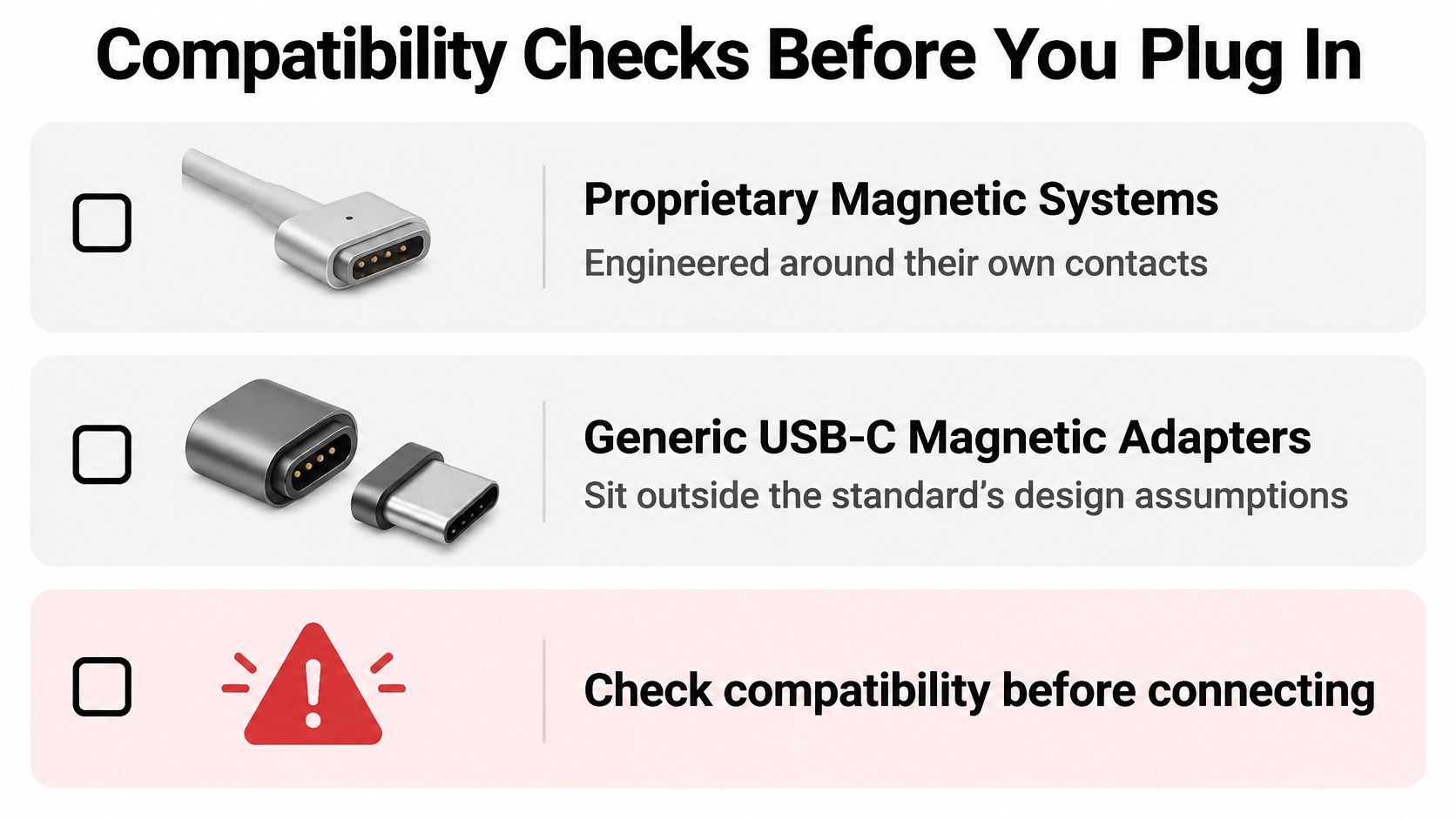
Many buyers assume that because a connector breaks away safely, the electricity moving through it must also be safe. Those are two separate engineering questions. A proprietary magnetic system, like a built-in laptop MagSafe port, is engineered from the ground up around exposed pads, recessed housings, and protective circuitry. A generic detachable USB-C magnetic adapter, by contrast, splits a plug that the USB-C specification expects to sit directly inside a shielded port.
As explained in a PCWorld warning on risky USB-C accessories, leaving tiny spring-loaded pogo-pin contacts exposed outside the official USB-C design assumptions opens the door to accidental pin-to-pin shorts, static discharge, flaky connections, data corruption, and damaged charging chips. Instead of asking, "Are magnetic chargers safe?", ask a sharper question: "Will this magnetic port safely support my exact charging wattage, USB Power Delivery profile, fast charging, and data transfer?"
Six Checks to Run Before Connecting Hardware
Running through a quick spec check takes two minutes and prevents expensive mistakes when mixing phones, tablets, laptops, and power banks from different brands.
| Check | Where to Find It | Risk if Skipped |
|---|---|---|
| Charger wattage | Charger label or box, in watts | Slow charging or heat stress when the charger exceeds what the device accepts |
| USB Power Delivery support | Device or charger specification sheet | Fast charging does not start, or the device falls back to a slow profile |
| Certified cable and adapter | Certification mark or manufacturer listing | Exposed pins may short, overheat or fail |
| Data support | Product specification: charge-only or data | Transfers stop or corrupt when the magnet releases mid-copy |
| Qi 2 magnetic profile | Device specification or Qi 2 listing | Magnet attaches, but wireless alignment and charging may not work as expected |
| Breakaway and current limits | Manufacturer rating for connector and power | Overheating, over-current damage, or a joint that fails to release cleanly under tension |
A magnetic breakaway can prevent a pulled cord from wrecking a laptop socket, but it never makes an uncertified adapter electrically safe.
Pay close attention to data support if you move large video clips, photo libraries, or backups over a cable. Many inexpensive magnetic cords wire only the power pins, meaning your computer won't even recognize a plugged-in phone or drive. Even on adapters rated for data, one accidental bump can break the circuit mid-transfer and corrupt open files, so stick to a direct, locked-in USB-C cable whenever data integrity matters.
Keeping Magnetic Contacts Clean and Reliable
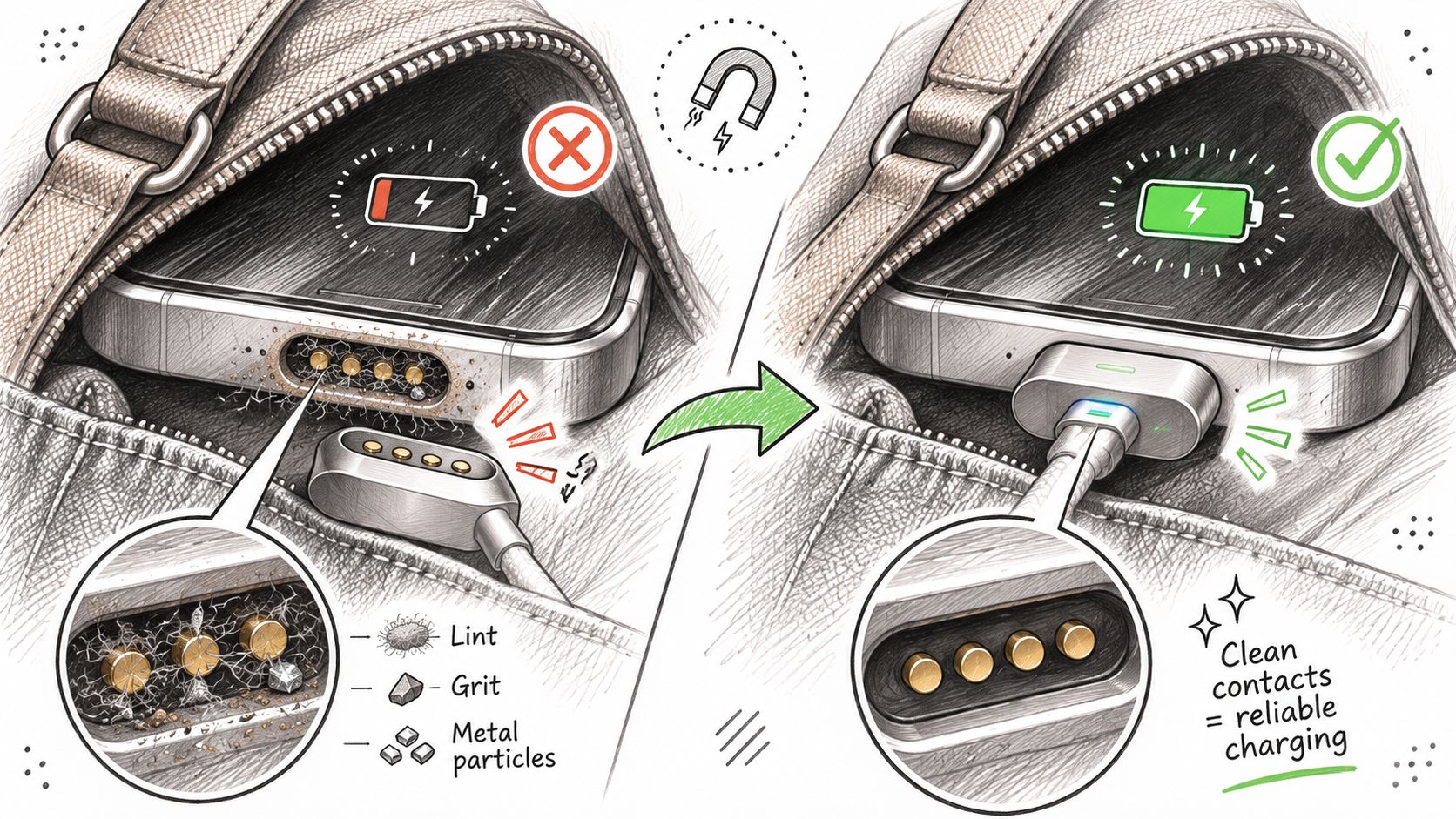
Every magnetic port user eventually runs into the same puzzling moment: the cable snaps onto the device with a satisfying click, yet the battery percentage refuses to climb. Because magnets pull in tiny ferrous particles alongside ordinary pocket lint and bag grit, a thin layer of debris can sit right on top of the metal contacts. Even a single speck of metal grit or damp lint can block current flow, force the pins into poor contact, and create localized heat while charging.
A Simple Inspection Routine That Prevents Failures
Keeping exposed pads clean takes seconds and extends the useful life of both the cable and the device.
- Look before you snap. Glance at the tip and port before connecting, especially after pulling a phone or cable from a coat pocket or backpack bottom where staples, coins, and dust collect.
- Wipe with a dry microfiber cloth. Gently brush away lint and fine dust from the pins and magnetic ring; skip wet wipes, alcohol floods, or metal picks that can scratch protective plating.
- Never charge wet or corroded contacts. If you spot moisture, green or dark oxidation, or bent pogo pins, leave the charger disconnected until the contacts are completely dry or the faulty cable is replaced.
- Avoid sharp bends behind the collar. Keep the cable jacket straight where it meets the magnetic head, because stress concentrates right behind the rigid connector housing.
- Switch to a standard cable for big file copies. Accidental nudges happen easily on a crowded desk, and disconnecting mid-transfer risks lost or corrupted work.
The Honest Reliability Trade-Off
Magnetic hardware reduces socket wear, yet it doesn't guarantee a cable will last forever. An Alibaba Product Insights durability analysis notes that real-world failure depends more on overall build quality than on the magnetic design itself. In one comparison summarized there, magnetic cables lasted roughly 14 to 22 months compared with 10 to 18 months for standard cables, yet jacket fraying still accounted for 41% of magnetic-cable failures, and premium models carried a higher monthly ownership cost.
Maintenance reality: Treat magnetic charging as a convenience and strain-management tool, not a zero-maintenance guarantee.
If a cable begins feeling loose, disconnects on its own without a tug, or shows any split insulation near the collar, retire it right away. A fresh, well-built replacement costs far less than repairing a scorched charging circuit.
Choose a Magnetic Setup That Fits Your Devices
No single connector fits every gadget you carry. Matching the charging method to how you use each device gives you all the ease of magnetic alignment without unnecessary trade-offs.
Match the Port Style to the Device
For a laptop on a desk, prioritize a breakaway wired connector with a clearly stated wattage rating and verified safety certification. Dedicated laptop magnetic ports give you high-wattage delivery alongside reliable pull-away protection when someone walks past your chair.
For a smartphone and everyday pocket accessories, prioritize magnetic wireless alignment built around the Qi 2 magnetic profile. Without exposed pogo pins or a cable dangling from the charging slot, you get clean one-handed docking on a nightstand, car mount, or desk stand while keeping the bottom port free.
For a stylus or compact tablet accessory, prioritize reliable USB-C charging paired with a strong magnet that keeps the pen anchored to your tablet between sessions. At Tinymoose, every pen in our lineup uses USB-C charging for straightforward power access, and our Pencil Pro Plus adds magnetic wireless charging so it charges right when you set it on the side of an iPad. If you use a Surface-compatible Pencil X, always plug it into a USB-C charger rated 25W or lower, since chargers above 25W can damage the battery. Whichever model you evaluate, check the exact product page first to confirm magnetic attachment compatibility, charging wattage ratings, and whether data transfer applies before placing an order.
Four Steps to Run Before You Buy
- Match charger wattage to your device spec. Confirm both minimum power for full-speed charging and any maximum wattage limit the battery requires.
- Verify cable and adapter certification. Look for clear safety listings, stated voltage and current limits, and over-current or short-circuit protection.
- Decide whether data transfer matters. Keep magnetic adapters for power-only convenience if you transfer large files frequently, and use a direct USB-C cable for backups.
- Confirm every rating on the product page before ordering. Double-check connector fit, case compatibility, and wattage limits so the charger works smoothly out of the box.
Ready to upgrade how your daily tools snap, charge, and stay within reach? We build practical, no-fluff iPad styluses like the Pencil Pro Plus and Pencil X, detachable magnetic keyboards, and minimalist smartwatches designed to make everyday work smoother without overpriced extras. Explore the full lineup and check exact compatibility ratings for your setup at Tinymoose.
Dela:
Mapping Note Taking Method: A Practical Guide for 2026