
Imaginez ceci : remplacer des piles de carnets à moitié utilisés et une avalanche de post-it par un seul hub élégant directement sur votre iPad. Un bullet journal numérique n’est pas qu’une mode, c’est une amélioration pratique pour simplifier votre vie. Il rassemble tous vos plans, idées et notes dans un système unique, consultable, portable et incroyablement facile à gérer.
Pourquoi votre iPad est le bullet journal ultime
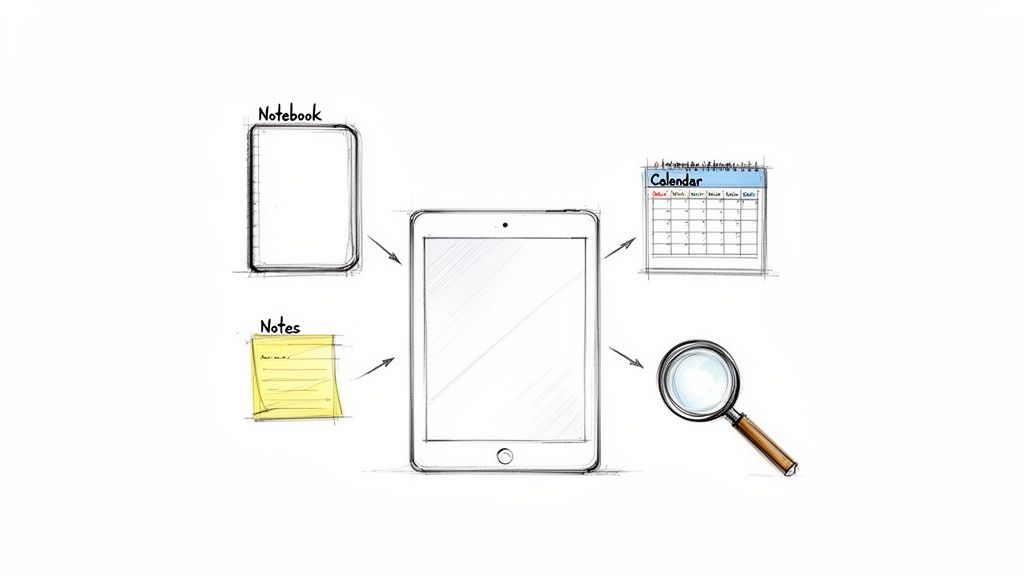
Passer du papier à une configuration numérique rend la vie plus facile. Oubliez de jongler entre plusieurs agendas, journaux et carnets. Tout votre univers organisationnel vit désormais sur votre iPad, transformant un seul appareil en centre de commande pour votre planning, vos brainstormings et le suivi de vos objectifs. Cela simplifie tout.
Mais la vraie magie réside dans les fonctionnalités pratiques — ce que le carnet papier ne peut tout simplement pas faire.
- Personnalisation infinie : Vous avez fait une erreur ? Effacez-la simplement. Vous voulez déplacer une collection entière ? Glissez-déposez-la. Vous pouvez créer la mise en page parfaite sans cette peur constante de gâcher une page propre.
- Recherche puissante : C’est un changement radical. Trouvez instantanément n’importe quelle note, tâche ou idée que vous avez jamais notée. Fini de feuilleter des centaines de pages pour retrouver ce truc d’il y a trois mois.
- Portabilité sans effort : Votre journal entier est toujours avec vous, synchronisé et sauvegardé dans le cloud. Vous ne réaliserez plus jamais que vous avez laissé cette liste importante sur votre bureau à la maison.
Ce changement ne se produit pas dans le vide. Le marché du bullet journaling, qui a atteint 2,5 milliards de dollars en 2025, devrait plus que doubler pour atteindre 5,2 milliards de dollars d’ici 2033. Cette croissance est alimentée par les étudiants et les professionnels qui ont besoin de systèmes flexibles et faciles à utiliser, capables de suivre leur vie bien remplie.
Lorsque vous combinez la pratique réfléchie du bullet journaling avec la puissance de la technologie, vous obtenez un outil de gestion de vie qui s’adapte à vous, et non l’inverse.
Pour tirer le meilleur parti de cette expérience, vous avez besoin du bon équipement. Associer votre iPad à un stylet de précision comme le Tinymoose Pencil Pro 2 rend l’écriture aussi naturelle et facile que sur papier. Ajoutez un clavier compact comme le SpacePad Pro, et vous avez créé une configuration incroyablement efficace pour les notes rapides comme pour la planification détaillée, simplifiant ainsi votre vie.
Votre iPad devient la machine ultime de productivité. Si vous souhaitez compléter votre boîte à outils, vous devriez consulter notre guide des meilleures applications de productivité pour iPad.
Choisir la bonne application et les outils essentiels
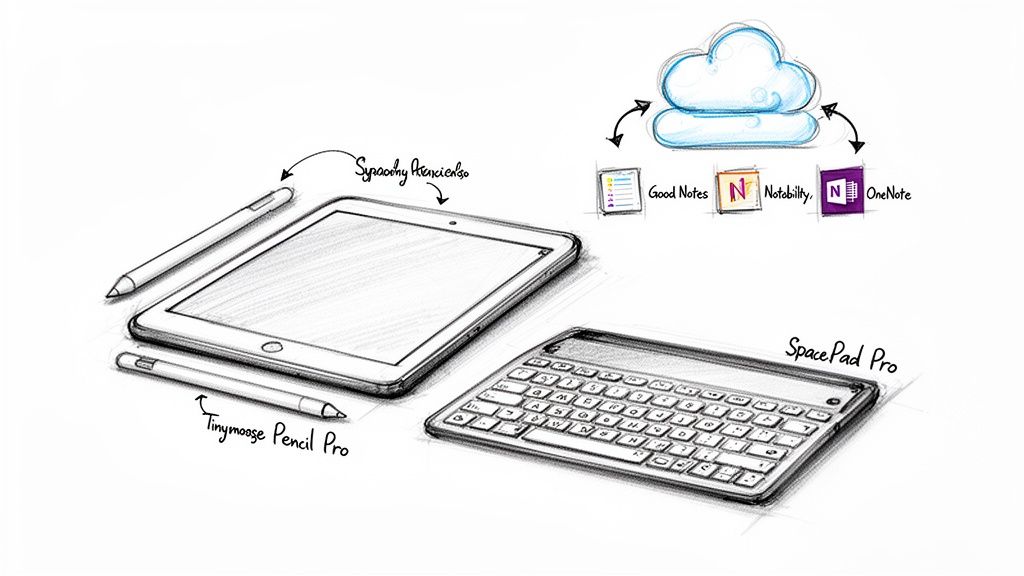
Avant de créer votre bullet journal numérique parfait, vous avez besoin de la bonne base. Tout commence par choisir une application et un matériel qui fonctionnent parfaitement ensemble, rendant votre planification totalement fluide et intuitive.
Il y a une raison pour laquelle des applications comme GoodNotes, Notability et OneNote sont si populaires. Elles rendent les bases simples. Pour un bullet journal, vous avez besoin du support des hyperliens — c’est ce qui rend votre index vraiment interactif, vous permettant de passer instantanément de votre table des matières à n’importe quelle page. Et indispensable est une synchronisation cloud fiable, pour que votre journal soit toujours à jour, que vous soyez sur votre iPad ou votre téléphone.
Trouver votre application parfaite
Votre application est votre carnet numérique, elle doit donc être intuitive dès le départ. Pensez à votre flux de travail quotidien et à ce que vous valorisez le plus en termes de facilité d’utilisation. Le marché des applications de journaux numériques est immense — il est devenu une industrie de 5,1 milliards de dollars en 2024 et devrait atteindre 13,58 milliards de dollars d’ici 2033. Ce boom est dû au désir des utilisateurs d’expériences plus riches et interactives sur leurs tablettes, ce que propose exactement un bon BuJo numérique. Vous pouvez approfondir ces tendances et analyses du marché sur Straits Research.
Pour vous aider à choisir, voici une comparaison rapide des principaux candidats.
Comparer les meilleures applications pour votre bullet journal numérique
Une comparaison des fonctionnalités des principales applications de prise de notes pour vous aider à choisir l’idéal pour votre bullet journal numérique.
| Caractéristique | Pourquoi c’est important pour le BuJo | GoodNotes | Notability | OneNote |
|---|---|---|---|---|
| Organisation | Clé pour structurer collections, journaux et suivis. | Excellent (Carnets/Dossiers) | Bon (Sujets/Séparateurs) | Excellent (Carnets/Sections/Pages) |
| Modèles personnalisés | Essentiel pour créer vos propres mises en page quotidiennes, hebdomadaires ou mensuelles. | Excellent (Importation PDF facile) | Bon (Importe mais moins flexible) | Bon (Peut créer et enregistrer des modèles) |
| Expérience stylet | Reproduit la sensation du stylo sur papier. | Excellent (Donne une sensation très naturelle) | Excellent (Fluide et réactif) | Bon (Fonctionnel, moins raffiné) |
| Support des hyperliens | Rend votre index et vos références croisées interactifs. | Excellent (Facile de créer des liens) | Bon (Les liens PDF fonctionnent bien) | Excellent (Fonctionnalités puissantes de liaison) |
| Synchronisation multiplateforme | Accédez à votre journal sur votre iPad, iPhone, Mac ou PC. | Écosystème Apple | Écosystème Apple | Excellent (Windows, Mac, iOS, Android) |
Chaque application a sa propre personnalité. GoodNotes s’adresse aux personnes qui aiment la structure et créer de beaux carnets organisés. Notability est un favori pour sa fonction de synchronisation audio, tandis que OneNote est une bête gratuite et multiplateforme avec une toile flexible et infinie. La meilleure façon de savoir est de les essayer — la plupart proposent des versions gratuites pour commencer.
Le matériel qui complète votre configuration
Le logiciel ne raconte qu’une moitié de l’histoire. Le bon matériel est ce qui rend un journal numérique vraiment incroyable, comblant le fossé entre une bonne idée et une expérience exceptionnelle.
Un stylet haute précision est l’outil le plus important pour une sensation naturelle. C’est ce qui vous donne cette expérience satisfaisante du stylo sur papier. Le Tinymoose Pencil Pro 2 est le meilleur dans ce domaine, conçu spécifiquement pour rendre l’écriture sans effort. Son bouton de raccourci personnalisable vous permet de passer instantanément du stylo à la gomme — un petit détail qui vous fait gagner d’innombrables tapotements et vous maintient dans votre flux créatif. Vous pouvez voir comment il se compare aux autres dans notre revue des meilleurs stylets pour iPad en 2026.
Vos outils ne doivent pas seulement être fonctionnels ; ils doivent se sentir comme une extension de vos pensées. L’objectif est de supprimer les frictions entre vos idées et la page, et la bonne combinaison matériel-logiciel fait exactement cela.
Pour compléter votre configuration, un clavier est essentiel pour l’efficacité. Associer votre iPad au SpacePad Pro transforme votre appareil en une centrale. Il est parfait à la fois pour une saisie rapide et pour rédiger des entrées plus détaillées, vous offrant la rapidité d’un carnet traditionnel avec tous les avantages d’un système numérique.
Construire vos collections fondamentales
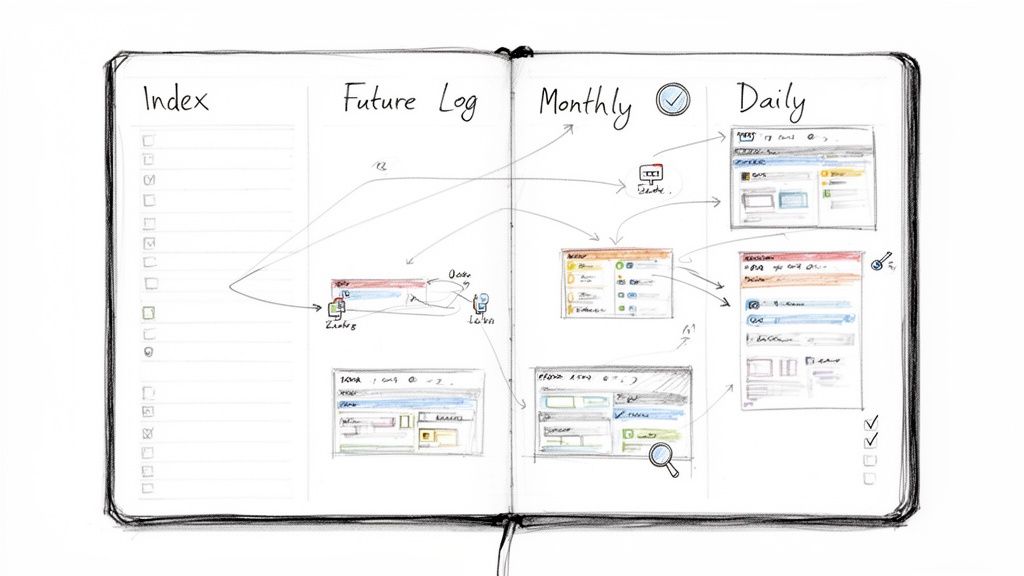
C’est ici que vous donnez à votre bullet journal numérique sa structure, facilitant l’organisation de vos plans, pensées et objectifs. Au cœur de tout bullet journal se trouvent quelques sections clés appelées collections fondamentales. Pensez-y comme aux piliers qui soutiennent l’ensemble de votre système.
Le meilleur dans une configuration numérique, c’est que ces collections deviennent dynamiques et interconnectées. Vous pouvez enfin dire adieu à feuilleter des dizaines de pages pour trouver quelque chose. À la place, vous construisez un système réactif où toute information est à portée d’un simple tapotement.
L’Index interactif : votre centre de commande numérique
Votre Index est la page la plus importante de tout votre journal. Sur papier, c’est une simple table des matières. Mais numériquement, il se transforme en un tableau de bord interactif pour votre vie, alimenté par des hyperliens. C’est là que le journal numérique rend vraiment la vie plus facile qu’un journal papier.
Chaque fois que vous commencez une nouvelle collection — une liste d’objectifs mensuels, un plan de projet, un journal de lecture — vous ajoutez simplement son titre à votre Index et créez un hyperlien qui mène directement à cette page. Cette simple action vous fait gagner un temps et une fluidité incroyables.
C’est un changement complet de mentalité : au lieu d’essayer de se souvenir d’un numéro de page, vous cliquez simplement sur un lien. Cela transforme votre journal d’un document statique en votre propre wiki personnel, rendant la navigation instantanée.
Collections principales pour planifier votre avenir
Avec votre Index prêt, il est temps de créer les autres collections essentielles que Ryder Carroll, le créateur de la méthode Bullet Journal, a établies comme cadre principal.
- Le journal futur : C’est votre vue d’ensemble pour l’année à venir. Une double page simple avec des sections pour les six à douze prochains mois est parfaite pour noter les dates importantes, les rendez-vous lointains et les objectifs à long terme.
- Le journal mensuel : Au début de chaque mois, préparez une double page. Une page sert de calendrier, et l’autre devient une liste de tâches pour vos objectifs mensuels. C’est une façon fantastique de se concentrer sur ce qui compte vraiment à l’instant.
- Le journal quotidien : C’est votre base. Chaque jour reçoit une nouvelle entrée pour enregistrer rapidement les tâches, notes et événements au fur et à mesure. C’est le moteur de tout le système, conçu pour tout capturer sur le moment, facilement.
Un bullet journal numérique bien structuré ne consiste pas en des mises en page sophistiquées. Il s’agit d’un système simple et fiable pour capturer, organiser et revoir vos engagements. Le véritable objectif est la clarté, pas la complexité.
Créer des collections personnalisées adaptées à votre vie
Passons maintenant à la partie amusante, où votre bullet journal numérique devient vraiment le vôtre. Vous pouvez créer des collections spécialisées pour littéralement tout. Les possibilités sont infinies, et vous pouvez les adapter parfaitement à votre vie.
Puisque vous avez un nombre illimité de pages, il n’y a aucune pression pour économiser de l’espace. Commencez simplement une nouvelle page et liez-la dans votre Index.
Voici quelques idées pratiques pour bien démarrer :
- Suivi de projet : Consacrez une collection à chaque projet de travail majeur, en reliant les calendriers, les listes de tâches et les notes de réunion en un seul endroit.
- Journal d'habitudes : Une grille mensuelle simple, parfaite pour suivre des objectifs personnels, comme aller à la salle de sport, lire quotidiennement ou méditer.
- Liste de lecture : Une liste en cours des livres que je souhaite lire, avec un espace pour les notes et les citations préférées.
- Planificateur de repas : Planifiez vos repas hebdomadaires et créez des listes de courses directement dans le journal. Bien plus facile que des bouts de papier.
Utiliser un outil précis comme le Tinymoose Pencil Pro 2 rend la création de ces mises en page personnalisées propre et sans effort. Il offre la meilleure expérience stylo-sur-papier, vous permettant de dessiner des suivis, tracer des tableaux et écrire des notes naturellement, vous donnant la liberté créative de concevoir un système qui fonctionne exactement comme vous le souhaitez.
Concevoir des mises en page qui fonctionnent vraiment pour vous
Démystifions un grand mythe sur le bullet journaling : vous n’avez pas besoin d’être un artiste. Il s’agit de créer des mises en page fonctionnelles et faciles à construire. L’objectif n’est pas de passer des heures à décorer, mais de concevoir un système qui simplifie réellement votre quotidien.
La vraie beauté d’un bullet journal numérique réside dans sa grande flexibilité. Vous pouvez expérimenter avec des pages hebdomadaires, des planificateurs quotidiens et des suivis personnalisés en utilisant les outils intégrés de votre application. Tracer des lignes nettes et des formes parfaites est un jeu d’enfant, transformant ce qui pourrait être un processus laborieux sur papier en une tâche rapide et satisfaisante sur votre iPad.
Concevoir vos mises en page principales
Vos mises en page hebdomadaires et quotidiennes doivent être efficaces. Avant de tracer une seule ligne, demandez-vous : quelles informations sont les plus importantes à voir d’un coup d’œil ? Est-ce votre emploi du temps, vos trois priorités principales, ou simplement un espace vide pour des notes ?
Ne vous sentez pas obligé de tout entasser sur une seule page. Utilisez les outils de formes et de lignes de votre application pour créer des grilles et des encadrés simples. Un outil de précision comme le Tinymoose Pencil Pro 2 rend cela encore plus facile, vous permettant de tracer des lignes parfaitement droites et des dessins détaillés avec une sensation naturelle inégalée.
La mise en page la plus efficace est celle que vous utiliserez réellement chaque jour. Commencez par un design minimaliste et ajoutez des éléments uniquement lorsque vous en ressentez le besoin. La fonctionnalité doit toujours primer sur l’esthétique.
Une fois que vous avez trouvé une mise en page que vous aimez, vous pouvez la sauvegarder comme modèle réutilisable. C’est un gain de temps énorme. Votre planification hebdomadaire parfaite est maintenant à portée d’un simple tapotement, prête à être dupliquée au début de chaque nouvelle semaine, rendant votre organisation incroyablement facile.
Personnaliser votre journal avec des ressources numériques
Bien que la fonction soit primordiale, il est aussi amusant d’ajouter une touche de personnalité. C’est là que les autocollants numériques et les polices personnalisées entrent en jeu. Et contrairement à un journal papier, vous n’avez pas besoin de bâtons de colle ni d’une écriture parfaite.
- Autocollants numériques : Ce sont simplement des images PNG pré-découpées que vous pouvez importer et placer n’importe où dans votre journal. Vous pouvez trouver des milliers de packs d’autocollants en ligne, allant des icônes de productivité simples aux décorations saisonnières.
- Polices personnalisées : De nombreuses applications de planification vous permettent d’installer et d’utiliser des polices personnalisées. C’est un excellent moyen de donner à vos titres un look unique sans avoir à pratiquer le lettrage à la main pendant des heures.
Ce mélange de praticité et de style personnel provoque un grand changement dans la façon dont les gens planifient leur vie. Le marché mondial de la papeterie, qui devrait atteindre 29,8 milliards de dollars d’ici 2027, connaît un grand essor grâce à des tendances numériques comme celle-ci. C’est un mouvement qui combine la satisfaction tactile de l’écriture avec l’efficacité de la technologie moderne. Associer votre stylet à un clavier comme le Tinymoose SpacePad Pro vous offre le meilleur des deux mondes, créant un flux de travail fluide et pratique. Vous pouvez en savoir plus sur la façon dont les tendances numériques façonnent le marché de la papeterie sur GlobeNewswire.
Construire une bibliothèque de modèles personnalisés
L’effort initial que vous mettez à concevoir vos mises en page principales porte ses fruits de façon exponentielle. En créant et sauvegardant des modèles, vous construisez une bibliothèque personnelle d’outils de productivité parfaitement adaptés à votre vie. Un peu de travail en amont mène à un système de planification vraiment efficace et facile à utiliser.
Et pensez au-delà des simples pages quotidiennes et hebdomadaires. Créez des modèles pour les choses que vous utilisez tout le temps :
- Plans de projet
- Notes de réunion
- Suivi budgétaire mensuel
- Journaux d’habitudes
- Planificateurs de repas
Chaque fois que vous commencez un nouveau projet ou un nouveau mois, vous pouvez simplement puiser dans votre bibliothèque au lieu de partir d’une page blanche. Cette constance fait gagner énormément de temps et rend votre bullet journal numérique cohérent et organisé — un système que vous aimerez vraiment utiliser chaque jour.
Maîtriser votre flux de travail quotidien et hebdomadaire
Une fois que vous avez configuré votre journal, le véritable avantage vient du fait d’en faire une partie simple de votre vie quotidienne. Il ne s’agit pas d’ajouter une corvée supplémentaire ; c’est de créer une routine facile et durable qui vous apporte plus de clarté et de concentration. L’objectif est une habitude qui donne du pouvoir, pas qui épuise.
Un excellent flux de travail commence avec votre journée. Accordez juste cinq à dix minutes chaque matin pour consulter votre journal. Regardez vos objectifs mensuels, identifiez vos trois priorités principales, et récupérez les tâches inachevées d’hier. Cette simple habitude vous aide à commencer la journée de manière proactive au lieu de simplement réagir à ce qui se présente.
Le pouvoir de la prise de notes rapide
Au fil de votre journée, votre journal devient votre source unique de vérité. La pratique classique du bullet journal de prise de notes rapide est là où une plateforme numérique facilite grandement la vie. L’idée est de capturer pensées, tâches et événements dès qu’ils vous viennent à l’esprit, pour garder l’esprit clair.
- Capture rapide : Un outil comme le Tinymoose Pencil Pro 2 est idéal pour cela. Sa fonction de raccourci par double-tap vous permet de passer instantanément à votre stylo ou gomme préféré, pour que vous puissiez noter une idée sans perdre votre concentration. Cela rend la capture d’idées fluide.
- Entrées textuelles : Pour des pensées plus détaillées, le clavier SpacePad Pro change la donne. Utilisez ses raccourcis intégrés pour ajouter du texte rapidement, rendant la consignation rapide et sans effort.
Ce processus de capture continue garantit que rien ne passe à travers les mailles du filet. Il s’agit de tout rassembler en un seul endroit fiable pour pouvoir trier plus tard, ce qui rend votre vie moins encombrée.
La plus grande force d’un bullet journal numérique est sa capacité à s’adapter à la vitesse de vos pensées. Les bons outils éliminent les frictions, rendant la capture des idées aussi immédiate et facile que les idées elles-mêmes.
Établir votre revue hebdomadaire
La revue hebdomadaire est la partie la plus critique pour maintenir votre pratique du bullet journal sur le long terme. C’est votre moment dédié pour réfléchir à la semaine écoulée et vous préparer à la suivante. Je recommande de consacrer 20-30 minutes chaque dimanche pour passer en revue vos journaux quotidiens.
Lors de cette revue, vous voudrez :
- Célébrez les progrès : Commencez par reconnaître ce que vous avez accompli. C’est une étape simple mais essentielle pour rester motivé.
- Transférez les tâches : Déplacez toutes les tâches ouvertes vers votre nouveau journal hebdomadaire. Si quelque chose n’est plus urgent, déplacez-le vers votre journal futur. Cela garde votre système propre et à jour.
- Fixez de nouveaux objectifs : Regardez vos objectifs plus larges et décomposez-les en étapes réalisables pour la semaine à venir.
Ce rituel simple garantit que vos actions quotidiennes sont toujours alignées avec votre vision à long terme. Il transforme votre journal d’une liste de tâches en un outil puissant pour vivre avec intention. Pour d’autres façons de rendre vos notes numériques plus efficaces, explorez ces puissantes stratégies de prise de notes sur iPad.
Vous avez des questions sur le bullet journaling numérique ?
Passer d’un carnet papier à un bullet journal numérique est excitant, mais il est normal d’avoir des questions. L’aspect pratique peut sembler intimidant au début. Abordons les préoccupations les plus courantes pour que vous commenciez en toute confiance.
Au cœur, une bonne habitude de journalisation numérique repose sur un flux de travail simple et répétable. J’aime le voir en trois étapes clés qui créent une boucle de rétroaction puissante pour votre productivité.
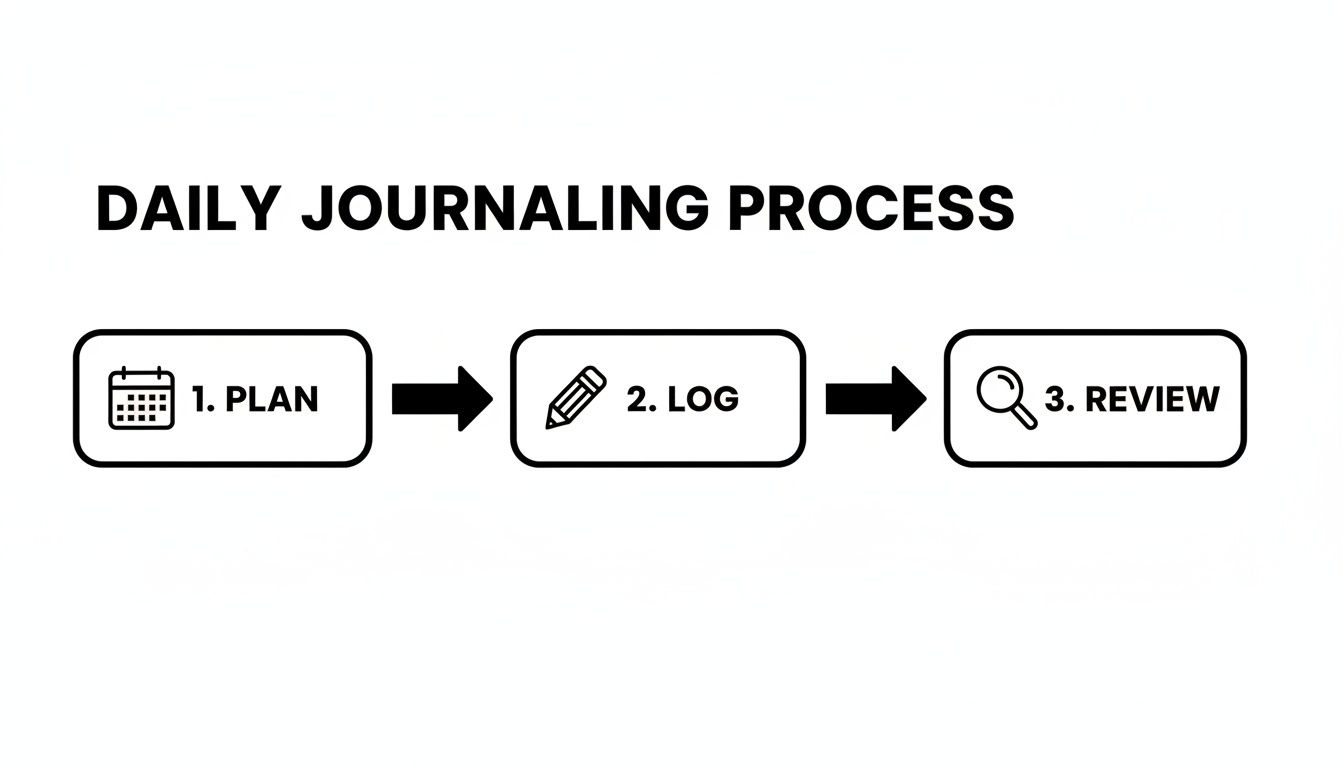
Vous passez de la planification à grande échelle à la capture des événements au fur et à mesure, puis vous terminez par une revue réfléchie. C’est ce qui rend le système si efficace et facile à maintenir.
Est-ce vraiment mieux que le papier ?
Honnêtement, tout se résume à ce qui rend votre vie plus facile. Un carnet papier a son charme, mais un journal numérique apporte d'énormes avantages pratiques difficiles à ignorer.
Pensez-y : vous avez un bouton annuler. Des pages infinies. La possibilité de dupliquer vos mises en page préférées en une fraction de seconde.
Pour tous ceux qui aiment avoir tous leurs plans, notes et idées en un seul endroit, consultable, c’est un énorme avantage. Cette peur de « gâcher » une belle nouvelle page ? Disparue. De plus, avec un stylet de haute qualité comme le Tinymoose Pencil Pro 2, l'expérience d'écriture est aussi fluide et naturelle qu'un bon stylo sur papier. Vous obtenez le meilleur des deux mondes sans aucun des inconvénients.
Dois-je être un artiste ?
Absolument pas ! C'est l'un des meilleurs aspects du passage au numérique. Bien que vous puissiez être aussi créatif que vous le souhaitez, l'accent doit toujours être mis sur la fonction avant la forme. Le but est de construire un système qui simplifie votre vie, pas de créer un chef-d'œuvre.
Vous pouvez opter pour des mises en page épurées et minimalistes, télécharger de magnifiques modèles numériques préconçus, ou utiliser les outils de formes de votre application pour créer des designs organisés sans aucun talent artistique. Un bullet journal numérique rend un look soigné et fonctionnel incroyablement facile à obtenir.
La véritable mesure d'un bon bullet journal n'est pas sa beauté, mais son efficacité à vous aider à gérer votre temps et à concentrer votre énergie. La simplicité et l'ergonomie sont vos outils les plus puissants.
Comment éviter de perdre mon journal ?
C'est là qu'un système numérique offre une tranquillité d'esprit que le papier ne peut tout simplement pas égaler. Perdre un carnet physique peut être déchirant, mais votre bullet journal numérique est bien plus sécurisé.
La plupart des applications de prise de notes haut de gamme, comme GoodNotes et Notability, intègrent une sauvegarde automatique dans le cloud. Elles utilisent des services comme iCloud, Google Drive ou Dropbox pour protéger votre travail. Assurez-vous simplement d'avoir activé cette fonction dans les paramètres de votre application, et elle s'occupera du reste, facilitant la protection de votre travail.
Pour une couche supplémentaire de sécurité, je recommande également d'exporter manuellement votre journal complet au format PDF de temps en temps. Enregistrez-le sur un service cloud distinct ou un disque dur externe. Cela vous offre une sauvegarde complète et autonome que vous pouvez stocker n'importe où, garantissant que votre travail acharné ne sera jamais, jamais perdu.
Prêt à construire un système de planification plus intelligent et plus flexible ? Les bons outils font toute la différence. Découvrez la collection Tinymoose de stylets de précision et de claviers compacts pour créer votre configuration ultime de bullet journal numérique dès aujourd'hui. Découvrez vos outils parfaits chez Tinymoose.


Partager:
10 stratégies pratiques de prise de notes qui facilitent la vie sur votre iPad
Boostez votre efficacité : méthodes pratiques pour améliorer la productivité au travail