Meet the Pencil Pro 2.

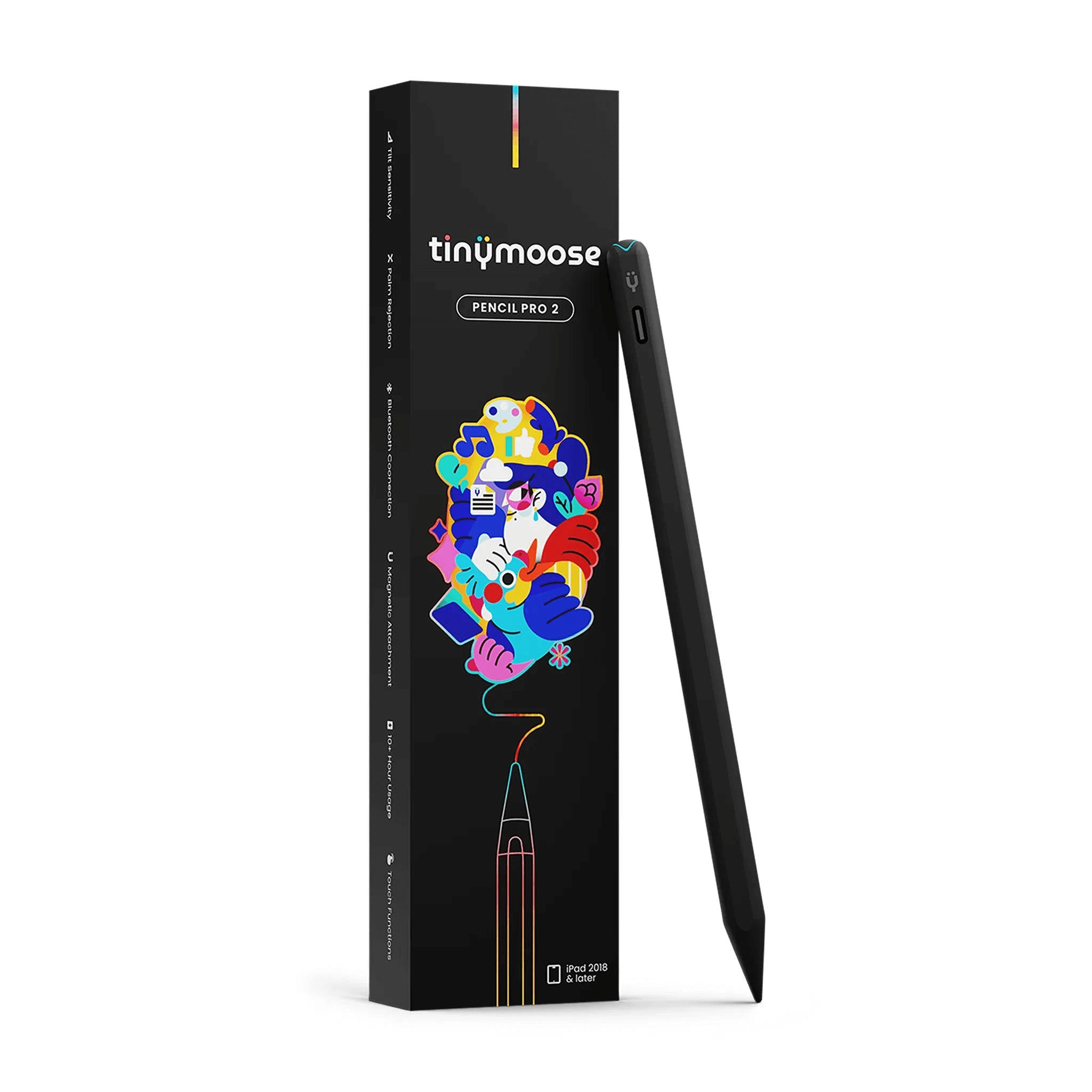
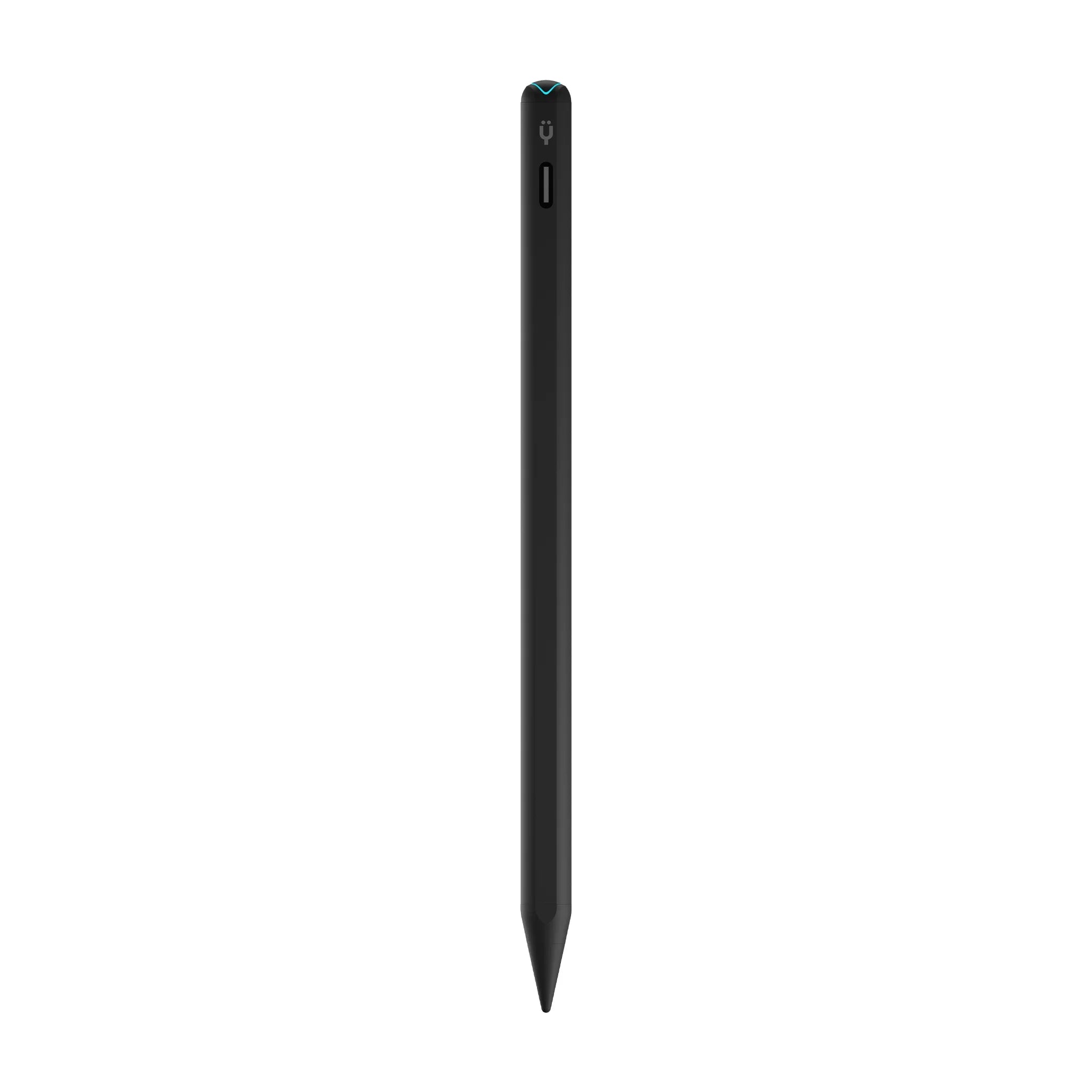
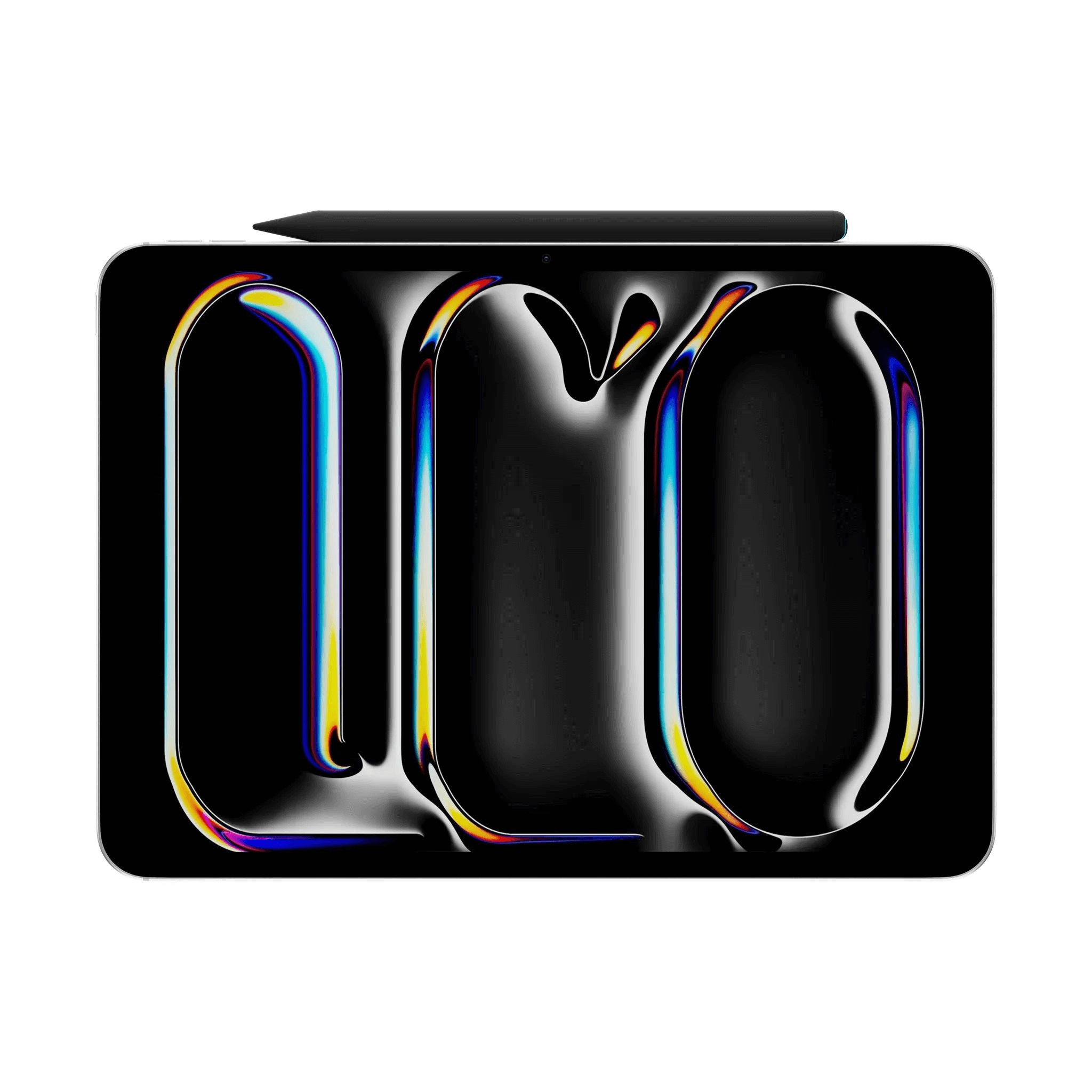
Tinymoose Pencil Pro 2 is our newer iPad stylus, upgrading the Tinymoose Pencil Pro with Bluetooth and simple gesture shortcuts. Double-tap to snap a screenshot, press to exit an app, and see the pen’s battery percentage on your iPad once paired via Bluetooth. You still get what matters: tilt sensitivity, palm rejection, magnetic attachment that clicks to the side of your iPad, and fast USB-C charging (about 20 minutes = 10+ hours).

No setup drama—turn it on and create.

Tinymoose Pencil Pro 2 – shortcut buttons for iPad app control, exit apps and open multitasking view instantly | قلم تاينيموس برو ٢ – أزرار اختصار للتحكم بتطبيقات الآيباد، للخروج من التطبيقات وفتح وضع المهام المتعددة فوراً

Smart Button Shortcuts at Your Fingertip

With built-in shortcut buttons, the Pencil Pro 2 lets you move faster. Press once to open your iPad's multitasking view, or press twice to exit your current app—no lag, no extra steps, just seamless control in your hand.

Tinymoose Pencil Pro 2 – magnetic iPad stylus with USB-C fast charging, LED tip, Bluetooth battery display, full charge in 20 minutes, and 10-hour battery life | قلم تاينيموس برو ٢ – قلم آيباد مغناطيسي مع شحن سريع USB-C، رأس مضيء، يعرض البطارية عبر البلوتوث، يشحن بالكامل في 20 دقيقة، ويعمل حتى 10 ساعات

Full Charge in 20 Minutes

"10 Hours of Power in 20 Minutes."
Faster than your coffee break.

  • 5 stars: 16 (100%)
  • 4 stars: 0 (0%)
  • 3 stars: 0 (0%)
  • 2 stars: 0 (0%)
  • 1 star: 0 (0%)
Some of the reviews shown are from related products the merchant grouped with this one.
R
Richard

As I lost my iPad pencil. It arrived quickly and worked really well with leak and performed flawlessly on my iPad. I have no complaints about it at all. I tried to use it on my iPhone and learned that it was not compatible with the tiny moose had a stylist that was compatible called the ultra which I’m looking to purchase it now. Based on the Pro two stylist, I would definitely recommend this pen.

C
Charles Bradsky

Love it! I am concerned about losing it since it is all black, but that is minor. The pen performs great. Going to order another one for my wife!

L
Linda McDougal

Amazing!!

J
Jarvis Alison
Best iPad pen I've tried

this so far has been the smoothest and best iPad pen I've tried so far. feels great in the hand and is very responsive. works on both my iPad Air and iPad pro.

s
sandra swanagan

I love my new pencil; It is easy to use, very comfortable and you can also change it to find point to medium point. It’s worth the money.

C
Chloe

I love everything about this pencil! I got a new iPad and my old apple pencil wasn't compatible and I didn't want to spend a fortune for a new one. This one is beyond my expectations. It does everything my apple pencil did but I actually like this one more. The battery life is great and I love the power button to conserve power when I'm not using it. Definitely get this, it's great!

A
Ariyanna Foreman

Product came packaged securely and protected the actual product. Everything works! Palm rejection definitely works as well, and everything thats listed came with it!

Thank you for your review! We're glad your stylus arrived safely and that everything is working well. If you need any assistance in the future, please don't hesitate to reach out. We're always happy to help.

A
Anonymous

My son loves it! Works perfect on his iPad 10 for drawing

G
Gjrimbert

I just received my Pencil Pro 2 & I am loving it.
It is so streamlined & comfortable to hold & use.
All its features are useful & I personally prefer
it to my Apple Pencil & I’m a big Apple fan !
Great pencil at a really great price !
I might mention that Tinymoose has great customer service as well ! Highly recommend their products.
Geneva R.

L
Leila Talab
Exceeded expectations

Better than the Apple Pencil. Charges fast, feels lighter, and looks sleek. Absolutely love it.

M
Maya Rodriguez
My favorite stylus

Best stylus I’ve owned. The shortcut button is genius and makes switching apps effortless.

O
Omar Khan
Fast charging

Charges up in minutes and writes smoothly.

M
Miguel Torres
Smooth and comfortable

Feels light and easy to use.

C
Chloe Bennett
Incredible precision

The Pencil Pro 2 feels super accurate and smooth. The tilt and palm rejection make writing feel natural. I use it for design work every day.

D
Daniel Brooks
Long battery life

Use it daily, great battery life and quick charging.

I
Isabella Cruz
Perfect for university

Use it every day for lectures. Connects fast and the battery lasts all week.

Product details

Compatibility

iPad 6th, 7th, 8th, 9th, 10th Generation

iPad mini 5, mini 6

iPad Air 3rd, 4th, 5th Generation, Air 11" (2024)

iPad Pro 11" (all models)

iPad Pro 12.9" (2018 and later)

Pencil Pro is made specifically for Apple iPads and works with models released in 2018 or later that support stylus input.

Description

iPad Pen Compatible with iPads (2018 and newer) — the Tinymoose Pencil Pro 2 is your ultimate stylus for seamless, everyday creativity.
Connect via Bluetooth to unlock smart features like real-time battery status on your iPad and an intuitive shortcut button for faster control.

Features:

  • Tilt sensitivity for natural shading and angled strokes

  • Palm rejection so your hand rests naturally as you write or draw

  • Magnetic attachment – snaps onto your iPad for easy carrying

  • Shortcut button –
      Press once to enter multitasking view
      Press twice to exit your app

Built for performance:

  • Zero lag – smooth, real-time input with no delay

  • USB-C fast charging – reach 80% in just 15 minutes

  • 10+ hours of battery life per charge

  • Bluetooth-enabled – for advanced controls and battery level display on your iPad

Whether you're sketching, note-taking, or designing, the Pencil Pro 2 is an iPad Pen that gives you total creative control — with smart features, fast charging, and no distractions.

Included in the Box

  • Tinymoose Pencil Pro 2 – includes stylus, USB-C charging cable, 3 extra nibs, and a premium leather case | تاينيموس برو ٢ – يشمل القلم، كابل شحن USB-C، ٣ رؤوس إضافية، وعلبة جلدية فاخرة

    Pencil Pro 2

  • Tinymoose Pencil Pro 2 – includes stylus, USB-C charging cable, 3 extra nibs, and a premium leather case | تاينيموس برو ٢ – يشمل القلم، كابل شحن USB-C، ٣ رؤوس إضافية، وعلبة جلدية فاخرة

    3 Pencil Nibs

  • Tinymoose Pencil Pro 2 – includes stylus, USB-C charging cable, 3 extra nibs, and a premium leather case | تاينيموس برو ٢ – يشمل القلم، كابل شحن USB-C، ٣ رؤوس إضافية، وعلبة جلدية فاخرة

    USB-C Cable

  • Tinymoose Pencil – includes stylus, USB-C charging cable, 3 extra nibs, and a premium leather case | تاينيموس برو ٢ – يشمل القلم، كابل شحن USB-C، ٣ رؤوس إضافية، وعلبة جلدية فاخرة

    Leather Case

FAQs

Please read our FAQs page to find out more.

Which iPads are compatible with the Pencil Pro?

The Pencil Pro 2 works with iPads released in 2018 or later. This includes iPad 6th-10th Gen, iPad mini 5 & 6, iPad Air (3rd-5th Gen, and 11"), and all iPad Pro models from 2018 onward.

Check the Compatibility section for the full list.

What are the shortcut buttons for?

The Pencil Pro 2 includes shortcut buttons for quick actions:

Single press: Open Multitask Mode

Double press: Exit to Homepage

Bluetooth connection is required.

How long does the battery last?

Up to 10+ hours of continuous use on a full charge. A quick 5-minute charge gives you around 2 hours of use, and a full charge takes just 20 minutes. Fast, efficient, and ready when you are.

What's the best way to charge it?

Use any USB-C charger rated 25W or lower — most phone and tablet chargers are safe. Avoid chargers over 25W, as they can damage the battery.

You can also charge the Pencil Pro 2 directly from your iPad using a USB-C to USB-C cable.

Does it support tilt and pressure sensitivity, and replaceable nibs?

Yup — the Pencil Pro 2 supports tilt functionality and tilt sensitivity, so you can shade, angle, and finesse your strokes like a pro.

Pressure sensitivity isn't included.

And yes, the nibs are replaceable — we include extras, and swapping them takes seconds. No tools, no stress.

Do I need to connect it with Bluetooth?

For writing, drawing, palm rejection and tilt sensitivity, Bluetooth is not required.

Bluetooth is only needed to enable shortcut button functions and to view the battery level on your iPad screen.

Didn't find your answer?

Don't hestitate to contact us

{"id":10212342858015,"title":"Pencil Pro 2 | Midnight Black - iPad Pen With Gesture Controls","handle":"pencil-pro-2-midnight-black-ipad-pen","description":"\u003cp data-start=\"166\" data-end=\"457\"\u003e\u003cstrong\u003eiPad Pen Compatible with iPads (2018 and newer)\u003c\/strong\u003e — the \u003cstrong\u003eTinymoose Pencil Pro 2\u003c\/strong\u003e is your ultimate stylus for seamless, everyday creativity.\u003cbr\u003eConnect via \u003cstrong\u003eBluetooth\u003c\/strong\u003e to unlock smart features like \u003cstrong\u003ereal-time battery status\u003c\/strong\u003e on your iPad and an \u003cstrong\u003eintuitive shortcut button\u003c\/strong\u003e for faster control.\u003c\/p\u003e\n\n\u003cp data-start=\"459\" data-end=\"474\"\u003e\u003cstrong\u003eFeatures:\u003c\/strong\u003e\u003c\/p\u003e\n\n\u003cul data-start=\"475\" data-end=\"787\"\u003e\n\u003cli\u003e\u003cp data-start=\"477\" data-end=\"538\"\u003e\u003cstrong\u003eTilt sensitivity\u003c\/strong\u003e for natural shading and angled strokes\u003c\/p\u003e\u003c\/li\u003e\n\u003cli\u003e\u003cp data-start=\"541\" data-end=\"611\"\u003e\u003cstrong\u003ePalm rejection\u003c\/strong\u003e so your hand rests naturally as you write or draw\u003c\/p\u003e\u003c\/li\u003e\n\u003cli\u003e\u003cp data-start=\"614\" data-end=\"680\"\u003e\u003cstrong\u003eMagnetic attachment\u003c\/strong\u003e – snaps onto your iPad for easy carrying\u003c\/p\u003e\u003c\/li\u003e\n\u003cli\u003e\u003cp data-start=\"683\" data-end=\"787\"\u003e\u003cstrong\u003eShortcut button\u003c\/strong\u003e –\u003cbr\u003e  Press once to \u003cstrong\u003eenter multitasking view\u003c\/strong\u003e\u003cbr\u003e  Press twice to \u003cstrong\u003eexit your app\u003c\/strong\u003e\u003c\/p\u003e\u003c\/li\u003e\n\u003c\/ul\u003e\n\n\u003cp data-start=\"789\" data-end=\"817\"\u003e\u003cstrong\u003eBuilt for performance:\u003c\/strong\u003e\u003c\/p\u003e\n\n\u003cul data-start=\"818\" data-end=\"1077\"\u003e\n\u003cli\u003e\u003cp data-start=\"820\" data-end=\"874\"\u003e\u003cstrong\u003eZero lag\u003c\/strong\u003e – smooth, real-time input with no delay\u003c\/p\u003e\u003c\/li\u003e\n\u003cli\u003e\u003cp data-start=\"877\" data-end=\"937\"\u003e\u003cstrong\u003eUSB-C fast charging\u003c\/strong\u003e – reach \u003cstrong\u003e80% in just 15 minutes\u003c\/strong\u003e\u003c\/p\u003e\u003c\/li\u003e\n\u003cli\u003e\u003cp data-start=\"940\" data-end=\"982\"\u003e\u003cstrong\u003e10+ hours of battery life\u003c\/strong\u003e per charge\u003c\/p\u003e\u003c\/li\u003e\n\u003cli\u003e\u003cp data-start=\"985\" data-end=\"1077\"\u003e\u003cstrong\u003eBluetooth-enabled\u003c\/strong\u003e – for \u003cstrong\u003eadvanced controls\u003c\/strong\u003e and \u003cstrong\u003ebattery level display\u003c\/strong\u003e on your iPad\u003c\/p\u003e\u003c\/li\u003e\n\u003c\/ul\u003e\n\n\u003cp data-start=\"1079\" data-end=\"1268\" data-is-last-node=\"\" data-is-only-node=\"\"\u003eWhether you're \u003cstrong\u003esketching\u003c\/strong\u003e, \u003cstrong\u003enote-taking\u003c\/strong\u003e, or \u003cstrong\u003edesigning\u003c\/strong\u003e, the \u003cstrong\u003ePencil Pro 2\u003c\/strong\u003e is an iPad Pen that gives you total creative control — with \u003cstrong\u003esmart features\u003c\/strong\u003e, \u003cstrong\u003efast charging\u003c\/strong\u003e, and \u003cstrong\u003eno distractions\u003c\/strong\u003e.\u003c\/p\u003e","published_at":"2025-05-08T02:42:25-04:00","created_at":"2025-07-31T13:30:15-04:00","vendor":"Tinymoose","type":"Stylus Pens","tags":["Apple iPad Pens","Stylus Pens"],"price":5800,"price_min":5800,"price_max":5800,"available":true,"price_varies":false,"compare_at_price":null,"compare_at_price_min":0,"compare_at_price_max":0,"compare_at_price_varies":false,"variants":[{"id":51088976511263,"title":"Default Title","option1":"Default Title","option2":null,"option3":null,"sku":"TMS-846S-BK","requires_shipping":true,"taxable":true,"featured_image":null,"available":true,"name":"Pencil Pro 2 | Midnight Black - iPad Pen With Gesture Controls","public_title":null,"options":["Default Title"],"price":5800,"weight":87,"compare_at_price":null,"inventory_management":"shopify","barcode":"628719102749","requires_selling_plan":false,"selling_plan_allocations":[],"quantity_rule":{"min":1,"max":null,"increment":1}}],"images":["\/\/tinymoose.co\/cdn\/shop\/files\/Pencil-Pro-2-Black-1.png?v=1770132917","\/\/tinymoose.co\/cdn\/shop\/files\/Pencil-Pro-2-Black-2.png?v=1764616503","\/\/tinymoose.co\/cdn\/shop\/files\/Pencil-Pro-2-Black-8.png?v=1770132931","\/\/tinymoose.co\/cdn\/shop\/files\/Pencil-Pro-2-Black-9.png?v=1770132940"],"featured_image":"\/\/tinymoose.co\/cdn\/shop\/files\/Pencil-Pro-2-Black-1.png?v=1770132917","options":["Title"],"media":[{"alt":"Pencil Pro 2 | Midnight Black - iPad Pen With Gesture Controls packaging","id":54325472657695,"position":1,"preview_image":{"aspect_ratio":1.0,"height":2048,"width":2048,"src":"\/\/tinymoose.co\/cdn\/shop\/files\/Pencil-Pro-2-Black-1.png?v=1770132917"},"aspect_ratio":1.0,"height":2048,"media_type":"image","src":"\/\/tinymoose.co\/cdn\/shop\/files\/Pencil-Pro-2-Black-1.png?v=1770132917","width":2048},{"alt":"Pencil Pro 2 | Midnight Black - iPad Pen With Gesture Controls","id":54325472690463,"position":2,"preview_image":{"aspect_ratio":1.0,"height":2048,"width":2048,"src":"\/\/tinymoose.co\/cdn\/shop\/files\/Pencil-Pro-2-Black-2.png?v=1764616503"},"aspect_ratio":1.0,"height":2048,"media_type":"image","src":"\/\/tinymoose.co\/cdn\/shop\/files\/Pencil-Pro-2-Black-2.png?v=1764616503","width":2048},{"alt":"Pencil Pro 2 | Midnight Black - iPad Pen With Gesture Controls on ipad screen","id":54325472723231,"position":3,"preview_image":{"aspect_ratio":1.0,"height":2048,"width":2048,"src":"\/\/tinymoose.co\/cdn\/shop\/files\/Pencil-Pro-2-Black-8.png?v=1770132931"},"aspect_ratio":1.0,"height":2048,"media_type":"image","src":"\/\/tinymoose.co\/cdn\/shop\/files\/Pencil-Pro-2-Black-8.png?v=1770132931","width":2048},{"alt":"Pencil Pro 2 | Midnight Black - iPad Pen With Gesture Controls packaging content","id":54325472755999,"position":4,"preview_image":{"aspect_ratio":1.0,"height":2048,"width":2048,"src":"\/\/tinymoose.co\/cdn\/shop\/files\/Pencil-Pro-2-Black-9.png?v=1770132940"},"aspect_ratio":1.0,"height":2048,"media_type":"image","src":"\/\/tinymoose.co\/cdn\/shop\/files\/Pencil-Pro-2-Black-9.png?v=1770132940","width":2048}],"requires_selling_plan":false,"selling_plan_groups":[],"content":"\u003cp data-start=\"166\" data-end=\"457\"\u003e\u003cstrong\u003eiPad Pen Compatible with iPads (2018 and newer)\u003c\/strong\u003e — the \u003cstrong\u003eTinymoose Pencil Pro 2\u003c\/strong\u003e is your ultimate stylus for seamless, everyday creativity.\u003cbr\u003eConnect via \u003cstrong\u003eBluetooth\u003c\/strong\u003e to unlock smart features like \u003cstrong\u003ereal-time battery status\u003c\/strong\u003e on your iPad and an \u003cstrong\u003eintuitive shortcut button\u003c\/strong\u003e for faster control.\u003c\/p\u003e\n\n\u003cp data-start=\"459\" data-end=\"474\"\u003e\u003cstrong\u003eFeatures:\u003c\/strong\u003e\u003c\/p\u003e\n\n\u003cul data-start=\"475\" data-end=\"787\"\u003e\n\u003cli\u003e\u003cp data-start=\"477\" data-end=\"538\"\u003e\u003cstrong\u003eTilt sensitivity\u003c\/strong\u003e for natural shading and angled strokes\u003c\/p\u003e\u003c\/li\u003e\n\u003cli\u003e\u003cp data-start=\"541\" data-end=\"611\"\u003e\u003cstrong\u003ePalm rejection\u003c\/strong\u003e so your hand rests naturally as you write or draw\u003c\/p\u003e\u003c\/li\u003e\n\u003cli\u003e\u003cp data-start=\"614\" data-end=\"680\"\u003e\u003cstrong\u003eMagnetic attachment\u003c\/strong\u003e – snaps onto your iPad for easy carrying\u003c\/p\u003e\u003c\/li\u003e\n\u003cli\u003e\u003cp data-start=\"683\" data-end=\"787\"\u003e\u003cstrong\u003eShortcut button\u003c\/strong\u003e –\u003cbr\u003e  Press once to \u003cstrong\u003eenter multitasking view\u003c\/strong\u003e\u003cbr\u003e  Press twice to \u003cstrong\u003eexit your app\u003c\/strong\u003e\u003c\/p\u003e\u003c\/li\u003e\n\u003c\/ul\u003e\n\n\u003cp data-start=\"789\" data-end=\"817\"\u003e\u003cstrong\u003eBuilt for performance:\u003c\/strong\u003e\u003c\/p\u003e\n\n\u003cul data-start=\"818\" data-end=\"1077\"\u003e\n\u003cli\u003e\u003cp data-start=\"820\" data-end=\"874\"\u003e\u003cstrong\u003eZero lag\u003c\/strong\u003e – smooth, real-time input with no delay\u003c\/p\u003e\u003c\/li\u003e\n\u003cli\u003e\u003cp data-start=\"877\" data-end=\"937\"\u003e\u003cstrong\u003eUSB-C fast charging\u003c\/strong\u003e – reach \u003cstrong\u003e80% in just 15 minutes\u003c\/strong\u003e\u003c\/p\u003e\u003c\/li\u003e\n\u003cli\u003e\u003cp data-start=\"940\" data-end=\"982\"\u003e\u003cstrong\u003e10+ hours of battery life\u003c\/strong\u003e per charge\u003c\/p\u003e\u003c\/li\u003e\n\u003cli\u003e\u003cp data-start=\"985\" data-end=\"1077\"\u003e\u003cstrong\u003eBluetooth-enabled\u003c\/strong\u003e – for \u003cstrong\u003eadvanced controls\u003c\/strong\u003e and \u003cstrong\u003ebattery level display\u003c\/strong\u003e on your iPad\u003c\/p\u003e\u003c\/li\u003e\n\u003c\/ul\u003e\n\n\u003cp data-start=\"1079\" data-end=\"1268\" data-is-last-node=\"\" data-is-only-node=\"\"\u003eWhether you're \u003cstrong\u003esketching\u003c\/strong\u003e, \u003cstrong\u003enote-taking\u003c\/strong\u003e, or \u003cstrong\u003edesigning\u003c\/strong\u003e, the \u003cstrong\u003ePencil Pro 2\u003c\/strong\u003e is an iPad Pen that gives you total creative control — with \u003cstrong\u003esmart features\u003c\/strong\u003e, \u003cstrong\u003efast charging\u003c\/strong\u003e, and \u003cstrong\u003eno distractions\u003c\/strong\u003e.\u003c\/p\u003e"}