
Beste iPad-Apps für Studenten: Bauen Sie Ihr digitales Lernsystem auf
Ihr iPad sieht wahrscheinlich mehr Netflix als Vorlesungsnotizen. Aber mit den richtigen Apps können Sie es in etwas wirklich Nützliches für die Schule verwandeln. Dieser Leitfaden schneidet durch den Lärm und zeigt Ihnen wie.
Wir stellen Apps vor, die Ihnen helfen, Notizen zu organisieren, Fristen zu verfolgen und Lerngewohnheiten zu entwickeln, die bleiben. Der App Store bietet Tausende von Optionen – die meisten davon mittelmäßig. So wählen Sie die aus, die wirklich wichtig sind.
Verwandeln Sie Ihr iPad in ein echtes Lernwerkzeug
Die besten iPad-Apps für Studenten sind nicht nur digitale Spielereien – sie sind praktische Werkzeuge, die echte Probleme lösen. Notiz-Apps wie GoodNotes, Planer wie Todoist und Lernhilfen wie Quizlet können Ihr iPad von einem reinen Konsumgerät in ein echtes Arbeitsmittel für das Studium verwandeln.
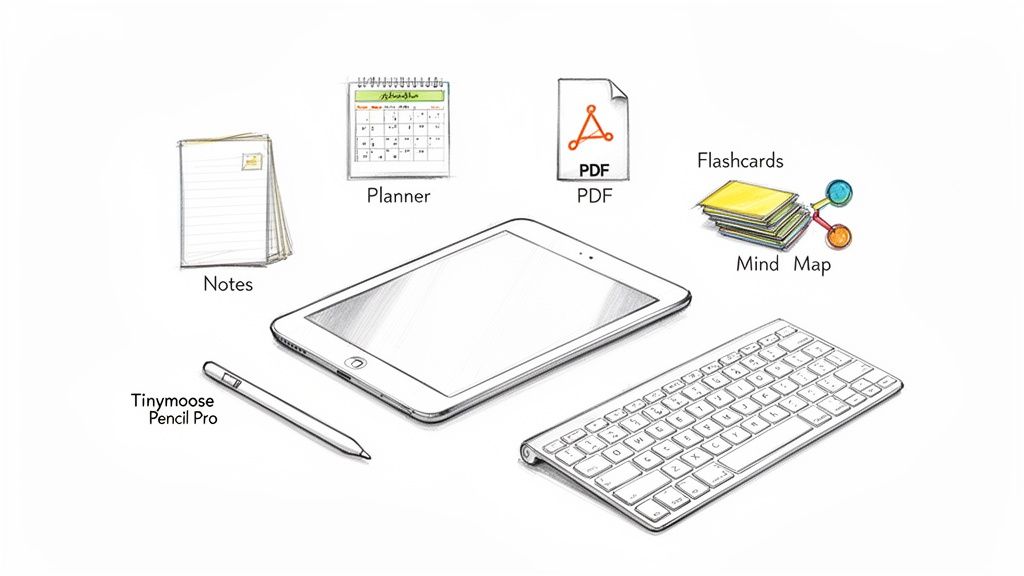
Wir beginnen damit, die wichtigsten App-Kategorien zu erläutern und zeigen Ihnen, wie die Kombination mit dem richtigen Zubehör das gesamte Setup nützlicher macht. Kein zielloses Scrollen mehr durch den App Store – dies ist eine praktische Anleitung zum Aufbau eines Workflows, der dem echten akademischen Druck standhält.
Warum Ihr iPad mehr als nur ein Gadget sein kann
Ein iPad mit der richtigen Software wird zu einem Werkzeug für aktives Lernen, nicht nur für passiven Konsum. Der wirkliche Vorteil entsteht, wenn Sie es mit Zubehör kombinieren, das Ihre Effizienz steigert. Zum Beispiel verändert eine Tastatur das Erlebnis komplett – das Tippen von Aufgaben wird bequem statt frustrierend.
Sie können unseren Leitfaden darüber lesen, wie das SpacePad Pro Ihre iPad-Produktivität verbessern kann, um zu verstehen, was wir meinen.
Der wahre Wert eines iPads für Studenten liegt in der Zentralisierung. Vorlesungsnotizen, Forschungsarbeiten, Kalender und Lehrbücher befinden sich alle in einem leichten Gerät, das jederzeit zugänglich ist. Ihr Rucksack wird leichter und Ihre Materialien bleiben organisiert.
Deshalb wechseln so viele Universitätsstudenten. In wichtigen Märkten wie den USA und Europa wird die Nutzung von iPads durch Studenten voraussichtlich 65% bis 2025. Die richtigen Apps haben eine 25% Produktivitätssteigerung, da Studenten dank Funktionen wie durchsuchbaren handschriftlichen Notizen und Cloud-Synchronisation weniger Fristen verpassen.
Die Kombination Ihres iPads mit einem praktischen Stylus wie dem Tinymoose Pencil Pro 2, der USB-C-Ladung und Shortcut-Tasten bietet, macht das Erlebnis noch besser. Es ist eine solide Möglichkeit, einen effektiven Workflow aufzubauen, ohne Premiumpreise zu zahlen. Sie können mehr über diese Studententechnologietrends von Apple erfahren.
Die vier wichtigsten App-Kategorien für jeden Studenten
Anstatt zufällige Apps herunterzuladen, bauen Sie ein funktionales Toolkit auf. Die besten iPad-Apps für Studenten fallen in vier Kernkategorien, die jeweils ein spezifisches akademisches Problem lösen. Sobald Sie eine solide App aus jeder Gruppe haben, besitzen Sie ein System, das die meisten Herausforderungen in der Schule abdeckt.
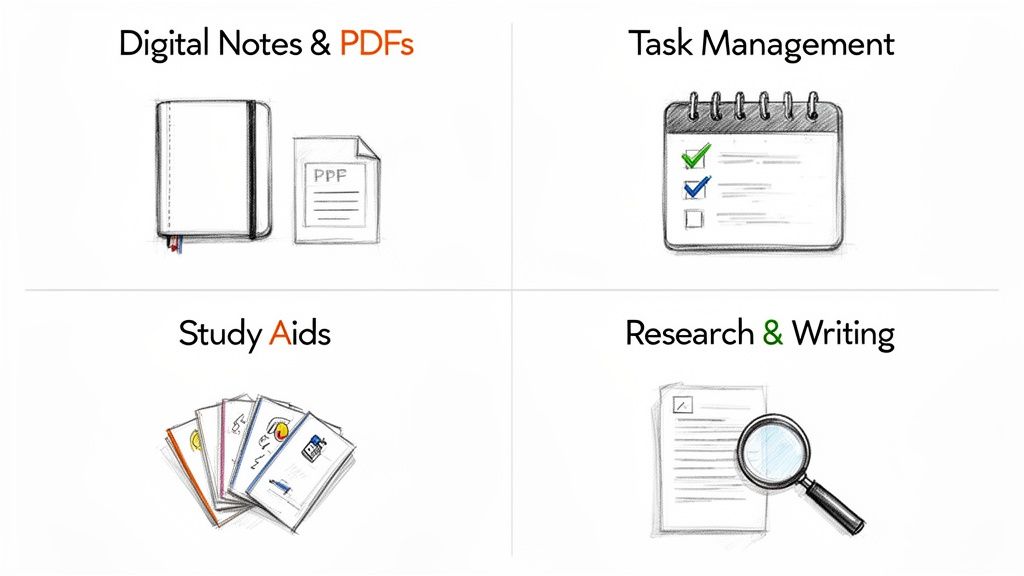
Stellen Sie sich das wie das Zusammenstellen eines Teams vor. Sie brauchen einen zuverlässigen Notiznehmer, einen Projektmanager, einen Lernpartner und einen Forschungsassistenten. Jeder erfüllt eine andere Aufgabe, und zusammen decken sie den gesamten akademischen Bereich ab.
Digitale Notizen und PDF-Anmerkungen
Das ist Ihre Grundlage. Eine gute Notiz-App verwandelt Ihr iPad in ein digitales Notizbuch, das das Problem verlorener Papiere und unorganisierter Ordner löst. Hier erfassen Sie Vorlesungsinhalte, sammeln Ideen und markieren zugewiesene Texte.
Das Hauptziel ist es, Ihr schriftliches Material zu digitalisieren und zu organisieren, sodass alles durchsuchbar und von überall zugänglich wird. Sie können tiefer eintauchen, indem Sie einige der besten iPad-Notiz-Apps für Studenten erkunden.
Wichtige Funktionen, auf die Sie achten sollten:
- Handschrifterkennung: Wandelt Ihre handschriftlichen Notizen in durchsuchbaren Text um. Sie können alles, was Sie geschrieben haben, in Sekunden finden, statt Seiten durchzublättern.
- PDF-Anmerkungen: Markieren, unterstreichen und schreiben Sie direkt auf Vortragsfolien und Artikel. Kein Drucken von Papierstapeln mehr.
- Cloud-Synchronisation: Sichert Ihre Notizen automatisch und macht sie auf all Ihren Geräten verfügbar. Ihre Arbeit bleibt sicher und aktuell.
Aufgabenverwaltung und Planung
Eine Planer-App ist Ihr persönlicher Assistent für Fristen. Sie bringt Ordnung in das Chaos von Aufgaben, Prüfungen und Gruppenprojekten, indem sie alles in einem organisierten Kalender und einer To-do-Liste zusammenfasst. Sie wird Ihre einzige verlässliche Quelle dafür, was erledigt werden muss.
Diese Kategorie dreht sich um proaktive Organisation. Anstatt auf Deadlines in letzter Minute zu reagieren, hilft Ihnen ein Aufgabenmanager, vorauszuplanen, große Projekte zu unterteilen und den Überblick über Ihre Arbeitslast zu behalten.
Diese Art von App hilft Ihnen, konsequente Lerngewohnheiten aufzubauen. Es geht darum, Ihre Zeit zu managen, nicht nur Aufgaben zu verfolgen.
Lernhilfen und Karteikarten
Diese Kategorie fungiert als Ihr persönlicher Tutor und fordert Sie dazu auf, Informationen aktiv abzurufen, anstatt sie nur passiv erneut zu lesen. Apps wie Quizlet lösen das Problem der Prüfungsvorbereitung, indem sie das Erstellen und Wiederholen von Karteikarten, das Absolvieren von Übungsquizzen und das Testen Ihres Wissens erleichtern.
Diese Werkzeuge basieren auf bewährten Lerntechniken wie der verteilten Wiederholung, die Sie dazu anregt, Informationen genau dann zu wiederholen, wenn Sie sie wahrscheinlich vergessen würden. Diese Methode ist viel effizienter als das Pauken in der Nacht vor einer Prüfung.
Forschung und Schreiben
Schließlich brauchen Sie Werkzeuge, um Informationen zu sammeln und Ihre Argumente zu formulieren. Diese Kategorie umfasst alles von Literaturverwaltungsprogrammen, die Ihre Quellen organisieren, bis hin zu minimalistischen Schreib-Apps, die Ihnen helfen, sich beim Entwurf ohne Ablenkung zu fokussieren.
Diese Apps übernehmen die lästigen Teile des wissenschaftlichen Schreibens. Ein guter Literaturverwaltungsprogramm erzeugt automatisch Zitate im korrekten Format und spart so Stunden manueller Arbeit. Eine ablenkungsfreie Schreib-App hilft Ihnen, sich aufs Schreiben zu konzentrieren. Zusammen machen sie den Weg von der Recherche bis zum fertigen Entwurf weniger mühsam.
Apps für kreative Projekte und Zusammenarbeit
Ihr Studium besteht nicht nur aus Essays und Prüfungen. Viele Kurse erfordern kreatives Denken, Präsentationen und Gruppenarbeit. Hier wird Ihr iPad mehr als nur ein Lernwerkzeug – es wird zum Arbeitsplatz für visuelle Projekte und Teamarbeit.
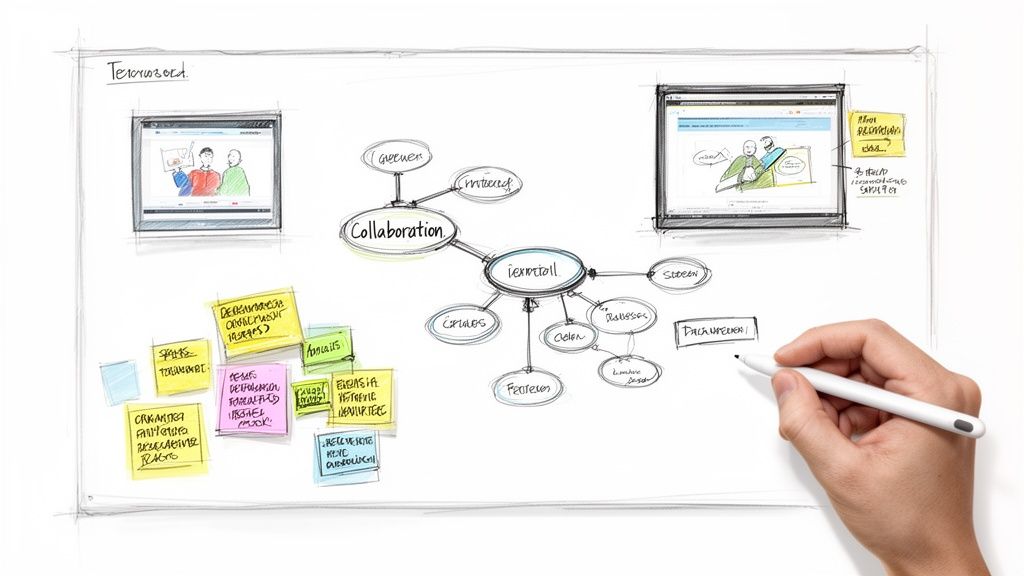
Die besten Apps in dieser Kategorie verwandeln abstrakte Gedanken in etwas Visuelles. Wir betrachten drei Typen: Mind-Mapping-Tools zum Entwirren komplexer Ideen, Präsentations-Apps zum Erstellen von Folien und kollaborative Whiteboards, um Ihr Team auf einen Nenner zu bringen.
Komplexe Ideen visuell organisieren
Mind-Mapping-Apps helfen Ihnen, komplexe Themen zu verstehen. Statt einer linearen Notizenliste bauen Sie ein visuelles Netz aus miteinander verbundenen Ideen auf. Dieser Ansatz entspricht der Funktionsweise unseres Gehirns und erleichtert es, das große Ganze zu sehen und Verbindungen zu entdecken, die Ihnen sonst entgangen wären.
Diese Apps sind nützlich für:
- Essay-Strukturen brainstormen: Bevor Sie ein Wort tippen, skizzieren Sie Ihre Hauptargumente und unterstützenden Punkte, um eine klare Roadmap zu erstellen.
- Gruppenprojekte planen: Legen Sie visuell fest, wer wofür verantwortlich ist, und verfolgen Sie den Fortschritt in einem gemeinsamen Bereich.
- Für Prüfungen lernen: Fassen Sie die Vorlesungen eines ganzen Semesters in einem einzigen Diagramm zusammen, das Sie auf einen Blick überblicken können.
Mit einem präzisen Stylus wie dem Tinymoose Pencil Pro Verbindungen zu zeichnen, fühlt sich natürlich an – wie Skizzieren auf einem Notizblock. Ein reaktionsschneller Stylus erschließt diese visuellen Werkzeuge und ermöglicht es, Diagramme und Skizzen ohne Reibung zu erstellen.
Designen und Zusammenarbeiten
Kreative Apps waren früher nur für Profis gedacht. Heute sind sie so zugänglich, dass jeder Studierende beeindruckende Arbeiten erstellen kann. Dieser Wandel geschah, weil Apps begannen, leistungsstarke Funktionen in einfache Benutzeroberflächen zu verpacken.
Nehmen Sie Detail, das Apple zur iPad-App des Jahres 2025 ernannte. Sein Erfolg zeigt, wohin die Reise geht – seine Design-Tools erhielten eine durchschnittliche 4,9-Sterne-Bewertung von über 500.000 Rezensionen. Funktionen wie KI-gestützte Bearbeitung führten zu einem 150%-Anstieg bei von Studierenden erstellten Inhalten auf iPads. Es ist Teil eines größeren Trends, bei dem 60% der Kunst- und Design-Studierenden jetzt Tablet-Apps für ihre gesamten Portfolios nutzen.
Für Gruppenprojekte sind kollaborative Whiteboards unverzichtbar. Sie sind eine unendliche digitale Leinwand, auf der Ihr ganzes Team in Echtzeit brainstormen, Diagramme skizzieren und Feedback geben kann – unabhängig vom Standort.
Diese Apps beseitigen den Planungsaufwand für persönliche Treffen. Jeder kann gleichzeitig am selben Dokument arbeiten, was Teamarbeit dynamischer macht. Mit der richtigen Hardware bewältigt Ihr iPad alle kreativen Aufgaben mühelos. Sie können in unserem Artikel mehr darüber erfahren, wie Sie Ihr iPad als Zeichentablett nutzen. Die Kombination aus guten Apps und einem präzisen Stylus macht anspruchsvolle Projekte handhabbar.
Erstellen Sie Ihren perfekten Studien-Workflow
Die besten iPad-Apps zu haben, ist ein guter Anfang, aber der wahre Wert entsteht, wenn Sie sie zusammenarbeiten lassen. Es geht darum, einen Studien-Workflow zu schaffen – ein praktisches System, in dem Informationen von einer App zur nächsten fließen, ohne dass Sie gegen die Technik kämpfen müssen.
Das Ziel ist es, ein System zu schaffen, in dem Ihre Apps und Zubehörteile als eine Einheit funktionieren. Das spart Zeit, reduziert die Reibung beim Wechseln zwischen Aufgaben und hält Sie beim Lernen fokussiert, statt Ihre Einrichtung zu reparieren. Wenn Sie die richtige Software mit der passenden Hardware verbinden, entsteht ein persönliches Ökosystem, das auch unter Druck standhält.
Der Workflow für Forschungsarbeiten
Kommen wir zur Praxis. Stellen Sie sich vor, Sie bearbeiten eine große Forschungsarbeit. Anstatt gedruckte Artikel und verstreute Notizen zu jonglieren, wird Ihr iPad zum zentralen Knotenpunkt für das gesamte Projekt. Dieser Workflow teilt ein großes, einschüchterndes Projekt in überschaubare Schritte auf.
So funktioniert es:
- Sammeln Sie Ihre Quellen: Speichern Sie Forschungsartikel und PDFs direkt in einer Forschungs-App wie Zotero oder Ihrer Haupt-Notiz-App.
- Annotieren und Hervorheben: Öffnen Sie mit dem Tinymoose Pencil Pro jede PDF und markieren Sie sie direkt auf dem Bildschirm. Die Präzision des Stylus macht das Hervorheben wichtiger Passagen und das Schreiben von Notizen am Rand natürlich – wie mit einem echten Stift auf Papier.
- Organisieren Sie Ihre Ideen: Wechseln Sie zu einer Mind-Mapping-App. Verbinden Sie visuell zentrale Themen und Zitate aus Ihren Quellen und erstellen Sie eine klare Gliederung für Ihre Arbeit.
- Entwerfen Sie das Papier: Schnappen Sie Ihr iPad in die SpacePad Pro Tastatur und öffnen Sie Ihre Schreib-App. Mit Ihrer Recherche und Gliederung sichtbar im Split View können Sie Ihren Entwurf effizient mit einem komfortablen, laptopähnlichen Erlebnis tippen.
Dieser gesamte Prozess findet auf einem Gerät statt, wodurch alles organisiert und zugänglich bleibt. Der Übergang vom aktiven Lesen mit dem Stylus zum konzentrierten Tippen mit der Tastatur verläuft reibungslos.
Eine tägliche Lernroutine erstellen
Ihr Arbeitsablauf muss nicht nur für große Projekte gelten. Sie können einen für tägliche Lerngewohnheiten entwickeln und Ihr iPad zu einem verlässlichen Partner machen, um den Studienstoff im Griff zu behalten. Diese Routine hilft Ihnen, vom Planen zum Handeln zu kommen, ohne mentale Energie darauf zu verwenden, zu entscheiden, was als Nächstes zu tun ist.
Ein täglicher Arbeitsablauf schafft Beständigkeit. Er etabliert ein wiederholbares Muster, das Ihnen hilft, Ihre Zeit zu managen und sicherstellt, dass Sie auch in den stressigsten Wochen des Semesters nicht zurückfallen.
Ein einfacher, effektiver Tag könnte so aussehen:
- Morgendliche Planung: Beginnen Sie mit einem Blick in Ihre Planer-App. Ein kurzer Überblick zeigt, welche Kurse anstehen, welche Fristen bevorstehen und was Priorität hat.
- Vorlesungsnotizen: Nutzen Sie während des Unterrichts Ihre Notiz-App und einen Stylus, um alles festzuhalten. Sie können Diagramme einfügen oder Fotos von der Tafel neben Ihren handschriftlichen Notizen machen.
- Nachmittagsüberprüfung: Später gehen Sie Ihre Notizen noch einmal durch und extrahieren Schlüsselkonzepte, um digitale Karteikarten in einer Lern-App zu erstellen. Das hilft, das Wissen frisch zu verankern.
Diese dreistufige Routine stellt sicher, dass Informationen konsequent erfasst, organisiert und überprüft werden. Es ist ein System, das das Lernen überschaubar statt überwältigend macht.
Schnelle App-Empfehlungen für Ihr Studienfach
Fühlen Sie sich von der Vielzahl der Möglichkeiten überwältigt? Der Schlüssel ist nicht, eine „perfekte“ App zu finden, sondern ein kleines, praktisches Toolkit zusammenzustellen, das zu Ihrem Alltag passt. Die Bedürfnisse eines Chemie-Studierenden unterscheiden sich von denen eines Filmstudenten.
Um Ihnen den Einstieg zu erleichtern, haben wir App-Pakete zusammengestellt, die auf verschiedene Studierendentypen zugeschnitten sind. Diese Setups sind darauf ausgelegt, Sie vom ersten Tag an produktiv zu machen.
Der von diesen App-Paketen unterstützte Arbeitsablauf ist klar: vom Forschen und Vorlesungen über konzentrierte Arbeit bis hin zum Schaffen von Neuem.
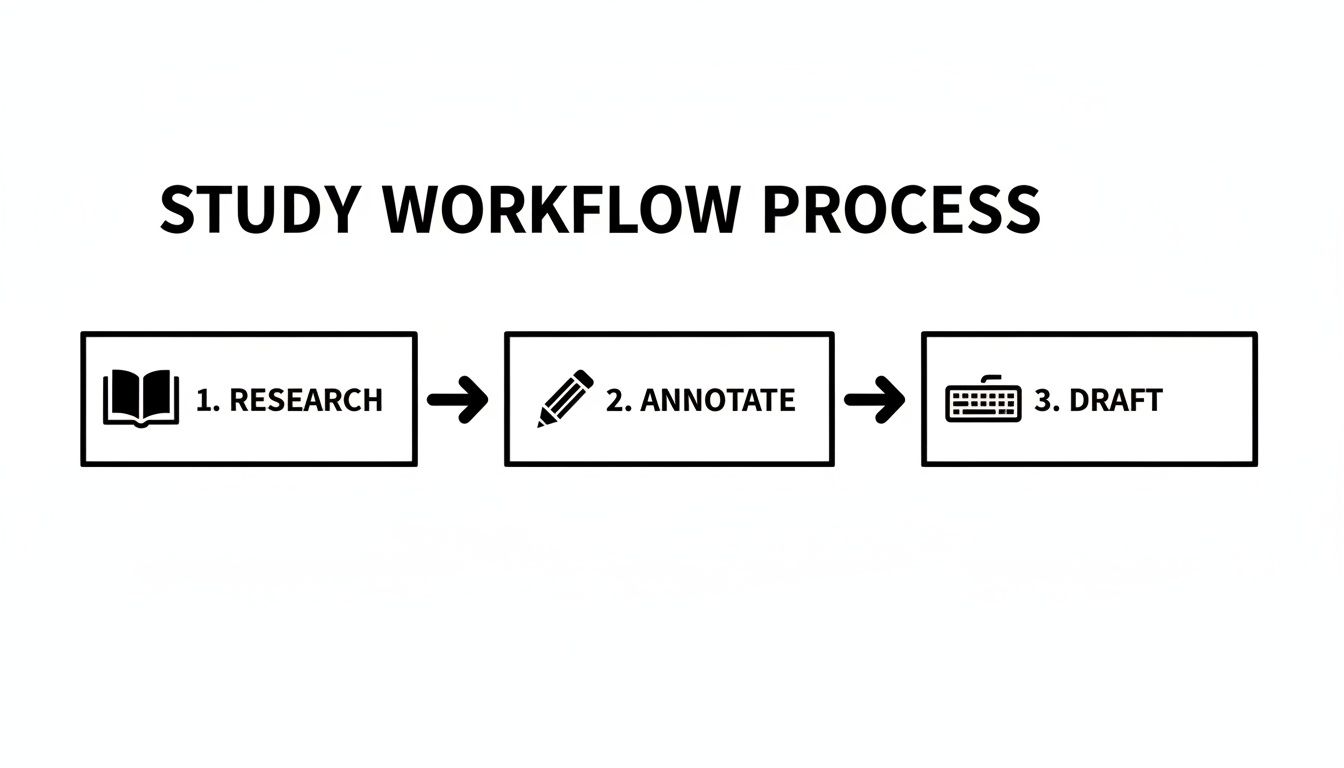
Es ist ein Kreislauf aus Informationssammlung, Verarbeitung zum Verständnis und anschließendem Erstellen eigener Arbeiten – sei es ein Laborbericht, ein Aufsatz oder ein Designprojekt.
Für den MINT-Studiengang
Wenn Ihre Tage von Gleichungen und Labordaten geprägt sind, brauchen Sie Werkzeuge, die für technische Präzision entwickelt wurden. Ihr App-Paket soll die Details richtig erfassen und Berechnungen effizient handhaben.
- Notizen & Berechnungen: Eine App mit zuverlässiger Erkennung mathematischer Formeln ist unerlässlich. Sie verwandelt Ihre handschriftlichen Gleichungen in sauberen, getippten Text, was das spätere Lernen erleichtert.
- Datenvisualisierung: Sie benötigen eine App, um schnell Diagramme und Grafiken zu erstellen. Die Möglichkeit, Daten spontan zu visualisieren, ist für Laborberichte sehr wertvoll.
- Literaturverwaltung: Ein spezieller Literaturmanager behält den Überblick über jede wissenschaftliche Arbeit, die Sie zitieren, und erspart Ihnen die mühsame manuelle Formatierung von Bibliografien.
Für den geisteswissenschaftlichen Forscher
Als Geisteswissenschaftler verbringst du die meiste Zeit mit Texten. Dein App-Toolkit sollte sich wie eine digitale Bibliothek anfühlen, die dir hilft, umfangreiche Leselisten zu verwalten und deine Argumente zu organisieren.
Die Herausforderung für Geisteswissenschaftler besteht darin, Ideen aus Dutzenden verschiedener Quellen zu synthetisieren. Die richtigen Apps dienen sowohl als persönliche Bibliothek als auch als Ideenverarbeiter und helfen dir, Argumente zu entwickeln, ohne in der Recherche zu versinken.
Dein ideales App-Paket:
- PDF-Anmerkungen: Ein hochwertiger PDF-Reader ist unerlässlich. Du musst markieren, Kommentare hinzufügen und Notizen direkt auf deinen Quellen machen können.
- Mind Mapping: Beim Strukturieren eines Essays hilft ein visuelles Tool, deine Gedanken zu ordnen. Es ist nützlich, um zu sehen, wie Argumente zusammenhängen.
- Ablenkungsfreies Schreiben: Wenn es Zeit zum Schreiben ist, sorgt eine minimalistische Schreib-App für Ordnung, damit du dich auf deine Worte konzentrieren kannst.
Für den visuellen Lerntyp
Wenn du am besten lernst, indem du Dinge visuell darstellst, ist dein iPad deine Leinwand. Deine App-Sammlung sollte sich auf visuelle Organisation, kreative Ausdrucksformen und Werkzeuge konzentrieren, mit denen du deine Ideen zeichnen kannst.
Dieses Setup funktioniert für Studierende in kreativen Bereichen wie Design, ist aber auch nützlich für alle, die Material besser verstehen, wenn es visuell dargestellt wird.
- Unendliches Whiteboard: Eine App mit einer endlosen Leinwand zum Brainstormen. Es ist befreiend, Platz zu haben, wo Ideen fließen können, ohne an den Rand einer Seite zu stoßen.
- Flexibler Notiznehmer: Eine Notiz-App mit starken Zeichenwerkzeugen. Wichtig ist, je nach Bedarf zwischen Tippen, Handschrift und Skizzieren zu wechseln.
- Kreative Präsentation: Geh über langweilige Folien hinaus. Eine moderne Präsentations-App hilft dir, visuell ansprechende Präsentationen zu erstellen.
Hier eine schnelle Übersicht, die Studententypen mit spezifischen App-Empfehlungen verbindet.
Top-App-Empfehlungen nach Studententyp
| Studententyp | Notiz-App | Planungs-App | Spezial-App |
|---|---|---|---|
| STEM-Studiengang | Nebo oder GoodNotes | TickTick | WolframAlpha |
| Geisteswissenschaftlicher Forscher | LiquidText oder MarginNote | Notion | Zotero oder Mendeley |
| Visueller Lerntyp | Concepts oder Freeform | Todoist | Procreate |
Diese Tabelle ist ein Ausgangspunkt. Der beste Weg, dein Setup zu finden, ist, ein paar Optionen auszuprobieren und zu sehen, was zu deinem Arbeitsablauf passt. Kombiniere und variiere, bis du ein Toolkit hast, das für dich funktioniert.
Deine Vorlage für akademischen Erfolg
Das Ziel ist nicht, jede App herunterzuladen, die du finden kannst. Es geht darum, ein einfaches System zu schaffen, das für dich funktioniert. Die besten iPad-Apps für Studierende zu finden bedeutet, ein kleines Toolkit zusammenzustellen, das deine größten Probleme löst und zu deinem Alltag passt.
Wir haben die wichtigsten App-Kategorien behandelt und gezeigt, wie die Kombination mit der richtigen Ausrüstung ein effektives Lern-Setup schafft. Nutze dies als deine Vorlage. Experimentiere, um die Werkzeuge zu finden, die Stress reduzieren, Zeit sparen und dir helfen, akademisch besser zu werden.
Ein guter digitaler Arbeitsablauf basiert auf Klarheit, nicht auf Komplexität. Wenn du solide Software mit einem Präzisionswerkzeug wie dem Tinymoose Pencil Pro kombinierst, entsteht ein Setup, bei dem Organisation zur zweiten Natur wird.
Halte es einfach und funktional – ein klarer Weg, um ein organisierterer Studierender zu werden. Wenn du es so angehst, wird dein iPad keine Ablenkung mehr sein, sondern ein echtes akademisches Werkzeug.
Häufige Fragen
Hier sind die Fragen, die Studierende am häufigsten stellen, wenn sie ihr digitales Lern-Setup mit den besten iPad-Apps aufbauen.
Muss ich teure Apps kaufen?
Nein. Es ist ein häufiger Irrtum zu glauben, dass höhere Preise bessere Apps bedeuten. Deine Produktivität hängt davon ab, die richtigen Funktionen für deine Bedürfnisse zu finden, nicht die teuersten Optionen.
Viele beliebte und effektive Apps sind kostenlos, bieten großzügige Gratisversionen oder Studentenrabatte. Konzentriere dich auf Tools, die deine spezifischen Probleme lösen. Dieser praktische Ansatz ist der Grund, warum wir Tinymoose-Ausrüstung entwickelt haben – um funktionale Werkzeuge zu fairen Preisen anzubieten.
Wie hilft ein Stylus wie der Tinymoose Pencil Pro 2?
Ein hochwertiger Stylus verwandelt dein iPad von einem passiven Bildschirm in ein aktives Lernwerkzeug. Er gibt dir die Präzision, die du brauchst, um detaillierte Diagramme zu skizzieren oder flüssige Notizen während schneller Vorlesungen zu schreiben.
Ein Stylus überbrückt die Lücke zwischen digitaler Bequemlichkeit und dem natürlichen Gefühl des Schreibens auf Papier und macht das Notieren intuitiver.
Über die Präzision hinaus sorgen Funktionen wie Handballenerkennung und anpassbare Shortcut-Tasten für einen reibungslosen Arbeitsablauf. Es ist ein wichtiger Bestandteil des Setups für jeden Studierenden, der es mit digitalem Notieren ernst meint.
Kann ein iPad meinen Laptop fürs Studium ersetzen?
Für viele Studierende ja. Wenn man sich die Kernaufgaben im Studium ansieht – Notizen machen, recherchieren, Essays schreiben – ist ein iPad zusammen mit einer Tastatur wie dem SpacePad Pro oft portabler und vielseitiger als ein Laptop.
Wenn du in einem spezialisierten Bereich arbeitest, der leistungsstarke Desktop-Software erfordert, brauchst du vielleicht weiterhin einen Laptop. Für die meisten alltäglichen College-Aufgaben bewältigt ein iPad die Arbeit jedoch gut und ist dabei leichter und portabler.
Wie viele Apps sollte ich verwenden?
Weniger ist mehr. Es ist verlockend, jede neue App herunterzuladen, aber das führt zu einem überfüllten Bildschirm und einem verwirrenden Arbeitsablauf. Am Ende verbringst du mehr Zeit mit dem Verwalten der Tools als mit deren Nutzung.
Fang einfach an. Wähle aus jeder wichtigen Kategorie eine solide App aus. Lerne sie gut kennen und baue deine Gewohnheiten darum herum auf. Füge nur dann neue Tools hinzu, wenn du einen konkreten Bedarf entdeckst, den dein aktuelles Setup nicht abdeckt. Ein fokussiertes Toolkit ist mächtiger als ein überladenes.
Bereit, ein effektiveres Lernsystem aufzubauen? Der Tinymoose Pencil Pro bietet dir die Präzision und Kontrolle, die du für digitale Notizen und kreative Projekte brauchst. Schau ihn dir an auf tinymoose.co.


Teilen:
USB-C Apple Pencil Alternative: Gleiche Funktionen, halber Preis
Die 7 besten Produktivitäts-Apps für das iPad, um Ihren Arbeitsablauf im Jahr 2026 zu vereinfachen