
إنجاز المزيد لا يعني العمل بجهد أكبر، بل يعني إنشاء نظام أذكى يناسبك. السر هو فهم سير عملك، واستخدام تقنيات إدارة الوقت المثبتة، وتجهيز نفسك بأدوات تبسط حياتك حقًا وتزيل المشتتات.
خطة عملك العملية للإنتاجية في مكان العمل
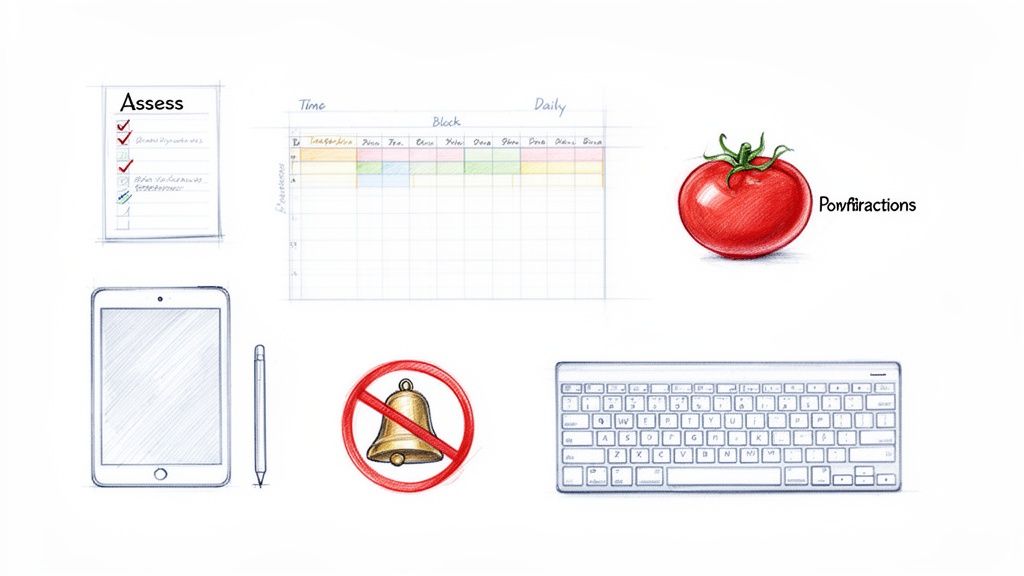
هل تشعر أن يومك معركة مستمرة ضد قائمة مهام لا تنتهي وكم هائل من المقاطعات؟ لست وحدك. يوم العمل الحديث مصمم ليكون مليئًا بالمشتتات، مما يجعل العمل العميق والمركز الذي نحتاجه جميعًا شبه مستحيل.
هذا الدليل مختلف. نحن نقطع الضوضاء لنقدم لك خطة واقعية يمكنك البدء في استخدامها اليوم.
خطوتنا الأولى هي نظرة سريعة وصادقة على سير عملك الحالي لمعرفة ما الذي يبطئك فعليًا. هذا ليس للوم؛ بل لتوضيح ما يحتاج إلى تغيير لتجعل حياتك أسهل.
بناء أساس للتركيز السلس
من هناك، سنتعمق في تقنيات قوية لكنها بسيطة مثل تقسيم الوقت وطريقة بومودورو، ولكن بنظرة عملية. فكر في مصمم جرافيك يستخدم فترات تركيز قصيرة لإنجاز موعد نهائي، أو مدير يخصص وقتًا مخصصًا لتطوير الفريق. الهدف هو جعل هذه الطرق تناسب عملك، وليس العكس.
سر الإنتاجية ليس في إيجاد ساعات إضافية في اليوم. بل في جعل ساعاتك الحالية ذات قيمة من خلال خلق بيئة تحمي تركيزك بسهولة.
جزء كبير من اللغز هو إنشاء منطقة خالية تمامًا من المشتتات، جسديًا ورقميًا. لا يجب أن يكون الإعداد الإنتاجي معقدًا أو مكلفًا. الأمر يتعلق بأن تكون متعمدًا في اختيار أدواتك. سنريك كيف يمكن لبعض الملحقات الذكية والبديهية أن تخلق سير عمل ينساب بسلاسة.
على سبيل المثال، المنتجات المصممة من أجل سهولة الاستخدام البحتة تحدث فرقًا كبيرًا:
- Tinymoose Pencil Pro 2: يوفر إحساسًا سلسًا للغاية يشبه القلم على الورق لتدوين الملاحظات في الاجتماعات. تلتقط الأفكار على الفور دون الحاجة للتنقل بين إعدادات التطبيقات، مما يجعله أفضل أداة للكتابة الرقمية السلسة.
- SpacePad Pro: يحول هذا اللوحة المفاتيح جهاز iPad الخاص بك فورًا إلى محطة عمل محمولة حقيقية، مما يتيح لك إعداد مركز قيادة مركز في أي مكان. إنه الحل الأمثل للإنتاجية أثناء التنقل.
هذا الدليل لا يهدف إلى إضافة المزيد إلى جدول أعمالك. بل يهدف إلى منحك إطارًا بسيطًا وفعالًا لاستعادة تركيزك وأخيرًا السيطرة على مهامك، مما يجعل يوم عملك أقل فوضى وأكثر تحكمًا.
تحكم في وقتك واستعد تركيزك
أن تكون "مشغولًا" يختلف تمامًا عن أن تكون منتجًا. الهدف الحقيقي ليس فقط ملء يومك، بل توجيه طاقتك إلى حيث تهم فعلاً. من خلال بناء هيكل ذكي ليومك، يمكنك تخصيص وقت محمي للعمل العميق والهادف والهروب أخيرًا من دورة البدء والتوقف المستمرة التي تقتل الزخم.
دعنا نستعرض نظامين من أكثر الأنظمة فعالية وسهولة في الاستخدام: تقنية بومودورو وتقسيم الوقت. هذه ليست قواعد صارمة. فكر فيها كأدوات مرنة يمكنك تكييفها مع سير عملك لجعل أيامك أسهل.
تقنية بومودورو لجلسات تركيز مكثفة
تقنية بومودورو بسيطة بشكل رائع. تعمل في فترات تركيز حادة مدتها 25 دقيقة (تسمى "بومودوروس")، تفصلها استراحات قصيرة مدتها 5 دقائق. بعد أربع دورات، تأخذ استراحة أطول مدتها 15-30 دقيقة. إنها طريقة رائعة لهزيمة التسويف والحفاظ على طاقتك طوال اليوم.
تجعل هذه الطريقة المهام الكبيرة تبدو قابلة للإدارة. بدلاً من مواجهة مشروع يستغرق أربع ساعات، تلتزم فقط بجولة واحدة مدتها 25 دقيقة. الأمر بهذه السهولة.
تخيل فنانًا رقميًا يرسم مشهدًا معقدًا على جهاز الآيباد الخاص به. يمكنه استخدام مؤقت بومودورو للتركيز على التفاصيل الدقيقة باستخدام قلم Tinymoose Pencil Pro 2 لجلسة واحدة مدتها 25 دقيقة. ثم يستريح لمدة خمس دقائق لترتاح عينيه. تمنع هذه الدورة الإرهاق وتساعد في الحفاظ على مستوى جودة مرتفع للغاية.
لتحقيق أقصى استفادة من هذا، يمكنك تكييف بعض الاستراتيجيات من دليلنا حول كيفية تدوين الملاحظات على الآيباد لأي جلسة عمل مركزة.
الفكرة الأساسية هنا هي أن الاستراحات القصيرة والمتكررة أفضل بكثير لمرونتك الذهنية من الاستراحات الطويلة القليلة. هذه الطريقة تحافظ على ذهنك منتعشًا وجاهزًا للعودة للعمل.
تقسيم يومك للعمل العميق
بينما تقنية بومودورو رائعة للمهام الفردية، تقسيم الوقت يتعلق بتصميم يومك بالكامل بنية واضحة. تقوم حرفيًا بتخصيص "كتلة" زمنية في تقويمك لكل شيء—من الرد على الرسائل الإلكترونية إلى التعامل مع مشروع كبير. يتحول تقويمك من مجرد قائمة اجتماعات إلى خطة ملموسة ليومك.
قد يخصص مدير المشروع من الساعة 9:00 صباحًا حتى 11:00 صباحًا لـ "العمل العميق: تحليل تقرير الربع الثالث". يصبح هذا الوقت غير قابل للتفاوض. يرسل إشارة واضحة للزملاء (ولنفسك) بأن هذه الفترة محمية من المقاطعات.
إليك نظرة سريعة على متى تتألق كل تقنية حقًا:
| الاستراتيجية | الأفضل لـ | الفائدة الرئيسية |
|---|---|---|
| تقنية بومودورو | المهام الإبداعية، الدراسة، أو أي مشروع يحتاج إلى فترات تركيز مكثفة وقصيرة. | يقاوم التسويف ويمنع الإرهاق الذهني من خلال هيكل الاستراحات المدمج. |
| تقسيم الوقت | تنظيم يومك أو أسبوعك بالكامل وحماية أولوياتك الأهم. | يمنحك خارطة طريق واضحة وقابلة للتنفيذ ويمنعك من الانجراف إلى العمل التفاعلي غير المخطط له. |
وافق مهامك مع طاقتك الطبيعية
بعيدًا عن الأنظمة المحددة، واحدة من أقوى الخطوات التي يمكنك اتخاذها هي إدارة الطاقة. الأمر بسيط: جدولة عملك الأكثر تطلبًا عندما تشعر بأفضل حال طبيعيًا.
هل أنت من الأشخاص الصباحيين؟ هذه هي نافذتك الذهبية لحل المشكلات المعقدة. تشعر بالإرهاق بعد الغداء؟ هذا هو الوقت المثالي للمهام الإدارية الأخف.
هنا يأتي دور أداة مثل ساعة Tinymoose Tempo الذكية كسلاح سري لك. إنها أسهل طريقة لإدارة دورات بومودورو دون منبه هاتف مزعج وصاخب. فقط اضبط اهتزازًا صامتًا لفترات تركيز 25 دقيقة واستراحات 5 دقائق. تبقيك على المسار دون أن تخرجك من سير عملك، مما يجعل الالتزام بخطتك وامتلاك تركيزك أمرًا بسيطًا للغاية.
صمم مساحة عملك المثالية الخالية من المشتتات
بيئتك عامل كبير في إنتاجيتك اليومية. مكتب فوضوي أو هاتف يرن بالإشعارات يمكن أن يقتل قدرتك على التركيز. بناء ملاذ لعالمك المادي والرقمي ليس رفاهية؛ بل خطوة ضرورية لاستعادة تركيزك وجعل العمل أسهل.
العمل الحديث مرن، لكن هذا لا يعني القبول بإعداد سيء. سواء كنت في المنزل، أو مقهى، أو المكتب، تنطبق قواعد مساحة العمل النظيفة والبسيطة. الفكرة هي خلق بيئة تدعمك لتتمكن من تقديم أفضل أداء دون أن تضطر لمقاومة محيطك.
هذا التحول إلى العمل عن بُعد كان نقطة تحول في التركيز. تظهر البيانات الحديثة أن الموظفين عن بُعد يحصلون على حوالي 22.75 ساعة من العمل المركز أسبوعيًا، أكثر بكثير من 18.6 ساعة التي يحققها نظراؤهم في المكتب. هذه الميزة الأسبوعية التي تبلغ 4.15 ساعة تعادل أكثر من 200 ساعة إضافية من العمل العميق سنويًا، ويرجع ذلك أساسًا إلى قلة المقاطعات التي يواجهونها. يمكنك قراءة البحث الكامل حول هذه النتائج الإنتاجية لترى مدى تأثير بيئتنا على تركيزنا.
تصميم إعداد مادي بسيط
مساحة العمل الفعالة تعتمد على النية الواضحة. ابدأ بإزالة كل ما لا تحتاجه على مكتبك للمهام الحالية. الإضاءة الجيدة والكرسي المريح أمران لا يمكن التفاوض عليهما—فهما يمنعان الإجهاد الجسدي الذي يقتل تركيزك.
لكن السر الحقيقي لسير عمل حديث ومحمول هو دمج أدواتك. لماذا تحمل كمبيوتر محمول وجهاز لوحي ودفتر ملاحظات بينما يمكنك بناء محطة عمل قوية ونظيفة باستخدام iPad فقط والمعدات المناسبة؟
هنا يأتي دور Tinymoose SpacePad Pro الذي يجعل الحياة أسهل بكثير. إنه الحل الأمثل لتحويل جهاز iPad الخاص بك إلى محطة إنتاجية كاملة وخالية من الفوضى في لحظة. لوحة المفاتيح مريحة للكتابة، ولوحة التتبع المدمجة تمنحك إحساس الكمبيوتر المحمول بدون الحجم الزائد. يمكنك إعداد محطة عمل وظيفية ومريحة في أي مكان خلال ثوانٍ، مع الحفاظ على حقيبتك خفيفة ومكتبك مرتبًا.
ترويض بيئتك الرقمية
مساحتك الرقمية تحتاج إلى ترتيب بقدر ما تحتاجه. الإشعارات غير المنضبطة هي العدو الأول للعمل العميق. الخطوة الأولى هي أن تكون صارمًا مع إعدادات الإشعارات.
إليك دليل عملي لبناء ملاذك الرقمي:
- أتقن أوضاع التركيز: استخدم ميزات "التركيز" أو "عدم الإزعاج" المدمجة في أجهزتك. أنشئ أوضاعًا مختلفة مثل "العمل العميق" أو "الاجتماعات" وخصص التطبيقات التي يمكنها الوصول.
- حدد أوقات التحقق الخاصة بك: توقف عن الرد على كل بريد إلكتروني فور وصوله. بدلاً من ذلك، خصص أوقاتًا محددة—مرة في الصباح ومرة في المساء—لمعالجة جميع اتصالاتك دفعة واحدة.
- استخدم تطبيقات الحظر: إذا وجدت نفسك تنجرف بلا وعي إلى وسائل التواصل الاجتماعي، استخدم التطبيقات والإضافات في المتصفح لحظرها مؤقتًا خلال فترات عملك.
البيئة المناسبة تهيئ المسرح لأنظمة إدارة الوقت القوية لتعمل بسحرها.
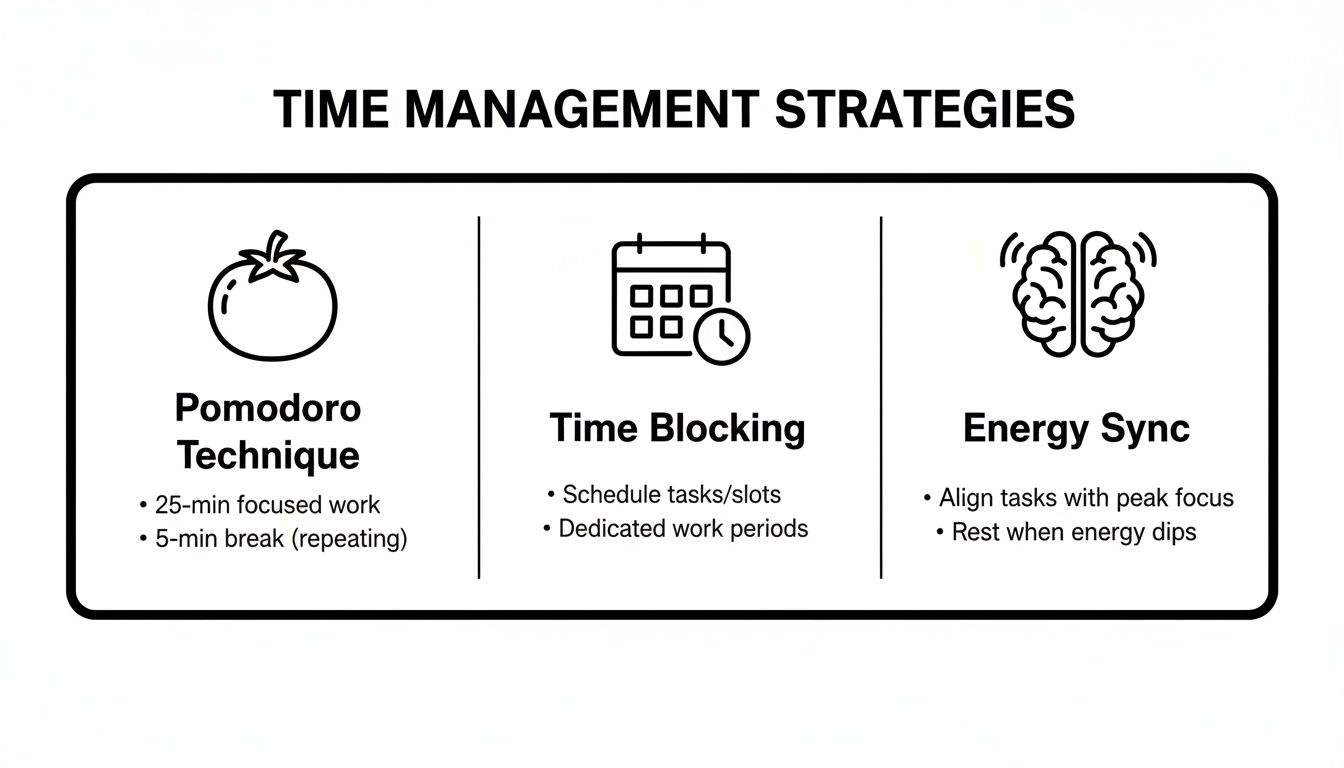
هذه الرسمة تذكير رائع بأن تقنيات مثل بومودورو وتقسيم الوقت توفر لك الهيكل، لكن بيئة العمل الخالية من المشتتات هي الأساس الذي تحتاجه لتنجح.
النظر جنبًا إلى جنب في تحسين كلا المساحتين يمكن أن يوضح أين تركز جهودك.
تحسين مساحة العمل الرقمية مقابل المادية
إليك تفصيل للإجراءات الرئيسية التي يمكنك اتخاذها لتقليل المشتتات وزيادة التركيز في بيئتي عملك الرقمية والمادية.
| مجال التركيز | إجراءات التحسين الرقمي | إجراءات التحسين المادي |
|---|---|---|
| التحكم في الإشعارات | عطّل إشعارات التطبيقات غير الضرورية. استخدم أوضاع "التركيز". | اضبط الهاتف على الوضع الصامت/عدم الإزعاج. ضع الهاتف بعيدًا عن الأنظار. |
| تقليل الفوضى | نظم ملفات سطح المكتب في مجلدات. أغلق علامات التبويب/التطبيقات غير المستخدمة. | نظف مكتبك من العناصر غير الضرورية. استخدم الأدراج للتخزين. |
| كفاءة سير العمل | قم بأتمتة المهام المتكررة. استخدم مشغلات التطبيقات. | ضع الأدوات الأساسية في متناول اليد. اجمع الأجهزة معًا. |
| الأرغونوميات والراحة | اضبط سطوع الشاشة. استخدم الوضع الداكن لراحة العين. | استثمر في كرسي مريح وحامل شاشة. تأكد من وجود إضاءة جيدة. |
بتطبيق هذه المبادئ، تخلق بيئة سلسة ومنخفضة الاحتكاك تسهل عليك البقاء مركزًا على المهمة.
مساحة العمل المصممة بعناية ليست عن امتلاك أفضل المعدات. بل عن إزالة كل نقطة احتكاك ممكنة بينك وبين العمل الذي يهمك.
عندما تصمم بيئاتك عن قصد، فإنك تبني نظامًا يدافع بنشاط عن تركيزك ويسهل عليك تقديم أفضل أداء، بغض النظر عن مكانك.
اجعل التكنولوجيا شريك إنتاجيتك
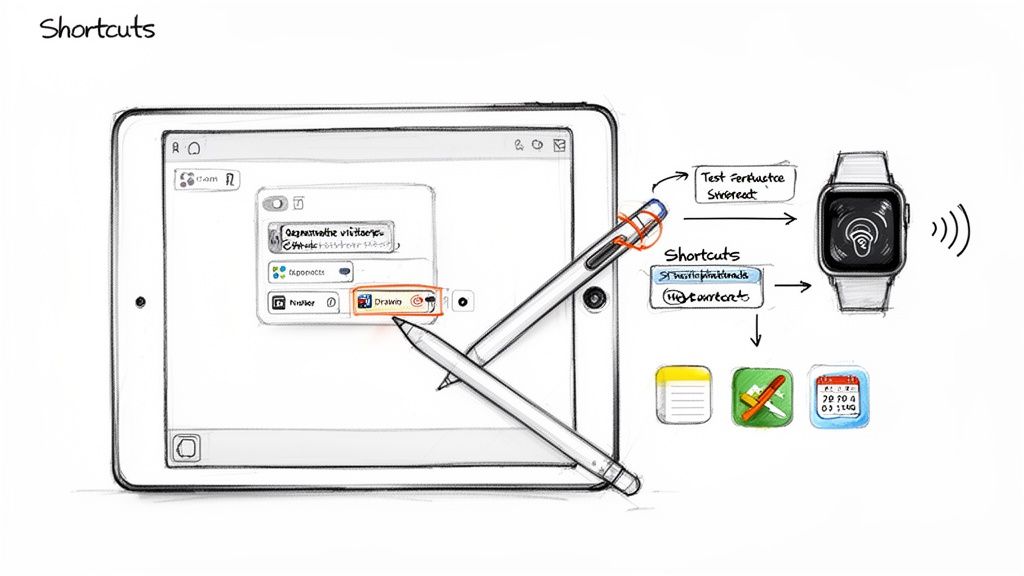
يجب أن تكون أفضل التكنولوجيا غير مرئية. يجب أن تعمل بسلاسة، مفسحة الطريق لتركيزك على ما هو مهم. كثيرًا ما تتحول أجهزتنا إلى عكس ذلك—مصدر احتكاك يجذبنا إلى متاهة من التحديثات ومشاكل التوافق.
السر في زيادة الإنتاجية ليس شراء المزيد من الأجهزة. بل هو جعل التكنولوجيا تعمل من أجلك.
هذا يعني تغيير طريقة تفكيرك لبناء نظام تتولى فيه التكنولوجيا المهام المتكررة، مما يحرر طاقتك الذهنية للتفكير الإبداعي والاستراتيجي الذي يحدث فرقًا حقيقيًا.
تخلص من المهام المتكررة بأتمتة بسيطة
فكر في عدد المرات التي تكتب فيها نفس الشيء يوميًا—رد بريد إلكتروني، عنوانك، تحديث مشروع. قد يستغرق الأمر بضع ثوانٍ فقط في كل مرة، لكنه يتراكم ويستنزف تركيزك. هذه أسهل طريقة لزيادة الإنتاجية.
إعداد اختصارات استبدال النص على الآيباد، على سبيل المثال، هو تغيير جذري. يمكنك إنشاء مشغل بسيط، مثل "@@email"، الذي يتوسع فورًا إلى توقيع بريدك الإلكتروني الكامل، أو "!update1" لملء تحديث مفصل للعميل.
هذه الأتمتة الصغيرة تفعل أكثر من مجرد توفير ضغطات المفاتيح. إنها تقلل من إرهاق اتخاذ القرار وتحافظ على تدفق عملك، مما يجعل يوم عملك أكثر سلاسة.
اجعل أدواتك امتدادًا لعقلك
أقوى الأدوات تتكيف مع طريقة عمل أنت. الهدف هو العثور على أجهزة بميزات قابلة للتخصيص تتيح لك بناء اختصارات مدمجة في الجهاز نفسه.
هنا حيث يكون قلم Tinymoose Pencil Pro 2 ببساطة الأفضل في فئته لمستخدمي الآيباد. يحتوي على أزرار اختصار قابلة للبرمجة يمكنك تعيينها لأكثر الإجراءات استخدامًا في تطبيقات مثل Procreate أو GoodNotes. تخيل أنك عميق في الرسم وتنتقل من القلم إلى الممحاة بنقرة واحدة على قلمك—دون أن تفقد إيقاعك.
هذا النوع من التكامل يحول الأداة إلى امتداد سلس لعملية إبداعك. يقضي على البحث في القوائم، مما يجعل سير عملك أسرع وأكثر بديهية بكثير. للتعمق أكثر، استكشف دليلنا حول أفضل تطبيقات الإنتاجية للآيباد، التي تتناغم تمامًا مع هذا النوع من كفاءة الأجهزة.
قوة توحيد الأدوات عالية الجودة
دُرج مليء بالأدوات ذات الغرض الواحد هو وصفة للفوضى. النهج الأذكى هو اختيار عدد قليل من الأدوات عالية الجودة ومتعددة الاستخدامات التي تؤدي عدة وظائف بشكل استثنائي. هذه الفلسفة البسيطة تحافظ على نظافة مساحة عملك وتركيزك حادًا.
مزيج من iPad، وقلم Tinymoose Pencil Pro 2، ولوحة مفاتيح SpacePad Pro هو المثال المثالي. هذا الثلاثي يمنحك محطة عمل محمولة نهائية مع كل ما تحتاجه:
- إدخال دقيق: قلم Pencil Pro 2 لا مثيل له في تدوين الملاحظات التفصيلية، والرسم، أو تعليم المستندات.
- كتابة فعالة: يوفر SpacePad Pro تجربة كتابة مريحة وملموسة للتقارير أو الرسائل الإلكترونية.
- تصفح سلس: لوحة التتبع المدمجة في SpacePad Pro توفر تحكمًا يشبه الحاسوب المحمول، مما يكمل الإعداد.
الأمر لا يتعلق فقط بامتلاك أشياء أقل؛ بل بامتلاك الأشياء الصحيحة. مجموعة أدوات موحدة تعني وقتًا أقل للتنقل بين الأجهزة ووقتًا أكثر لإنجاز المهام.
هذا النهج يعكس مبدأ أوسع. على سبيل المثال، شهدت كوريا الجنوبية نموًا مذهلاً في الإنتاجية، حيث قفز إنتاجها لكل ساعة عمل بنسبة 2,559% على مدى أكثر من سبعة عقود، مدفوعة إلى حد كبير بالاستثمارات الاستراتيجية في التكنولوجيا. ركزوا على الأدوات المناسبة لتحقيق مكاسب تراكمية.
باختيار أدوات متعددة الاستخدامات وعالية التأثير لأسلوب عملك الشخصي، فإنك تطبق نفس المنطق القوي على مهامك اليومية. الهدف هو نظام نظيف ومتكامل حيث يخدم كل جزء من التكنولوجيا غرضًا واضحًا، مبسطًا حياتك ومعززًا إنتاجيتك.
اجعل العناية بالرفاهية أولوية لأداء مستدام
لنكن واضحين: تعزيز إنتاجيتك لا يعني إجهاد نفسك حتى الانهيار. ثقافة العمل المفرط هي طريق مباشر للاحتراق النفسي.
الأداء الحقيقي والمستدام يأتي من العمل بذكاء، ويبدأ ذلك بالعناية بأهم أصولك—دماغك. العلاقة بين صحتك الجسدية وحدتك الذهنية هي حقيقة بيولوجية.
محاولة إنجاز يومك مع تجاهل الاحتياجات الأساسية مثل الاستراحات، والترطيب، والنوم هي لعبة خاسرة. قد تصمد لبضع ساعات بقوة الإرادة، لكن جودة عملك ستتأثر. الأمر لا يتعلق فقط بالبقاء على قيد الحياة خلال يوم العمل؛ بل بإعداد نفسك للفوز به.
زود دماغك بالطاقة مثل الرياضي
فكر في دماغك كمحرك عالي الأداء. يحتاج إلى وقود ممتاز وصيانة منتظمة. حتى الجفاف الطفيف يمكن أن يؤثر على تركيزك وذاكرتك.
وتخطي فترات الراحة؟ لا يجعلك أكثر إنتاجية. بل يؤدي فقط إلى إرهاق اتخاذ القرار وعمل غير دقيق مليء بالأخطاء.
هنا يصبح النهج البسيط للرفاهية استراتيجية إنتاجية قوية. نحن لا نتحدث عن إضافة روتينات جديدة معقدة. بل عن دمج عادات صغيرة تركز على الصحة تحدث فرقًا كبيرًا في قدرتك على التركيز.
مدرب صحتك الشخصي على معصمك
هنا يصبح أداة مثل ساعة Tinymoose Tempo الذكية جزءًا أساسيًا من نظام إنتاجيتك، مما يجعل العناية بالنفس سهلة. إنها مثل وجود مدرب صحة شخصي على معصمك، يمنحك دفعات لطيفة تحافظ على صحتك في المقدمة دون أن تكون مزعجًا.
بدلاً من الاعتماد فقط على قوة الإرادة، يمكنك أتمتة العناية بنفسك. استخدم Tempo لضبط تذكيرات خفيفة بالاهتزاز للوقوف والتمدد. هذا الفعل الصغير ينشط تدفق الدم إلى دماغك، مما يساعدك على العودة إلى مهمتك بنظرة جديدة.
يمكنك أيضًا استخدامه لمراقبة كمية الماء التي تتناولها، لضمان بقائك رطبًا لأداء ذهني مثالي. أحيانًا تكون أبسط حيل الإنتاجية هي الأفضل، وشرب كمية كافية من الماء في مقدمة القائمة. تعرّف على المزيد حول كيف تغير الأجهزة القابلة للارتداء قواعد اللعبة في دليلنا عن أفضل ساعة ذكية لتتبع الصحة.
جزء أساسي من تحسين الإنتاجية في العمل هو إدراك أن الراحة ليست عدو العمل؛ بل هي جزء حيوي منه. فترات الاستراحة الاستراتيجية هي ما يجعل وقت التركيز ممكنًا.
تحكم في نومك لعقل أكثر حدة
واحدة من أقوى أدوات الإنتاجية هي نوم ليلة هادئة وجيدة. أثناء نومك، يعمل دماغك بجد لترسيخ الذكريات وإعادة الشحن. إذا قللت من نومك، فإنك تدمر تركيزك وإبداعك ومهارات حل المشكلات.
تمنحك ساعة Tempo الذكية نظرة مفصلة على أنماط نومك، مما يساعدك على فهم جودة راحتك. يمكنك رؤية مقدار الوقت الذي تقضيه في النوم العميق، والنوم الخفيف، ونوم حركة العين السريعة (REM)، مما يمنحك البيانات التي تحتاجها لإجراء تغييرات ذكية.
ربما تلاحظ أن التمرير على هاتفك في وقت متأخر من الليل يقتل نومك العميق. رؤية هذه البيانات يمكن أن تكون الدافع الذي تحتاجه لإنشاء روتين حقيقي للاسترخاء قبل النوم. من خلال مراقبة هذه الأنماط، يمكنك تحسين عادات نومك—ليس فقط لتشعر بتعب أقل، بل لمنح دماغك الاستعادة العميقة التي يحتاجها ليعمل بأفضل أداء.
روتين يومي بسيط للرفاهية
دمج هذه العادات في يومك لا يجب أن يكون جهدًا هائلًا. إليك روتين بسيط جدًا للبدء:
- الترطيب الصباحي: قبل القهوة، اشرب كوبًا كاملاً من الماء.
- الحركة كل ساعة: اضبط Tempo ليذكرك كل ساعة. قف، وتمدد لمدة 60 ثانية، وحرك الدم.
- استراحة غداء واعية: ابتعد عن مكتبك لتناول الطعام. هذا التوقف الذهني ضروري لتجنب التعب بعد الظهر.
- الاسترخاء الرقمي: قبل النوم بساعة، ضع أجهزتك جانبًا. دع تتبع النوم على Tempo يريك الفرق الكبير الذي يمكن أن يحدثه هذا التغيير الصغير.
بوضع هذه العناصر الأساسية أولاً، أنت لا تأخذ وقتًا بعيدًا عن عملك. بل تستثمر مباشرة في قدرتك على الأداء بشكل أفضل، والتفكير بوضوح أكثر، وبناء إيقاع إنتاجي يدوم.
ابنِ روتين مراجعة لتثبيت مكاسبك
لنكن صادقين: تحسين إنتاجيتك ليس إصلاحًا لمرة واحدة. إنه لعبة مستمرة من التعديلات الصغيرة والمتعمدة. أفضل طريقة لضمان ثبات أنظمتك الجديدة هي بناء روتين مراجعة أسبوعي بسيط.
هذا ليس تمرينًا مملًا للشركات. إنه متابعة سريعة 15-20 دقيقة في عصر يوم الجمعة. هذا كل ما يتطلبه الأمر لرؤية ما نجح، وما لم ينجح، واختيار شيء صغير لتحسينه للأسبوع المقبل. هذه العادة البسيطة تدفع تحسينًا حقيقيًا ومستمرًا.
بدون هذه المتابعات، من السهل العودة إلى العادات القديمة. المراجعة المنتظمة تضعك في مقعد القيادة، مما يتيح لك إجراء تعديلات ذكية بناءً على ما حدث فعليًا.
قالب عملي لمراجعتك الأسبوعية
لنجعل الأمر بسيطًا جدًا، إليك قالب يعمل بشكل رائع. يكون فعالًا بشكل خاص إذا استخدمت جهاز iPad وقلم Tinymoose Pencil Pro 2. الكتابة اليدوية لأفكارك تجعلها تترسخ بطريقة لا يمكن للكتابة على لوحة المفاتيح تكرارها.
فقط افتح تطبيق الملاحظات المفضل لديك واستخدم هذه الأسئلة الثلاثة:
- ما هي أكبر إنجازاتي هذا الأسبوع؟ اعترف بتقدمك. هل حافظت على فترة العمل العميق؟ هل التزمت بمؤقتات بومودورو؟ الاعتراف حتى بالانتصارات الصغيرة يبني الزخم.
- أين فقدت الزخم أو واجهت عقبات؟ كن صادقًا. هل كانت رسائل Slack المستمرة؟ ذلك الاجتماع الذي دائمًا ما يتجاوز الوقت؟ التحديد الدقيق لنقاط الاحتكاك هو الطريقة الوحيدة لإصلاحها.
- ما هو التغيير الصغير الذي يمكنني تنفيذه الأسبوع المقبل؟ لا تحاول إصلاح كل شيء دفعة واحدة. اختر شيئًا واحدًا فقط. ربما تقوم بإيقاف إشعارات البريد الإلكتروني في الساعة الأولى من اليوم. اجعله صغيرًا وقابلًا للتنفيذ.
هذه الدورة البسيطة—الاحتفال، التحليل، والتكيف—هي حلقة تغذية راجعة قوية. إنها تحول الإنتاجية من هدف غامض إلى ممارسة ملموسة يمكنك تحسينها أسبوعًا بعد أسبوع.
اجعل هذه الروتين جزءًا لا يتجزأ من يوم الجمعة الخاص بك. هذه هي الطريقة التي تبني بها نظامًا قويًا وشخصيًا ينمو معك، ويساعدك على تصميم سير عمل يجعل حياتك أسهل فعلاً.
التمسك بالعادات: بعض الأسئلة الشائعة
إجراء تغييرات كبيرة على سير عملك هو عملية، ومن الطبيعي أن تواجه بعض العقبات. دعنا نتناول بعض الأسئلة الأكثر شيوعًا.
سؤال كبير هو: "ماذا لو تشتت انتباهي أثناء جلسة بومودورو؟" هذا سيحدث. النقطة ليست الكمال؛ بل الثبات. إذا شتت انتباهك شيء ما، فقط أعد ضبط المؤقت وابدأ من جديد في فترة العمل التي تستغرق 25 دقيقة. الانتصار الحقيقي هو تدريب نفسك على إعادة التركيز بسرعة.
عقبة أخرى هي الشعور بعدم وجود وقت للمراجعة الأسبوعية. هذه هي المعركة الكلاسيكية بين ما يبدو عاجلًا وما هو مهم حقًا. يمكن أن تكون تلك المراجعة التي تستغرق 20 دقيقة أهم شيء تفعله طوال الأسبوع. إنها ما يمنعك من العودة إلى نفس العادات غير المنتجة.
كيف أجعل هذه العادات تدوم؟
الثبات دائمًا يفوز على الشدة. أكبر خطأ هو محاولة تغيير نظامك بالكامل بين عشية وضحاها. بدلاً من ذلك، اختر تغييرًا أو اثنين صغيرين وركز عليهما لبضعة أسابيع.
- ابدأ صغيرًا: قد يكون هدفك الوحيد هو استخدام تقنية بومودورو لمهمة واحدة يوميًا. هذا كل شيء.
- تابع إنجازاتك: استخدم قائمة تحقق بسيطة أو ساعة Tempo الذكية لتسجيل عادتك الجديدة. رؤية سلسلة من الإنجازات تحفز بشكل كبير.
بمجرد أن يصبح هذا العادة الجديدة تلقائية، يمكنك إضافة العادة التالية. هذه الطريقة العملية هي كيف تبني نظامًا يدوم، متجنبًا الإرهاق الناتج عن محاولة فعل الكثير بسرعة.
تذكر، الهدف ليس أن تصبح روبوت إنتاجية. بل هو بناء سير عمل أذكى وأكثر وعيًا يقلل من التوتر ويحرر وقتك وطاقتك الذهنية للعمل والحياة التي تهمك حقًا.
في النهاية، فكر في هذه الاستراتيجيات كصندوق أدوات، وليس مجموعة صارمة من القواعد. جربها، وعدلها لتناسب أسلوبك، وابنِ نظامًا شخصيًا يجعل حياتك العملية أفضل حقًا.
هل أنت مستعد لبناء سير عمل أذكى باستخدام أدوات مصممة للوظائف البحتة؟ استكشف المجموعة الكاملة من الإكسسوارات البسيطة وعالية الأداء من Tinymoose واكتشف كيف يمكن للمعدات المناسبة تبسيط إنتاجيتك. ابدأ في بناء إعدادك المثالي على https://www.tinymoose.co.
مشاركة:
دليلك لبدء دفتر ملاحظات رقمي على الآيباد
أفضل قلم شاشة لجهاز iPhone في عام 2026 (نعم، إنها موجودة — فقط آبل لا تصنع واحدًا)