An iPad held over ruled paper, with a curled screen protector and a hand-drawn moose

Make your iPad feel like paper.

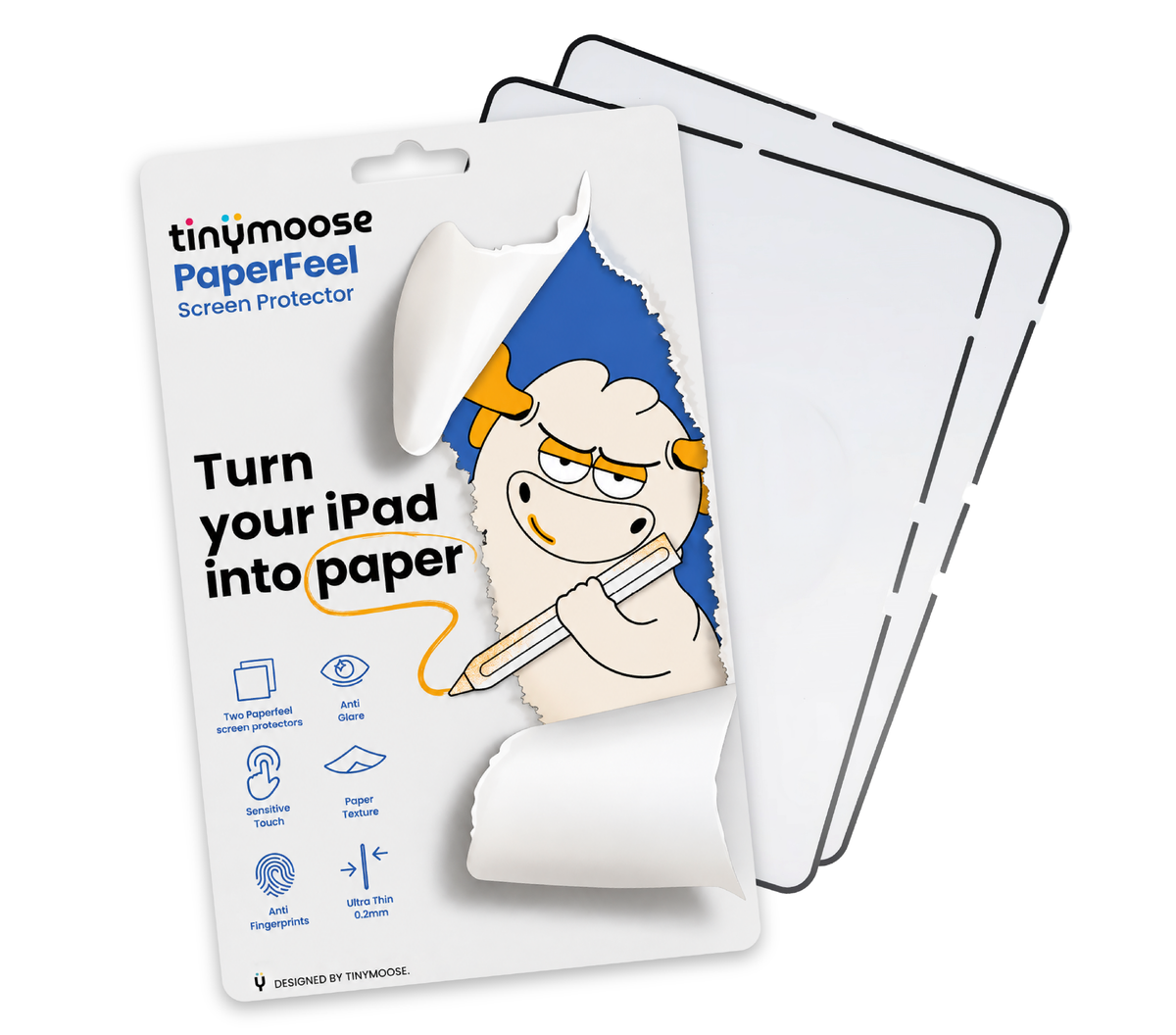
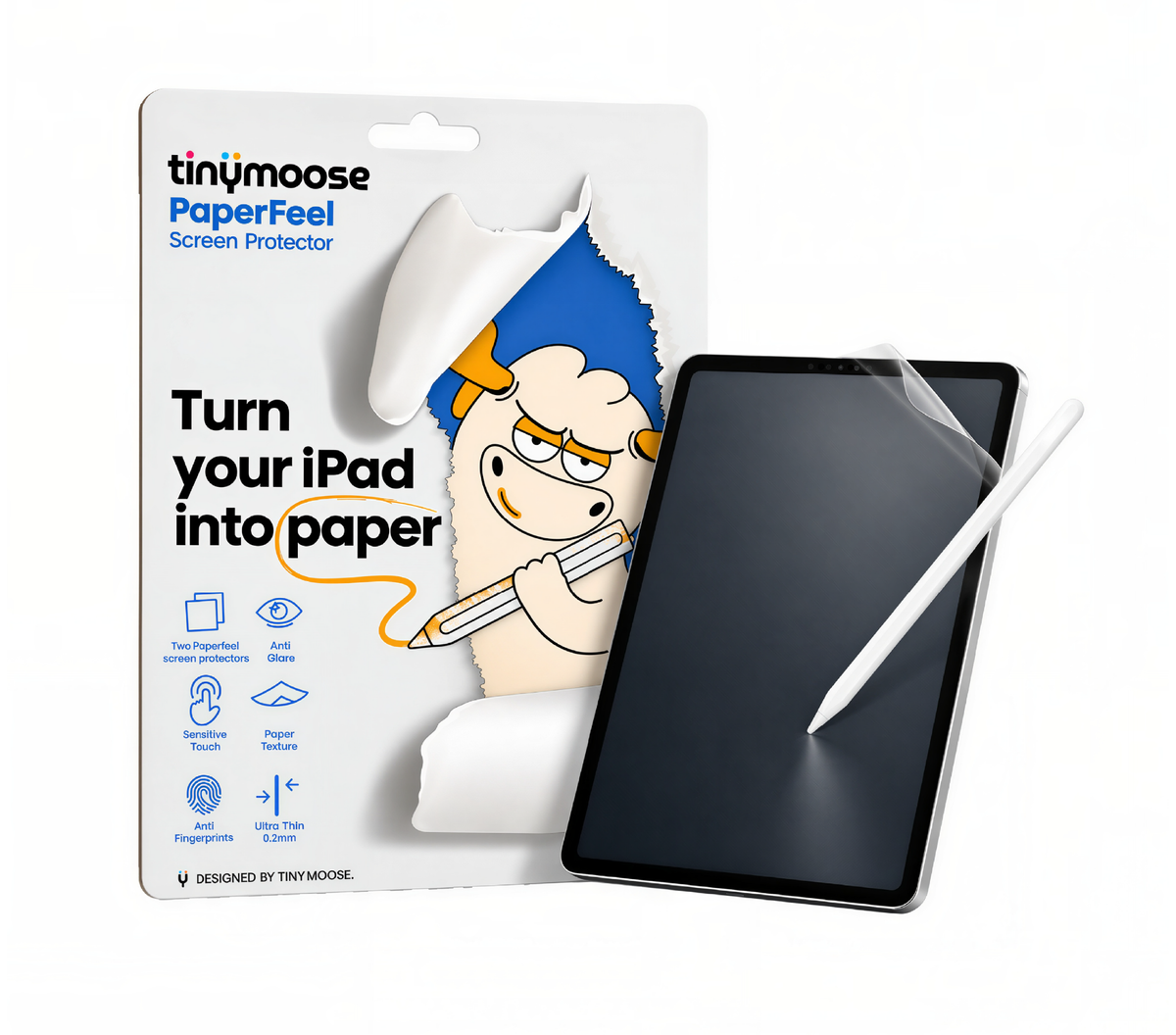
Meet PaperFeel, our textured iPad screen protector for writing and drawing with the familiar feel of pen on paper.

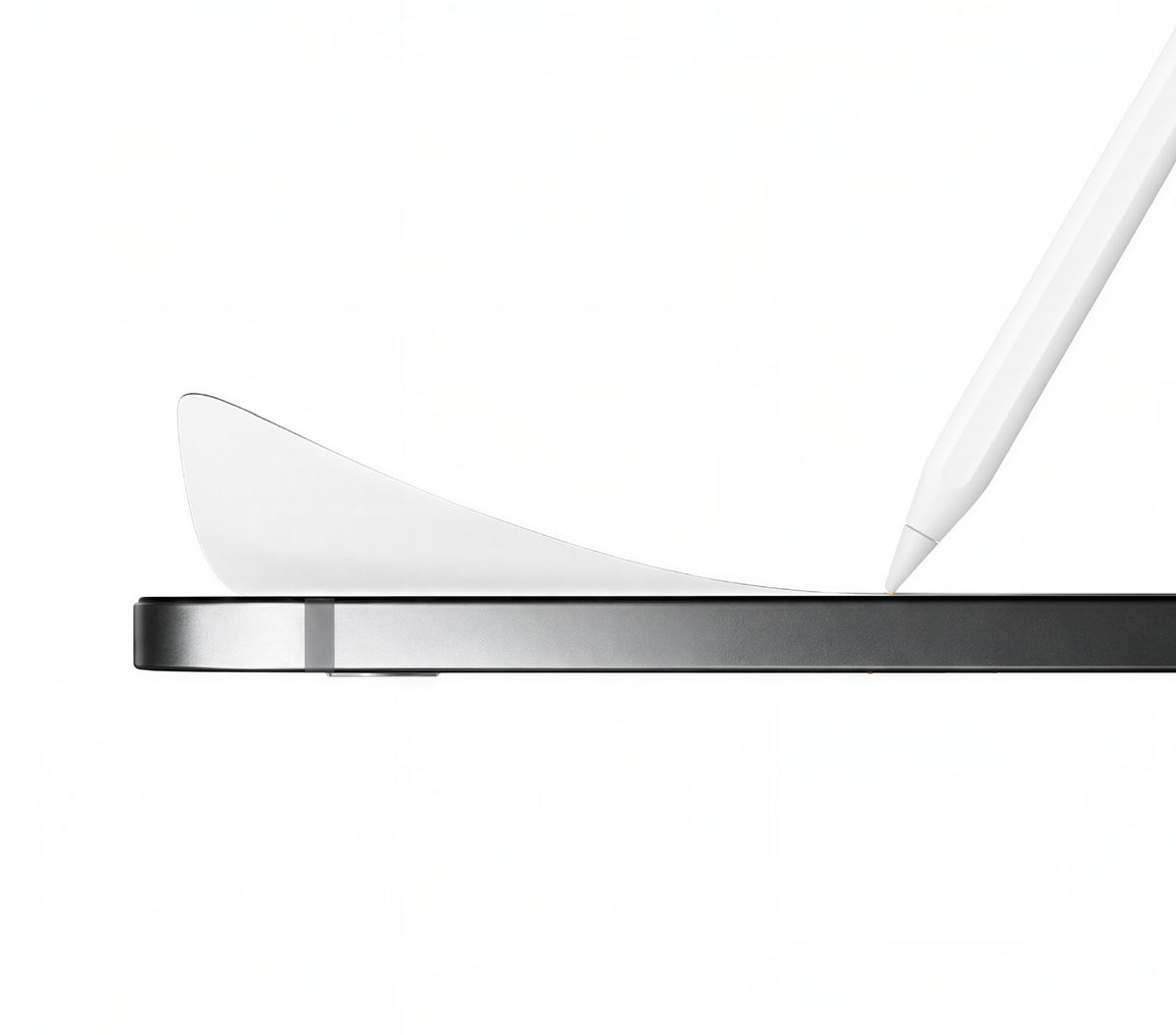
The fine texture gives your stylus just enough grip to write small and draw fine lines. Less slipping. More control.

Three Steps to That Paper Feel

Follow the simple installation guide to apply the PaperFeel screen protector to your iPad.

Tinymoose mascot reading a blue book
Well, this is a game changer!!
Wiping the iPad screen with the included cleaning wipe

1. Clean Your Screen

Even a tiny speck of dust can leave a bubble.

Clean your iPad screen with a wet wipe and dry it with the microfiber cloth. Use a dust sticker to lift any remaining specks.
Aligning the PaperFeel screen protector over the iPad

2. Align & Apply

Peel off the backing film (Protective Layer 1). Hold PaperFeel by the edges, line it up with the corners of your iPad screen, then gently lower it into place.

Using the included squeegee to push bubbles out from under the protector

3. Remove Bubbles
& Finish

Gently guide any air bubbles toward the nearest edge with the included applicator card. Peel off Protective Layer 2 to reveal the paper-like surface. Your first scribble is up to you.

What Makes PaperFeel Different?

PaperFeel gives your iPad the feel of writing on paper. The fine texture gives your stylus more grip, making small letters and fine lines easier to control.

Features Tinymoose
PaperFeel
Others No
Protector
Paper-like writing feel Yes No No
Added grip for your stylus Yes No No
Added protective layer Yes Yes No
PaperFeel Up Close

PaperFeel Up Close

Paper-Like Writing Feel

Textured iPad screen protector

Tinymoose PaperFeel adds a fine matte texture to your screen, bringing the familiar feel of pen on paper to handwritten notes, sketches, and PDF markups.

More Control for Fine Lines

Extra grip for your stylus

PaperFeel adds a little resistance as your stylus moves across the screen. That extra grip helps when you’re drawing a slow curve or fitting one last note in the margin.

Works With Tinymoose Styluses & Apple Pencil

Keep the stylus you already use

PaperFeel works with Tinymoose styluses and Apple Pencil models that are compatible with your iPad. You can keep using your favourite apps for note-taking, drawing, and marking up documents.

Everyday iPad Screen Protection

An extra layer over the glass

PaperFeel covers your iPad display with a protective film. The film becomes the surface you write on, tap, and swipe throughout the day.

Matte Finish for iPad

Less gloss on your screen

PaperFeel’s matte finish softens reflections from windows and overhead lights. You may also notice a slightly softer look on bright backgrounds, like a blank page in your notes app.

Product details

Description

Paperfeel Screen Protector for iPad: Write, Sketch & Create

Bring a little notebook feel to your iPad. The TinyMoose Paperfeel Screen Protector adds a textured writing surface for a more familiar pen-on-paper feel when taking notes, sketching, or marking up documents. Whether you’re working through lecture notes, planning your next project, or drawing for the fun of it, it gives your digital workspace a touch of paper.

Less slip. More control.

Writing on smooth glass takes some getting used to. The paperfeel texture adds resistance as your stylus moves across the screen, making each stroke feel more deliberate. From small handwritten notes to broad sketch lines, it’s designed for people who spend more time creating on their iPad.

Your everyday digital notebook

Class notes, meeting minutes, daily planners, rough ideas—give them all a place on your iPad. Pair the screen protector with an Apple Pencil or TinyMoose stylus compatible with your iPad, then keep using your favourite writing and drawing apps. Your notes stay editable, your sketches stay shareable, and your notebook goes wherever your iPad does.

A little texture. An extra layer.

The TinyMoose Paperfeel Screen Protector sits over your iPad’s display, adding a protective layer and a textured surface for everyday use. It’s a simple addition for anyone who uses their iPad as a notebook, sketchbook, or workspace.

Compatible iPad models

Choose the version that matches your iPad:

  • iPad Pro 11″ — M4 / M5 (2024–2025)

  • iPad Air 13″ — M2 / M3 / M4 (2024–2026)

  • iPad Air 11″ — M2 / M3 / M4 (2024–2026)

  • iPad Pro 11″ — 1st–4th Gen (2018–2022)

  • iPad 10th Gen 10.9″ (2022) / iPad A16 11″ (2025)

Key features

  • Textured surface for a paper-inspired writing feel

  • Added resistance for controlled writing and sketching

  • Ideal for handwritten notes, drawing, planning, and annotating documents

  • Use with an Apple Pencil or Tinymoose stylus compatible with your iPad

  • Adds a protective layer over your display

  • Available in five versions for the iPad models listed above

Turn your iPad into a notebook you’ll want to write in. Choose your model, pick up your stylus, and put your ideas on screen.

Compatibility

PaperFeel is available in five model-specific options.

  • 11-inch iPad Pro (M4 and M5, 2024–2025)
  • 13-inch iPad Air (M2, M3, and M4, 2024–2026)
  • 11-inch iPad Air (M2, M3, and M4, 2024–2026)
  • 11-inch iPad Pro (1st–4th generation, 2018–2022)
  • 10.9-inch iPad (10th generation, 2022) and 11-inch iPad (A16, 2025). Both models use the same PaperFeel option.

For the right fit, select the PaperFeel option that matches your iPad’s exact model, screen size, and generation.

Included in the Box

  • 2 PaperFeel Films

  • 2 Wet Wipes

  • 2 Microfiber Cloths

  • 2 Dust Stickers

  • Applicator Card

FAQs

Please read our FAQs page to find out more.

Which iPad models are compatible with the Tinymoose PaperFeel screen protector?

PaperFeel is available in five model-specific options.

  • 11-inch iPad Pro (M4 and M5, 2024–2025)
  • 13-inch iPad Air (M2, M3, and M4, 2024–2026)
  • 11-inch iPad Air (M2, M3, and M4, 2024–2026)
  • 11-inch iPad Pro (1st–4th generation, 2018–2022)
  • 10.9-inch iPad (10th generation, 2022) and 11-inch iPad (A16, 2025). Both models use the same PaperFeel option.

Before ordering, match your iPad’s model, screen size, and generation to the corresponding option on this page.

Does a matte iPad screen protector affect screen clarity?

PaperFeel’s matte finish helps reduce glare from overhead lights and windows. Compared with bare glass, the display can look a little softer, especially on bright backgrounds.

How do I install the PaperFeel iPad screen protector?

Clean and dry your iPad screen, then pick up any remaining dust with a dust sticker. Peel off Protective Layer 1, align PaperFeel with the corners of your screen, and gently lower it into place. Use the included applicator card to guide any air bubbles to the nearest edge, then peel off Protective Layer 2.

What comes in the PaperFeel screen protector kit?

Each pack includes two PaperFeel screen protectors for your selected iPad model, an applicator card, a microfiber cloth, wet wipes, dust removal stickers, and an installation guide.

Will PaperFeel wear down my Tinymoose stylus or Apple Pencil?

PaperFeel’s textured surface gives your stylus more grip, so the tip can wear faster than it would on bare glass. How quickly it wears depends on how often you write or draw and how much pressure you apply.

We offer replacement nibs for select Tinymoose stylus models. When it’s time for a new tip, choose the nib that matches your pen.

Does PaperFeel work with Apple Pencil and Tinymoose stylus pens?

Yes. PaperFeel works with Apple Pencil and Tinymoose stylus pens that are compatible with your iPad. The fine matte texture gives the tip more grip, helping you write smaller letters and draw finer lines with more control.

Didn’t find your answer?

Don't hestitate to contact us

{"id":10652186706207,"title":"Paperfeel Screen Protector for iPad","handle":"paperfeel-screen-protector-for-ipad","description":"\u003ch1\u003e\u003cspan\u003ePaperfeel Screen Protector for iPad: Write, Sketch \u0026amp; Create\u003c\/span\u003e\u003c\/h1\u003e\n\u003cp\u003e\u003cspan\u003eBring a little notebook feel to your iPad. The TinyMoose Paperfeel Screen Protector adds a textured writing surface for a more familiar pen-on-paper feel when taking notes, sketching, or marking up documents. Whether you’re working through lecture notes, planning your next project, or drawing for the fun of it, it gives your digital workspace a touch of paper.\u003c\/span\u003e\u003c\/p\u003e\n\u003ch3\u003e\u003cspan\u003eLess slip. More control.\u003c\/span\u003e\u003c\/h3\u003e\n\u003cp\u003e\u003cspan\u003eWriting on smooth glass takes some getting used to. The paperfeel texture adds resistance as your stylus moves across the screen, making each stroke feel more deliberate. From small handwritten notes to broad sketch lines, it’s designed for people who spend more time creating on their iPad.\u003c\/span\u003e\u003c\/p\u003e\n\u003ch3\u003e\u003cspan\u003eYour everyday digital notebook\u003c\/span\u003e\u003c\/h3\u003e\n\u003cp\u003e\u003cspan\u003eClass notes, meeting minutes, daily planners, rough ideas—give them all a place on your iPad. Pair the screen protector with an Apple Pencil or TinyMoose stylus compatible with your iPad, then keep using your favourite writing and drawing apps. Your notes stay editable, your sketches stay shareable, and your notebook goes wherever your iPad does.\u003c\/span\u003e\u003c\/p\u003e\n\u003ch3\u003e\u003cspan\u003eA little texture. An extra layer.\u003c\/span\u003e\u003c\/h3\u003e\n\u003cp\u003e\u003cspan\u003eThe TinyMoose Paperfeel Screen Protector sits over your iPad’s display, adding a protective layer and a textured surface for everyday use. It’s a simple addition for anyone who uses their iPad as a notebook, sketchbook, or workspace.\u003c\/span\u003e\u003c\/p\u003e\n\u003ch3\u003e\u003cspan\u003eCompatible iPad models\u003c\/span\u003e\u003c\/h3\u003e\n\u003cp\u003e\u003cspan\u003eChoose the version that matches your iPad:\u003c\/span\u003e\u003c\/p\u003e\n\u003cul\u003e\n\u003cli\u003e\n\u003cp\u003e\u003cstrong\u003e\u003cspan\u003eiPad Pro 11″ — M4 \/ M5 (2024–2025)\u003c\/span\u003e\u003c\/strong\u003e\u003c\/p\u003e\n\u003c\/li\u003e\n\u003cli\u003e\n\u003cp\u003e\u003cstrong\u003e\u003cspan\u003eiPad Air 13″ — M2 \/ M3 \/ M4 (2024–2026)\u003c\/span\u003e\u003c\/strong\u003e\u003c\/p\u003e\n\u003c\/li\u003e\n\u003cli\u003e\n\u003cp\u003e\u003cstrong\u003e\u003cspan\u003eiPad Air 11″ — M2 \/ M3 \/ M4 (2024–2026)\u003c\/span\u003e\u003c\/strong\u003e\u003c\/p\u003e\n\u003c\/li\u003e\n\u003cli\u003e\n\u003cp\u003e\u003cstrong\u003e\u003cspan\u003eiPad Pro 11″ — 1st–4th Gen (2018–2022)\u003c\/span\u003e\u003c\/strong\u003e\u003c\/p\u003e\n\u003c\/li\u003e\n\u003cli\u003e\n\u003cp\u003e\u003cstrong\u003e\u003cspan\u003eiPad 10th Gen 10.9″ (2022) \/ iPad A16 11″ (2025)\u003c\/span\u003e\u003c\/strong\u003e\u003c\/p\u003e\n\u003c\/li\u003e\n\u003c\/ul\u003e\n\u003ch3\u003e\u003cspan\u003eKey features\u003c\/span\u003e\u003c\/h3\u003e\n\u003cul\u003e\n\u003cli\u003e\n\u003cp\u003e\u003cspan\u003eTextured surface for a paper-inspired writing feel\u003c\/span\u003e\u003c\/p\u003e\n\u003c\/li\u003e\n\u003cli\u003e\n\u003cp\u003e\u003cspan\u003eAdded resistance for controlled writing and sketching\u003c\/span\u003e\u003c\/p\u003e\n\u003c\/li\u003e\n\u003cli\u003e\n\u003cp\u003e\u003cspan\u003eIdeal for handwritten notes, drawing, planning, and annotating documents\u003c\/span\u003e\u003c\/p\u003e\n\u003c\/li\u003e\n\u003cli\u003e\n\u003cp\u003e\u003cspan\u003eUse with an Apple Pencil or Tinymoose stylus compatible with your iPad\u003c\/span\u003e\u003c\/p\u003e\n\u003c\/li\u003e\n\u003cli\u003e\n\u003cp\u003e\u003cspan\u003eAdds a protective layer over your display\u003c\/span\u003e\u003c\/p\u003e\n\u003c\/li\u003e\n\u003cli\u003e\n\u003cp\u003e\u003cspan\u003eAvailable in five versions for the iPad models listed above\u003c\/span\u003e\u003c\/p\u003e\n\u003c\/li\u003e\n\u003c\/ul\u003e\n\u003cp\u003e\u003cspan\u003eTurn your iPad into a notebook you’ll want to write in. Choose your model, pick up your stylus, and put your ideas on screen.\u003c\/span\u003e\u003c\/p\u003e","published_at":"2026-11-16T19:25:51-05:00","created_at":"2026-10-21T14:10:33-04:00","vendor":"Tinymoose","type":"","tags":["Drip Accessories"],"price":5900,"price_min":5900,"price_max":5900,"available":true,"price_varies":false,"compare_at_price":null,"compare_at_price_min":0,"compare_at_price_max":0,"compare_at_price_varies":false,"variants":[{"id":53088728940831,"title":"iPad Pro 11″ — M4 \/ M5 (2024–2025)","option1":"iPad Pro 11″ — M4 \/ M5 (2024–2025)","option2":null,"option3":null,"sku":"TM-PF-IPP11","requires_shipping":true,"taxable":true,"featured_image":null,"available":true,"name":"Paperfeel Screen Protector for iPad - iPad Pro 11″ — M4 \/ M5 (2024–2025)","public_title":"iPad Pro 11″ — M4 \/ M5 (2024–2025)","options":["iPad Pro 11″ — M4 \/ M5 (2024–2025)"],"price":5900,"weight":0,"compare_at_price":null,"inventory_management":"shopify","barcode":"990481702190","requires_selling_plan":false,"selling_plan_allocations":[],"quantity_rule":{"min":1,"max":null,"increment":1}},{"id":53088728973599,"title":"iPad Air 13″ — M2 \/ M3 \/ M4 (2024–2026)","option1":"iPad Air 13″ — M2 \/ M3 \/ M4 (2024–2026)","option2":null,"option3":null,"sku":"TM-PF-IA13","requires_shipping":true,"taxable":true,"featured_image":null,"available":true,"name":"Paperfeel Screen Protector for iPad - iPad Air 13″ — M2 \/ M3 \/ M4 (2024–2026)","public_title":"iPad Air 13″ — M2 \/ M3 \/ M4 (2024–2026)","options":["iPad Air 13″ — M2 \/ M3 \/ M4 (2024–2026)"],"price":5900,"weight":0,"compare_at_price":null,"inventory_management":"shopify","barcode":"990481702183","requires_selling_plan":false,"selling_plan_allocations":[],"quantity_rule":{"min":1,"max":null,"increment":1}},{"id":53088729006367,"title":"iPad Air 11″ — M2 \/ M3 \/ M4 (2024–2026)","option1":"iPad Air 11″ — M2 \/ M3 \/ M4 (2024–2026)","option2":null,"option3":null,"sku":"TM-PF-IA11","requires_shipping":true,"taxable":true,"featured_image":null,"available":true,"name":"Paperfeel Screen Protector for iPad - iPad Air 11″ — M2 \/ M3 \/ M4 (2024–2026)","public_title":"iPad Air 11″ — M2 \/ M3 \/ M4 (2024–2026)","options":["iPad Air 11″ — M2 \/ M3 \/ M4 (2024–2026)"],"price":5900,"weight":0,"compare_at_price":null,"inventory_management":"shopify","barcode":"990481702169","requires_selling_plan":false,"selling_plan_allocations":[],"quantity_rule":{"min":1,"max":null,"increment":1}},{"id":53088729039135,"title":"iPad Pro 11″ — 1st–4th Gen (2018–2022)","option1":"iPad Pro 11″ — 1st–4th Gen (2018–2022)","option2":null,"option3":null,"sku":"TM-PF-IP11-2018\/2022","requires_shipping":true,"taxable":true,"featured_image":null,"available":true,"name":"Paperfeel Screen Protector for iPad - iPad Pro 11″ — 1st–4th Gen (2018–2022)","public_title":"iPad Pro 11″ — 1st–4th Gen (2018–2022)","options":["iPad Pro 11″ — 1st–4th Gen (2018–2022)"],"price":5900,"weight":0,"compare_at_price":null,"inventory_management":"shopify","barcode":"990481702145","requires_selling_plan":false,"selling_plan_allocations":[],"quantity_rule":{"min":1,"max":null,"increment":1}},{"id":53088729071903,"title":"iPad 10th Gen 10.9″ (2022) \/ iPad A16 11″ (2025)","option1":"iPad 10th Gen 10.9″ (2022) \/ iPad A16 11″ (2025)","option2":null,"option3":null,"sku":"TM-PF-IP10\/A16","requires_shipping":true,"taxable":true,"featured_image":null,"available":true,"name":"Paperfeel Screen Protector for iPad - iPad 10th Gen 10.9″ (2022) \/ iPad A16 11″ (2025)","public_title":"iPad 10th Gen 10.9″ (2022) \/ iPad A16 11″ (2025)","options":["iPad 10th Gen 10.9″ (2022) \/ iPad A16 11″ (2025)"],"price":5900,"weight":0,"compare_at_price":null,"inventory_management":"shopify","barcode":"990481702152","requires_selling_plan":false,"selling_plan_allocations":[],"quantity_rule":{"min":1,"max":null,"increment":1}}],"images":["\/\/tinymoose.co\/cdn\/shop\/files\/1-04.png?v=1792684983","\/\/tinymoose.co\/cdn\/shop\/files\/1-02.png?v=1792684977","\/\/tinymoose.co\/cdn\/shop\/files\/1-01.png?v=1792684975"],"featured_image":"\/\/tinymoose.co\/cdn\/shop\/files\/1-04.png?v=1792684983","options":["Select your iPad:"],"media":[{"alt":null,"id":57825185726751,"position":1,"preview_image":{"aspect_ratio":1.136,"height":2117,"width":2405,"src":"\/\/tinymoose.co\/cdn\/shop\/files\/1-04.png?v=1792684983"},"aspect_ratio":1.136,"height":2117,"media_type":"image","src":"\/\/tinymoose.co\/cdn\/shop\/files\/1-04.png?v=1792684983","width":2405},{"alt":null,"id":57825185300767,"position":2,"preview_image":{"aspect_ratio":1.136,"height":2117,"width":2405,"src":"\/\/tinymoose.co\/cdn\/shop\/files\/1-02.png?v=1792684977"},"aspect_ratio":1.136,"height":2117,"media_type":"image","src":"\/\/tinymoose.co\/cdn\/shop\/files\/1-02.png?v=1792684977","width":2405},{"alt":null,"id":57825185235231,"position":3,"preview_image":{"aspect_ratio":1.136,"height":2117,"width":2405,"src":"\/\/tinymoose.co\/cdn\/shop\/files\/1-01.png?v=1792684975"},"aspect_ratio":1.136,"height":2117,"media_type":"image","src":"\/\/tinymoose.co\/cdn\/shop\/files\/1-01.png?v=1792684975","width":2405}],"requires_selling_plan":false,"selling_plan_groups":[],"content":"\u003ch1\u003e\u003cspan\u003ePaperfeel Screen Protector for iPad: Write, Sketch \u0026amp; Create\u003c\/span\u003e\u003c\/h1\u003e\n\u003cp\u003e\u003cspan\u003eBring a little notebook feel to your iPad. The TinyMoose Paperfeel Screen Protector adds a textured writing surface for a more familiar pen-on-paper feel when taking notes, sketching, or marking up documents. Whether you’re working through lecture notes, planning your next project, or drawing for the fun of it, it gives your digital workspace a touch of paper.\u003c\/span\u003e\u003c\/p\u003e\n\u003ch3\u003e\u003cspan\u003eLess slip. More control.\u003c\/span\u003e\u003c\/h3\u003e\n\u003cp\u003e\u003cspan\u003eWriting on smooth glass takes some getting used to. The paperfeel texture adds resistance as your stylus moves across the screen, making each stroke feel more deliberate. From small handwritten notes to broad sketch lines, it’s designed for people who spend more time creating on their iPad.\u003c\/span\u003e\u003c\/p\u003e\n\u003ch3\u003e\u003cspan\u003eYour everyday digital notebook\u003c\/span\u003e\u003c\/h3\u003e\n\u003cp\u003e\u003cspan\u003eClass notes, meeting minutes, daily planners, rough ideas—give them all a place on your iPad. Pair the screen protector with an Apple Pencil or TinyMoose stylus compatible with your iPad, then keep using your favourite writing and drawing apps. Your notes stay editable, your sketches stay shareable, and your notebook goes wherever your iPad does.\u003c\/span\u003e\u003c\/p\u003e\n\u003ch3\u003e\u003cspan\u003eA little texture. An extra layer.\u003c\/span\u003e\u003c\/h3\u003e\n\u003cp\u003e\u003cspan\u003eThe TinyMoose Paperfeel Screen Protector sits over your iPad’s display, adding a protective layer and a textured surface for everyday use. It’s a simple addition for anyone who uses their iPad as a notebook, sketchbook, or workspace.\u003c\/span\u003e\u003c\/p\u003e\n\u003ch3\u003e\u003cspan\u003eCompatible iPad models\u003c\/span\u003e\u003c\/h3\u003e\n\u003cp\u003e\u003cspan\u003eChoose the version that matches your iPad:\u003c\/span\u003e\u003c\/p\u003e\n\u003cul\u003e\n\u003cli\u003e\n\u003cp\u003e\u003cstrong\u003e\u003cspan\u003eiPad Pro 11″ — M4 \/ M5 (2024–2025)\u003c\/span\u003e\u003c\/strong\u003e\u003c\/p\u003e\n\u003c\/li\u003e\n\u003cli\u003e\n\u003cp\u003e\u003cstrong\u003e\u003cspan\u003eiPad Air 13″ — M2 \/ M3 \/ M4 (2024–2026)\u003c\/span\u003e\u003c\/strong\u003e\u003c\/p\u003e\n\u003c\/li\u003e\n\u003cli\u003e\n\u003cp\u003e\u003cstrong\u003e\u003cspan\u003eiPad Air 11″ — M2 \/ M3 \/ M4 (2024–2026)\u003c\/span\u003e\u003c\/strong\u003e\u003c\/p\u003e\n\u003c\/li\u003e\n\u003cli\u003e\n\u003cp\u003e\u003cstrong\u003e\u003cspan\u003eiPad Pro 11″ — 1st–4th Gen (2018–2022)\u003c\/span\u003e\u003c\/strong\u003e\u003c\/p\u003e\n\u003c\/li\u003e\n\u003cli\u003e\n\u003cp\u003e\u003cstrong\u003e\u003cspan\u003eiPad 10th Gen 10.9″ (2022) \/ iPad A16 11″ (2025)\u003c\/span\u003e\u003c\/strong\u003e\u003c\/p\u003e\n\u003c\/li\u003e\n\u003c\/ul\u003e\n\u003ch3\u003e\u003cspan\u003eKey features\u003c\/span\u003e\u003c\/h3\u003e\n\u003cul\u003e\n\u003cli\u003e\n\u003cp\u003e\u003cspan\u003eTextured surface for a paper-inspired writing feel\u003c\/span\u003e\u003c\/p\u003e\n\u003c\/li\u003e\n\u003cli\u003e\n\u003cp\u003e\u003cspan\u003eAdded resistance for controlled writing and sketching\u003c\/span\u003e\u003c\/p\u003e\n\u003c\/li\u003e\n\u003cli\u003e\n\u003cp\u003e\u003cspan\u003eIdeal for handwritten notes, drawing, planning, and annotating documents\u003c\/span\u003e\u003c\/p\u003e\n\u003c\/li\u003e\n\u003cli\u003e\n\u003cp\u003e\u003cspan\u003eUse with an Apple Pencil or Tinymoose stylus compatible with your iPad\u003c\/span\u003e\u003c\/p\u003e\n\u003c\/li\u003e\n\u003cli\u003e\n\u003cp\u003e\u003cspan\u003eAdds a protective layer over your display\u003c\/span\u003e\u003c\/p\u003e\n\u003c\/li\u003e\n\u003cli\u003e\n\u003cp\u003e\u003cspan\u003eAvailable in five versions for the iPad models listed above\u003c\/span\u003e\u003c\/p\u003e\n\u003c\/li\u003e\n\u003c\/ul\u003e\n\u003cp\u003e\u003cspan\u003eTurn your iPad into a notebook you’ll want to write in. Choose your model, pick up your stylus, and put your ideas on screen.\u003c\/span\u003e\u003c\/p\u003e"}