
You're on a train, or at the back of a lecture, with your iPad propped at an angle that almost works. You type two sentences, reach for the glass to move the cursor, adjust the screen, then type again. The iPad's already doing the laptop job. What's getting in the way is the keyboard you either paid too much for, or haven't bought because the price stopped you.
That's the right place to choose an Apple Magic Keyboard alternative. Don't start with a spec sheet. Start with where you sit, how long you type, and whether you keep switching to a stylus. A keyboard that's perfect for a three hour essay at a desk can be a nuisance for portrait notes on a couch, and the lightest option in your bag may leave you without a trackpad when you need one.
Table of Contents
- Pick an Alternative by How You Use the iPad
- Match the Keyboard to Your Exact iPad
- The Six Checks Apple Set in 2020
- Trackpads and Keys During a Workday
- Weight Charging and What You Carry
- Comfort on a Desk Lap or Portrait Screen
- Price Value and Your Final Order Check
Pick an Alternative by How You Use the iPad
Your iPad is open, the document's waiting, and the folio won't sit right on your knees. Circle the row below that looks most like your normal Tuesday.
| How you use the iPad | Choose | Life gets easier because | Skip it if |
|---|---|---|---|
| Long documents and spreadsheets at a desk | Logitech Combo Touch | Larger trackpad and a function-key row mean fewer reaches to the screen | You want the thinnest floating hinge |
| Lightest keyboard in the bag | Apple USB-C Magic Keyboard | A compact add-on near 0.53 lb and 10.98 by 4.52 inches | You still need a case and a trackpad |
| Detachable protection for class or the couch | Zagg Pro Keys | Keys plus a thick protective shell you can separate | Every ounce on a commute matters |
| Laptop-like folio under Apple's price | Tinymoose SpacePad | Detachable magnetic keys, a 3-way trackpad and backlight in one folio | Your exact iPad model is not in the fit list |
| Already relying on the floating stand | Apple Magic Keyboard | Pass-through charging and a rigid adjustable hinge | Price is the problem you came to solve |
The desk row
If you write reports, mark up PDFs, and select spreadsheet ranges for an hour at a time, the Combo Touch earns its place. A bigger pad lets you drag across cells without lifting your finger and starting again. The function row handles brightness, volume, and media without a trip to Control Centre. That's less friction, repeated dozens of times a day.
You're giving up Apple's floating look and some rigidity for that room. For desk work, it's a fair trade. You're not buying it to admire the hinge, you're buying it to finish the document faster.
The light carry and the protective shell
Apple's standalone USB-C Magic Keyboard is the lightest answer, and it's useful to know its size. Apple's product page lists it at 0.53 pound, or 0.239 kilograms, with a footprint of 10.98 inches wide by 4.52 inches deep. It slips into a bag and works on a café table. It doesn't protect the iPad, hold it up, or give you a trackpad, so it's a keyboard, not a complete setup.
The Zagg Pro Keys goes the other way. You get a protective shell and detachable keys for class, fieldwork, or a couch where the iPad gets knocked around. The watch-out is bulk. If you already notice your bag at the zipper, a thick shell is the first thing you'll start leaving at home.
The value folio and the keep-it row
The SpacePad is the laptop-style folio under Apple's price, at $143. It has a detachable magnetic scissor-switch keyboard, a 3-way multi-touch trackpad, seven-color RGB backlight with adjustable brightness, stable Bluetooth, Type-C charging, and up to 200 hours of working time. The black model fits iPad Air 13-inch (2024–2025) and iPad Pro 12.9-inch (2018–2022). For anyone who wants one ipad keyboard that types, points, lights up in a dim room, and comes off when you want the bare tablet, that's the easiest daily package here.
Keep Apple's Magic Keyboard if you already own it and the floating hinge is how you work. Replacing a paid-for tool only helps if it's actively annoying you. Circle one row now, then use the checks that follow to try to break that choice. If it survives fit, weight, comfort, and price, buy it and stop shopping.
Match the Keyboard to Your Exact iPad
A screen diagonal isn't a fit. Two iPads can both measure 12.9 inches and still need different cases, camera openings, and magnet positions. Buy by generation first, features second.
That fragmentation shows up in listings. Apple's current listing specifically identifies a 13-inch iPad Air M4 model and highlights a 14-key function row plus USB-C pass-through charging, while marketplace results distinguish compatibility by generation, including 2021 12.9-inch iPad Pro models. Treat that as your warning. If a listing doesn't name your year, don't guess.
| Setup | Confirm before buying | Workflow you keep | Workflow you give up |
|---|---|---|---|
| Apple Magic Keyboard on a supported Pro or Air | Generation and size, including a 13-inch Air M4 listing with a 14-key function row | Floating angles, shortcuts, USB-C pass-through | The money, and sometimes a case you already own |
| Smart Connector case such as Combo Touch | That this generation has a Smart Connector | No daily pairing and very low iPad battery draw | Using the same keys on a non-matching iPad |
| Bluetooth folio such as SpacePad | Exact model chosen at checkout, not just the screen diagonal | Detachable keys, own battery, trackpad gestures | Apple pass-through charging and the official hinge |
| Bluetooth keyboard plus a case you own | Clearance around ports and the pencil | Lower total cost if the case is already paid for | One-piece laptop stability |
| 2018–2022 12.9-inch iPad Pro | A listing that names that generation, including 2021 models | A modern folio only when the listing includes your year | Assuming every 12.9-inch case fits |
What you actually lose without Apple's connector
You lose pass-through charging and the official floating hinge. That's it, and for many people it's manageable. You can keep pointer gestures, keep a function row if the keyboard includes one, and keep portrait use if the keys detach so the tablet can turn in your hands.
Total system cost matters more than sticker price. If you've already paid for a protective case you like, a cheaper detachable keyboard can be the better buy. If you remain in one orientation all day and never pick up a stylus, a tight folio is simpler because there's nothing separate to charge, pair, or leave behind.
We ask SpacePad buyers to select their exact iPad model at order so the magnets and camera opening land correctly. Do this 60 second check before any purchase. Confirm the model year in Settings, confirm the screen size, decide on connector or Bluetooth, check that ports and pencil charging stay clear, and decide whether today's case stays or goes.
The Six Checks Apple Set in 2020
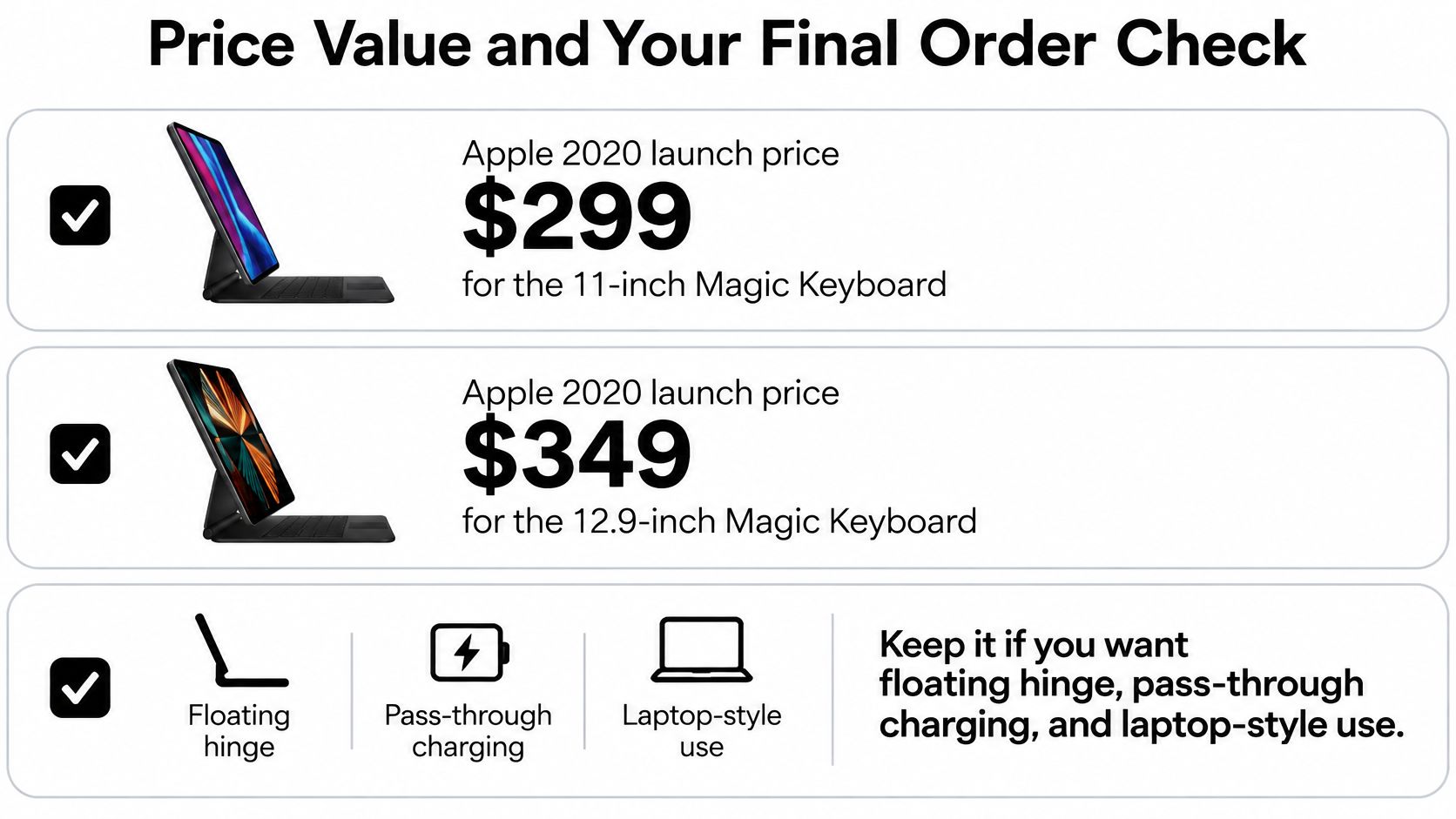
Apple changed what buyers expected from an iPad keyboard in 2020, and every alternative still gets measured against that launch. Apple's newsroom announcement says Apple introduced the first iPad Pro Magic Keyboard in March 2020, with availability beginning in May 2020, at $299 for the 11-inch model and $349 for the 12.9-inch model. It added an integrated trackpad, cursor-based navigation, a floating-style adjustable stand, and pass-through USB-C charging, and it worked with the initial 2020 models and certain 2018 models.
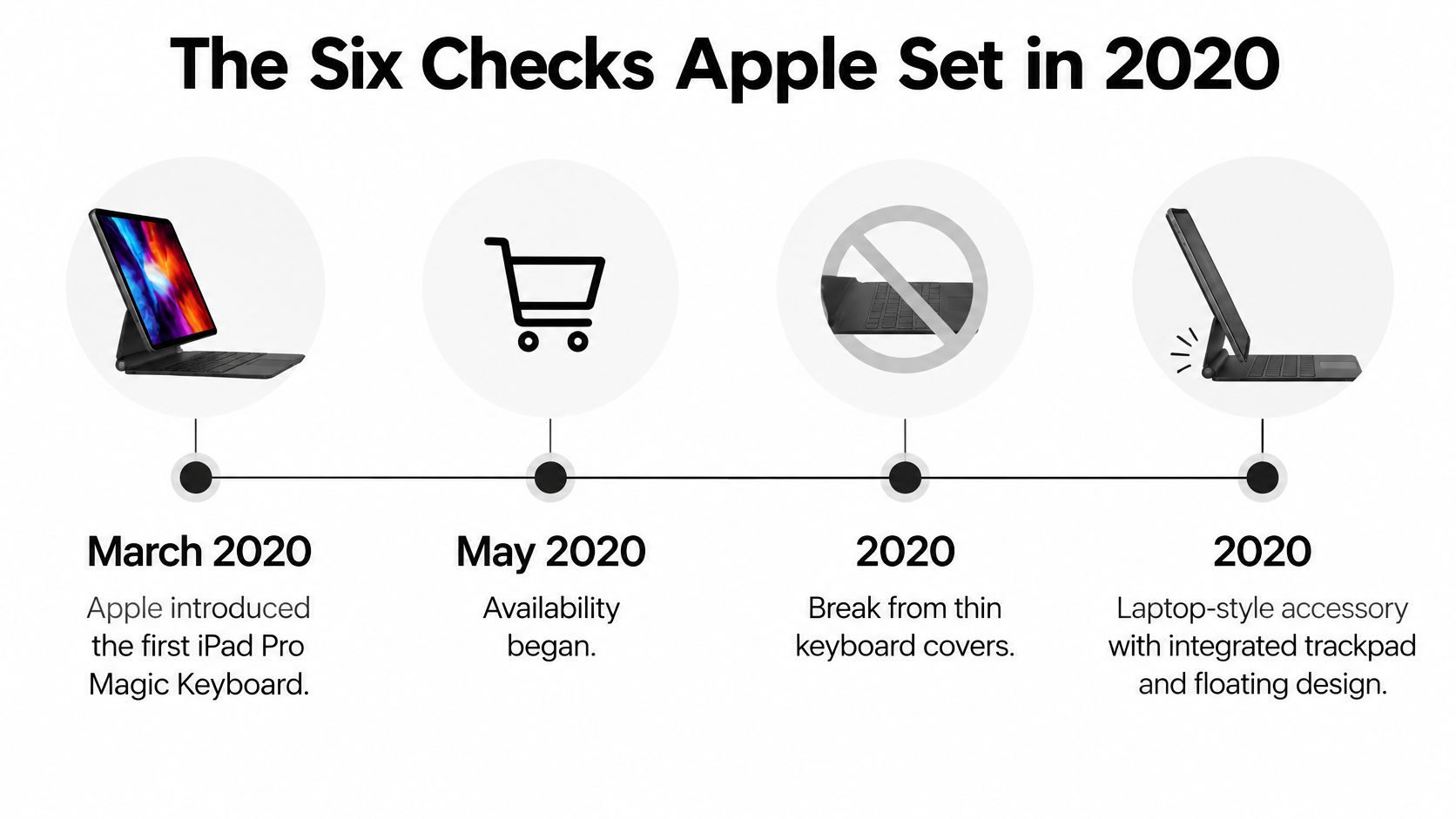
Use that feature list as six checks, not as a shopping list you must copy exactly.
- Trackpad quality: Can you select text and scroll without touching the glass?
- Typing feel: Can you write for an hour without hunting for keys?
- Tablet protection: What happens in a crowded bag?
- Viewing angles: Does it work for typing, reading, and video?
- Charging convenience: How many cables and routines are you adding?
- Exact model fit: Does the listing name your generation?
A cheaper keyboard doesn't need to beat Apple on branding. It needs to pass the checks that match your day, at a price that leaves you willing to carry it.
Trackpads and Keys During a Workday
Pointing and typing are where a good alternative saves you time, and where a bad one reminds you it's there every five minutes. Size is the first difference you'll feel.
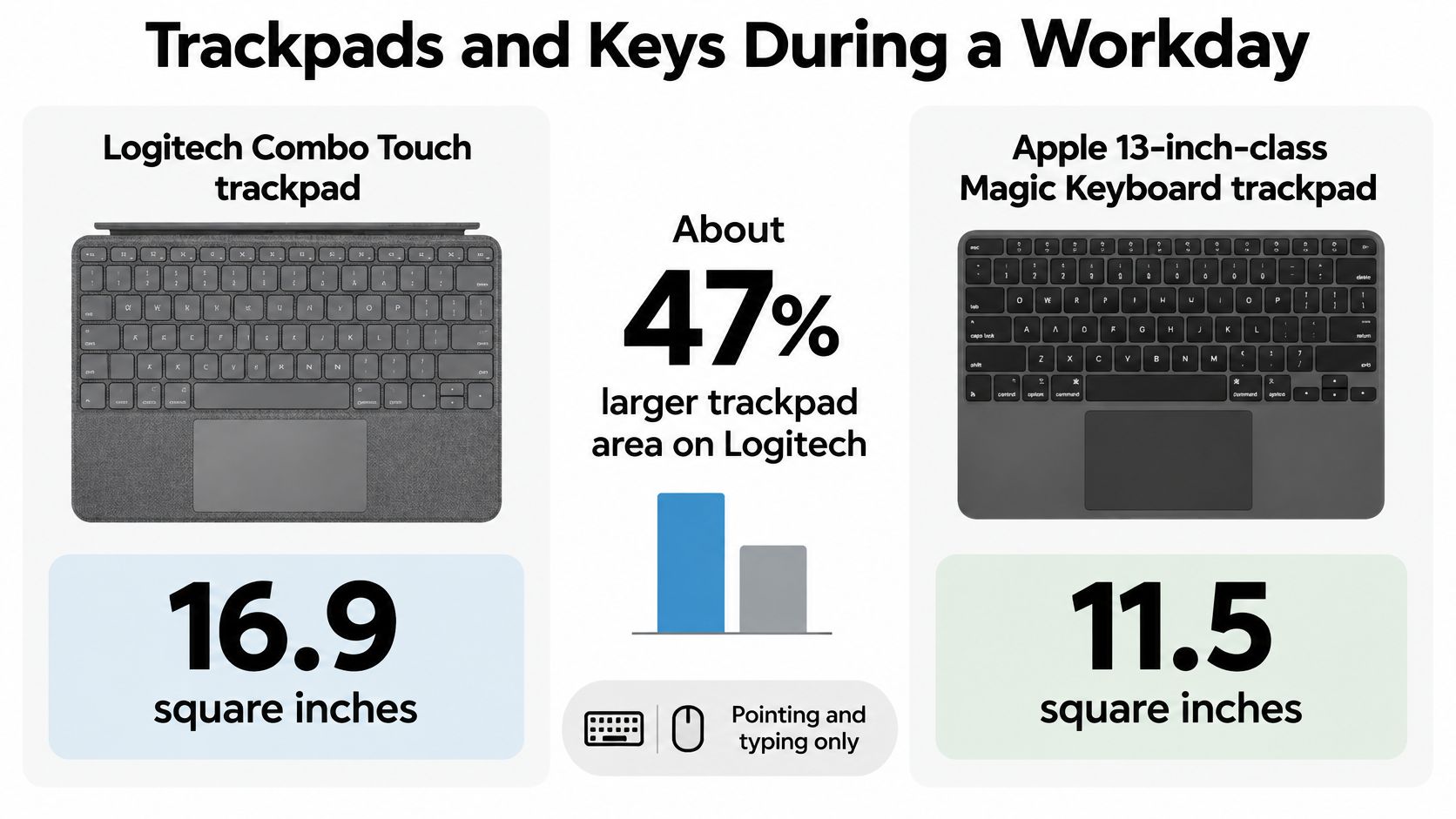
Cult of Mac's hands-on comparison measured the Logitech Combo Touch trackpad at 16.9 square inches versus 11.5 square inches for Apple's model, approximately 47% larger. Both 13-inch versions used roughly 10.5-inch-wide keyboards with approximately 0.6-inch keycaps and included a row of half-height function keys.
What a bigger pad changes in real tasks
Say you're cleaning up a budget spreadsheet. On a small pad, you select a column in two or three short drags, overshoot a row, then fix it with a fingertip on the glass. On a larger pad, you make the same selection in one movement and keep your hands on the deck. File management feels the same. Dragging a document into a folder, scrolling a long article, and placing the cursor inside a dense paragraph all get calmer with more room.
That doesn't make Apple's pad bad. It's precise and sits in a rigid floating deck that doesn't flex when you click near an edge. The Combo Touch uses a more conventional protective case, so it can feel less stiff and less sleek. You're trading a solid, minimal base for surface area and case protection.
A bigger trackpad helps most at a desk, where you have room to use it. In a cramped airplane seat, a compact deck you can balance beats extra pad you can't reach comfortably.
Gestures don't belong to Apple hardware
A common worry is that a third-party Apple Magic Keyboard alternative will type fine but lose the gestures that make iPadOS feel fast. It doesn't have to. Apple's iPadOS features page notes support for third-party mice and trackpads over Bluetooth and USB, with two-finger scrolling, three-finger swiping between apps, a three-finger swipe-up for the App Switcher, pinch-to-zoom, and two-finger clicking for contextual menus.
Learn three of those and your day changes. Two fingers scrolls the paper you're reading. Three fingers sideways moves between your notes and your source document. Two fingers on a file opens the menu you'd otherwise long-press for. After a week, reaching for the screen starts to feel like the slow option.
The SpacePad's 3-way multi-touch trackpad is built for that pattern, with scrolling, swiping, and precise navigation from the deck. Its scissor-switch keys give you the short, laptop-like stroke you can type on without retraining your fingers. If you often work after lights-out in a dorm or on a late train, it's worth looking at portable keyboards for nighttime iPad work so backlight control is part of the decision, not an afterthought.
Test any candidate with three tasks before you commit. Highlight a full spreadsheet column using only the pad, switch between two apps without touching the screen, then type a full paragraph while looking at the text, not your hands. If you fail one task, you'll repeat that failure hundreds of times. If all three feel boring, in a good way, the keyboard fits your work.
Weight Charging and What You Carry
A keyboard can type beautifully at a desk and still fail as a daily tool because it's the thing that makes your bag annoying. Judge it by the commute, not the product photo.
The clearest warning comes from protective designs. The comparative test at CameraEgg reports Wirecutter figures for the Zagg Pro Keys at about 1.4 pounds for 11-inch and iPad Air versions and about 1.9 pounds for the 12.9-inch version, with thickness near 0.9 inch. Independent testing of the Logitech Combo Touch in that same test reported a 572 g keyboard-and-case weight and Smart Connector power and data integration.
Connector power versus a battery of its own
Think of it as two routines. A Smart Connector keyboard borrows power from the iPad the moment it attaches. There's no pairing menu, no second cable, and nothing to remember on Sunday night. The same comparative test found Smart Connector models typically reduced iPad battery capacity by less than 2–3% during a full typing day. That's a small price for zero maintenance.
A Bluetooth keyboard carries its own battery, so it doesn't draw on the iPad. You gain freedom. You can detach the keys, prop the tablet farther away, or use the deck in a setup that isn't locked to one case shape. You also gain one more thing to charge. Whether that matters depends entirely on how long the battery lasts and whether the charging cable matches the one already in your bag.
For the SpacePad, the habit is simple. It uses Type-C charging, the same style of cable many students already carry for the iPad itself, and it's quoted for up to 200 hours of working time. In practice, that turns charging the keyboard into an occasional job rather than a nightly one. You top it up, put the cable away, and forget about it while you get through weeks of classes or writing sessions.
Two commuters, two right answers
A train rider who opens the iPad for twenty minutes between stops should favour the connector. Attach, type, close, go. Any pairing delay eats a real share of that short session.
Someone who pulls the keyboard off to sketch, reads in portrait on the couch, then snaps the keys back on to answer email should favour Bluetooth. The detachable deck follows the work instead of forcing one pose.
Do a pack test before you decide. Put the case in the bag you already carry, with your charger, water bottle, and notebook in their normal places. Zip it up and carry it to the door. If the thickness catches at the zipper or the weight pulls on one shoulder, believe that signal. You won't carry a tool that punishes you for bringing it.
Comfort on a Desk Lap or Portrait Screen
The most portable keyboard isn't automatically the most comfortable one. Portability is about the bag. Comfort is about the third hour, when your shoulders have crept up and your wrists are bent in a way you didn't notice at minute ten.
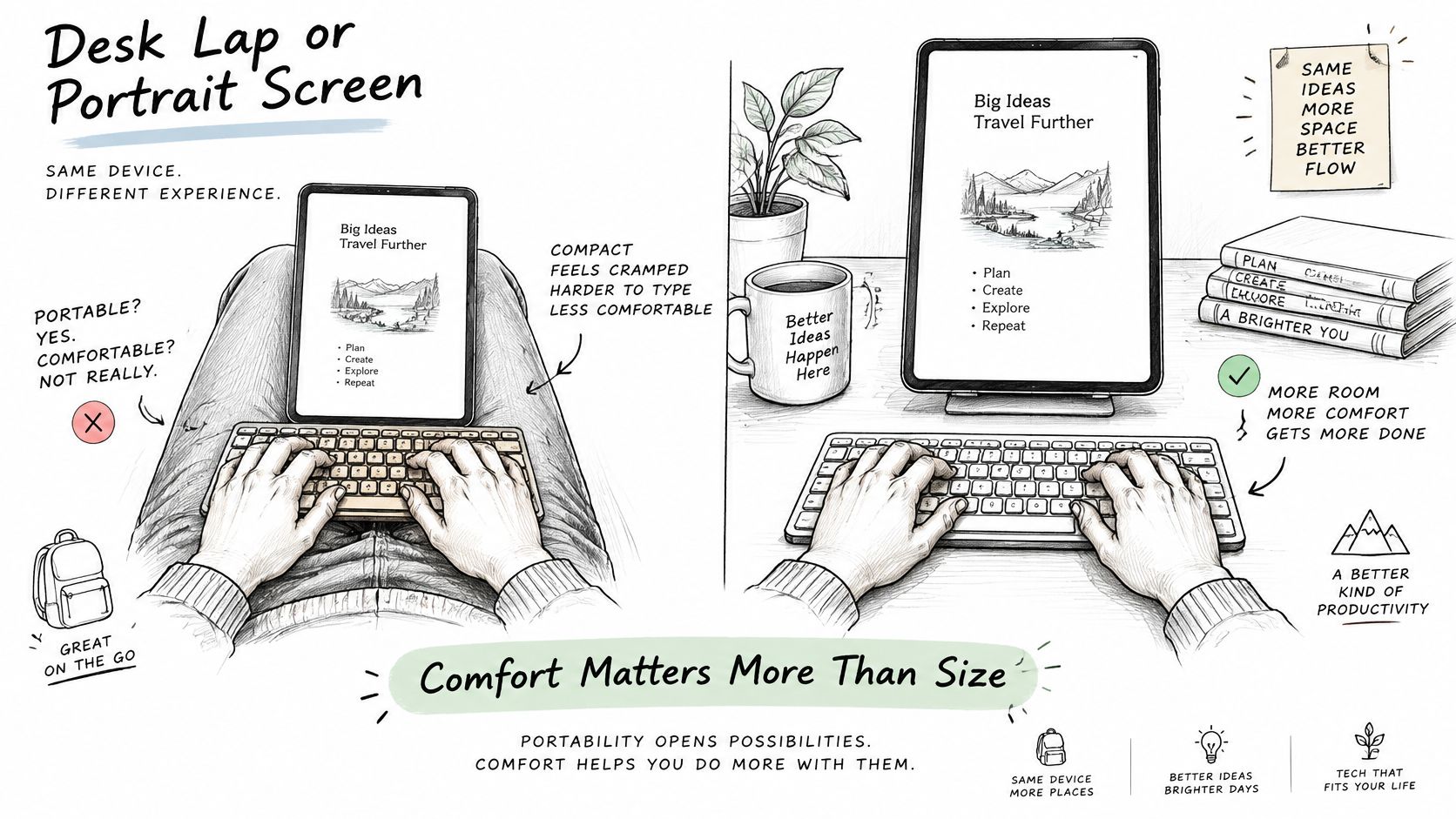
The CDC-hosted study found that split keyboard layouts reduced discomfort and reach when using a tablet horizontally, but not vertically. That single finding breaks the idea of one best layout for everyone. Orientation changes what your body is doing, so the right keyboard for horizontal typing may be the wrong tool for vertical reading and annotation.
Three places you actually type
At a desk, stability wins. A rigid deck and a screen angle you set once let you write essays, reports, and long emails without the display bouncing under each keystroke. Keep the screen close enough that you're not leaning in, and keep your wrists floating rather than planted hard on the edge of the case.
On a lap, the problem flips. A floating stand can feel top-heavy on soft legs or a couch cushion. A thicker protective case may plant itself better, but both designs can push your wrists forward and up. If you type one reply, that doesn't matter. If you write for an hour from the couch every night, it does.
Watch your reach: A familiar laptop layout can create needless reach when the iPad lives in landscape on your lap, and your wrists pay for a shape that only looks comfortable.
In portrait, a full-width attached keyboard mostly gets in the way. Students read papers, mark up slides, and write margin notes with the tablet upright, stylus in hand. A fixed deck adds reach and blocks the natural way you'd hold the device. Detachable keys solve this cleanly. Take them off, annotate, snap them back when it's time to write the summary.
That handoff is why pairings matter. Tinymoose keyboards work perfectly with their styluses, so the same iPad moves from typed lecture notes to palm-rejected handwriting without a second setup or a new routine. If your timetable mixes seminars, libraries, and trains, look at portable iPad setups for students and judge the whole kit you carry, not the keyboard alone.
Try this five point check in one sitting, in the chair you use most.
- Typing duration: Set a timer for twenty minutes and write continuously.
- Orientation: Spend five minutes reading and marking up in portrait.
- Stability: Type one paragraph on your lap and notice any wobble or tipping.
- Key spacing: Check whether you're hitting neighbouring keys on common words.
- Wrist posture: Stop mid-sentence and look at whether your wrists bend up, down, or sideways.
Match the result to your circled row. Desk marathons point to a rigid folio with a stable hinge. A day split between portrait annotation and widescreen writing points to a detachable keyboard, even if it's a touch less solid on your knees. Comfort you can repeat daily beats a clever design you tolerate.
Price Value and Your Final Order Check
Keep Apple's keyboard if the floating hinge, pass-through charging, and rigidity are worth its premium to you and your model is supported. It's a well-made tool. The question was never whether it's good, it's whether it's the easiest way to spend your money for your routine.
The SpacePad sits at $99.99 with a 5.0 rating, a detachable magnetic keyboard, a 3-way multi-touch trackpad, a seven-color RGB backlight with adjustable brightness, stable Bluetooth, and Type-C charging. It also offers adjustable viewing angles for typing, browsing, and watching, which covers the three poses used most often. If you annotate as much as you type, a 25% bundle discount on a stylus plus keyboard makes the combined setup easier to justify than buying each piece later at full price.
| Option | What you keep | Trade-off |
|---|---|---|
| Apple Magic Keyboard | Floating hinge and pass-through USB-C charging | The premium launch price |
| Logitech Combo Touch | Larger trackpad and Smart Connector power | Conventional case feel and less rigidity |
| Zagg Pro Keys | Detachable protective shell and keys | About 1.4 to 1.9 lb and 0.9 inch thick |
| Tinymoose SpacePad | Detachable keyboard, 3-way trackpad, and RGB backlight | Exact model chosen at checkout; 25 percent bundle with a stylus |
| Apple USB-C Magic Keyboard | Lightest compact add-on at about 0.53 lb | Needs a case and a separate trackpad |
The Combo Touch remains the desk pick and the Zagg remains the protection pick. Neither changes the verdict for a mixed routine of lectures, trains, and long writing sessions, where detaching the keys and charging rarely matters more than a connector.
The best alternative is the one you'll keep attached on a Tuesday, not the one with the longest feature list.
Finish with three actions. First, confirm your model year against the fit table in Settings, not from memory. Second, picture the case in the bag you already use and check its thickness at the zipper. Third, order your circled option only if both checks pass, selecting the exact iPad model at checkout. A one-year warranty and tracked shipping make trying the value pick a low-risk decision rather than a leap.
If your iPad needs to handle lectures, long documents, and portrait notes without a premium folio price, take a look at what we offer at Tinymoose, including the SpacePad keyboard and styluses that work alongside it. Choose your exact iPad model, add the bundle if you write by hand as well as type, and put a setup in your bag that you'll still be using happily on an ordinary Tuesday.
Share:
Magnetic Stylus for iPad: What Actually Works
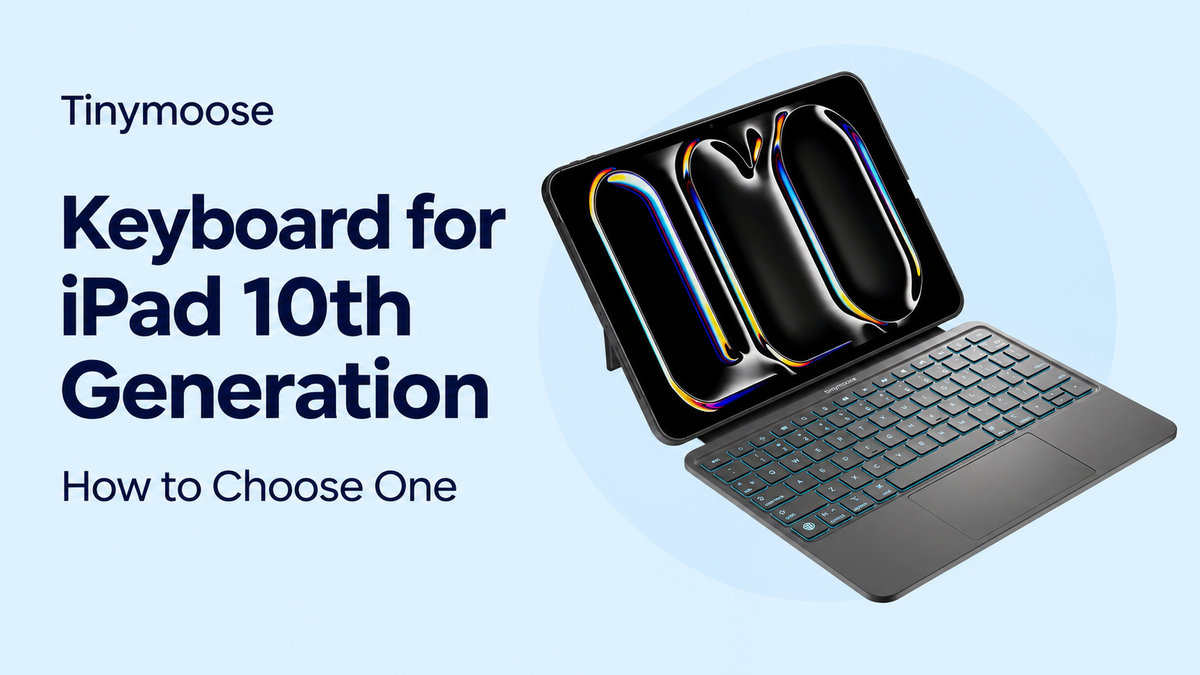
Keyboard for iPad 10th Generation: How to Choose One