
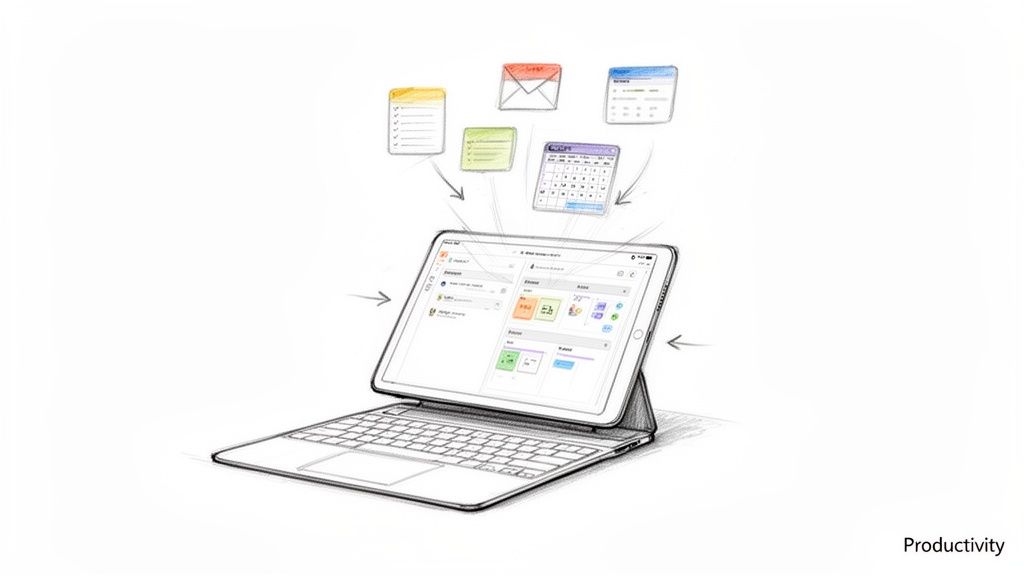
An iPad keyboard is the simplest way to transform your tablet from a fun media device into a true productivity machine. It delivers that satisfying, laptop-like typing experience without the weight of a traditional computer, making it incredibly easy to work, study, and create wherever you happen to be. This single accessory effortlessly bridges the gap between portability and power, finally letting your iPad become the versatile, life-simplifying tool it was always meant to be.
Turn Your iPad Into a Productivity Powerhouse
Imagine effortlessly typing up reports on the train, taking detailed lecture notes without making a sound, or running your entire remote work setup from a cozy coffee shop. That's not just a dream—it's the reality an external keyboard brings to your iPad. For a long time, the iPad was seen as a device for consumption, perfect for watching Netflix or scrolling social media. But its potential is so much bigger.
The idea of using an iPad as a primary computer is gaining serious momentum, and an iPad keyboard is the key that unlocks this possibility. It provides the tactile feedback, speed, and precision you need for any serious writing, coding, or data entry—tasks the touchscreen alone just can't handle with the same ease.
Why a Keyboard Makes Life So Much Easier
Adding a physical keyboard is about more than just typing faster. It fundamentally changes how you interact with your device, smoothing out your workflow and making everyday tasks simpler in a few key ways:
- Effortless Multitasking: Jump between apps, manage windows, and navigate your iPad with familiar keyboard shortcuts—just like you would on a desktop. It makes your workflow feel intuitive and seamless.
- Superior Typing Comfort: Forget awkward on-screen tapping. A real keyboard offers a comfortable, ergonomic feel for long sessions, reducing strain and mistakes so you can focus on your ideas.
- Frees Up Screen Space: By removing the virtual keyboard, you reclaim a huge portion of your screen. This means you can see more of your document, spreadsheet, or design project at once, without anything getting in the way.
This isn't just a niche idea; the market numbers back it up. The global iPad keyboard market was valued at around $896.678 million in 2021 and is on track to hit a massive $2,876.18 million by 2033. This explosion in growth shows just how many people are realizing the practical benefits of upgrading their iPads into powerful work tools. You can read the full research about the iPad keyboard market to see the data for yourself.
An iPad keyboard isn't just an accessory; it's a productivity upgrade. It signals you're ready to get serious work done on your tablet, blending the iPad's simplicity with the power of a traditional computer to make your life easier.
This guide will walk you through everything you need to know to make this happen. We’ll explore the different keyboard styles, must-have features, and how to pick the perfect model for your needs, whether you're a student, a creative, or a professional on the move. It's time to make your iPad work for you.
Understanding the Main Types of iPad Keyboards
Not all iPad keyboards are created equal, and picking the right one is about matching the tool to your lifestyle. Think of it like choosing an outfit—what works for a coffee shop brainstorming session isn't necessarily what you need for a cross-country flight. The options break down into three main styles, each designed to make your iPad more productive in its own unique way.
First up is the keyboard case. This is your all-in-one solution, like a protective suit of armour for your iPad that just happens to have a keyboard built in. Its biggest advantage is rugged, 360-degree protection. You can toss it in a bag without a second thought about scratches or bumps, which is perfect for a life in motion.
A student hustling between classes or a field worker using their iPad on a job site will find this integrated design incredibly practical. It’s one solid unit, so you never have to worry about forgetting a separate accessory. The only trade-off is that it can add a bit of extra bulk and weight.
Keyboard Covers: The Sleek Middle Ground
Next, we have the keyboard cover. This is the minimalist’s choice—more like a smart blazer than a full suit of armour. These covers usually snap on magnetically, protecting the screen when closed but leaving the back and sides of the iPad exposed.
Their main appeal is an incredibly slim and lightweight profile. They add a ton of function without the extra weight, preserving the sleek, portable feel of the iPad. This design also makes it incredibly easy to detach the keyboard when you just want to relax and use your iPad as a tablet for reading or drawing. It's a fantastic option for anyone who values convenience and wants to keep their setup as simple as possible.
Standalone Bluetooth Keyboards: Ultimate Flexibility
Finally, we have standalone Bluetooth keyboards. These are the specialists, completely untethered from your iPad. Since they aren't physically attached, you get total freedom to place your screen and keyboard exactly where you want them for the best possible ergonomic setup. For anyone who spends hours typing, this flexibility is a game-changer for comfort.
A standalone keyboard lets you prop your iPad on a stand at eye level while keeping the keyboard comfortably on the desk. It’s a simple adjustment that makes a world of difference for neck and shoulder strain during a long workday.
This category is also where you'll find keyboards with the most satisfying key travel and full-size layouts, closely mimicking a traditional desktop typing experience. They're perfect for remote workers who have a dedicated desk but still want the freedom an iPad offers. The only real downside is that it’s one more thing to carry, but the comfort and versatility often make it worthwhile. As you weigh your options, you might also want to check out our thoughts on the best wireless tablet keyboards for 2026 for a wider look at the market.
To help you see the differences at a glance, here’s a quick breakdown:
| Keyboard Type | Best For | Main Advantage | Potential Drawback |
|---|---|---|---|
| Keyboard Case | All-around protection and travel | Integrated design and durability | Can be bulky and heavy |
| Keyboard Cover | Portability and minimalist setups | Slim, lightweight, and detachable | Offers limited device protection |
| Standalone Keyboard | Ergonomics and typing comfort | Maximum placement flexibility | Requires carrying a separate item |
Ultimately, the best iPad keyboard for you boils down to how you plan to use it. Do you need heavy-duty protection, a feather-light design, or the most comfortable typing experience possible? Answering that question will point you straight to your perfect match.
Must-Have Features of a Great iPad Keyboard
Picking the right style of iPad keyboard is a solid start, but the real magic is in the details. The specific features are what take a keyboard from just another accessory to an essential tool that actually makes your life easier. These are the things that determine whether typing feels like a natural extension of your thoughts or a clunky, frustrating chore.
Think of it like buying a car. The model—an SUV versus a sedan—is the big-picture choice, much like picking a keyboard case over a standalone design. But it’s the features like responsive steering, a smooth transmission, and a great sound system that truly define the driving experience. Let's get into the features that separate a good iPad keyboard from a truly great one.
This quick diagram lays out the main types of iPad keyboards we’ve covered, from all-in-one cases to more flexible standalone options.
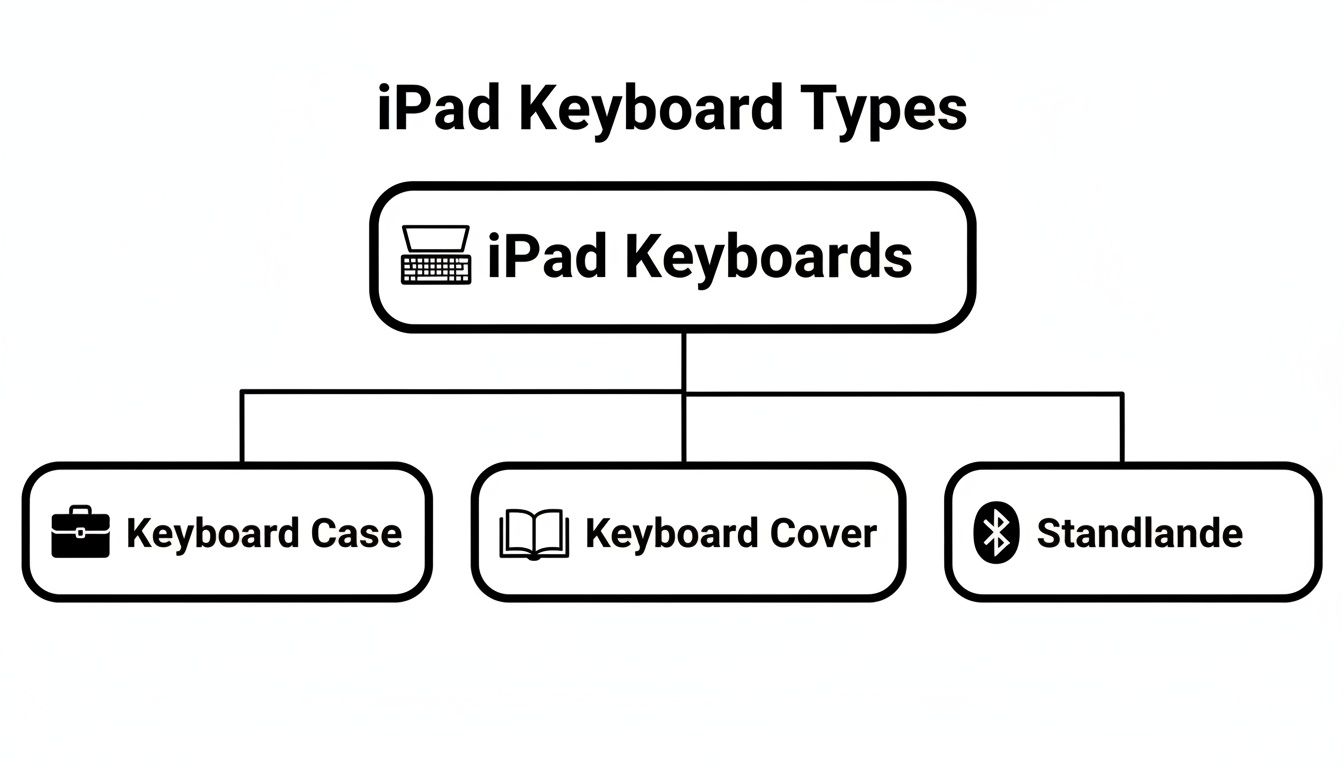
This helps visualize how each type strikes a different balance between protection, portability, and pure functionality, letting you zero in on what fits your daily grind.
Key Feel and Travel
Have you ever used a cheap, flimsy keyboard where the keys feel mushy and vague? It’s awful. The key feel and travel are easily the most important parts of any keyboard because they directly affect your comfort and typing speed.
- Key Feel is the tactile feedback you get when you press a key. The best keyboards use a scissor-switch mechanism, which gives you a stable, satisfying click that isn’t loud or distracting, making typing a pleasure.
- Key Travel is how far a key moves when you press it. Too little, and it feels like tapping on a hard surface, leading to finger fatigue. Too much, and it can slow you down. The sweet spot for most people is between 1mm and 1.5mm, a perfect balance of comfort and speed.
A keyboard with great feel and travel makes typing for hours feel completely effortless. It’s the difference between dreading a long email and flying right through it.
An Integrated Trackpad
A trackpad isn't a luxury anymore; it's a genuine game-changer that makes your iPad a true laptop alternative. Before iPadOS had full cursor support, navigating with your finger while trying to type was a clumsy dance between the screen and the keyboard. Now, a trackpad brings a new level of ease to everything you do.
With a high-quality trackpad, you can use all the multi-touch gestures you’re used to on a MacBook. Pinch to zoom, swipe between apps, and select text with precision—all without your hands ever leaving the keyboard. This creates a seamless workflow that makes multitasking feel completely natural and effortless.
The trackpad is what finally closes the gap between tablet and computer. It transforms the iPad from a device for watching content into a powerful tool for creating it, making tasks like editing documents or managing spreadsheets ridiculously simple.
Dedicated Shortcut Keys
Being efficient is all about cutting out unnecessary steps. Dedicated shortcut keys are a top row of function keys that give you one-touch access to common iPadOS controls. Instead of swiping and tapping through menus, you can instantly:
- Adjust screen brightness and volume
- Play, pause, or skip your music or videos
- Jump to the home screen or pull up search
- Lock your iPad
These little shortcuts add up to serious time savings throughout the day. The best iPad keyboard anticipates your needs and puts these controls right at your fingertips, keeping you focused on your work. It's a small detail that makes a huge difference in ease of use.
Connectivity and Battery Life
There's nothing more frustrating than a keyboard that constantly disconnects or dies mid-sentence. Modern keyboards connect via Bluetooth, and you'll want to look for versions like Bluetooth 5.0 or higher. They provide a far more stable connection, pair faster, and are much easier on battery life.
Speaking of which, battery life is critical. A great keyboard should last for weeks, if not months, on a single charge. This frees you from having to carry yet another charging cable and ensures your tools are ready to go whenever inspiration strikes. Premium models, like the Tinymoose SpacePad Pro, are built for long-lasting power, giving you one less thing to worry about.
Build Quality and Portability
Finally, your keyboard should feel like a worthy partner to your premium iPad. The build quality says a lot about its durability and the overall experience. Look for solid materials like machined aluminum or high-grade plastics that feel sturdy, not cheap. On a keyboard case, for example, the hinge should be smooth but strong, holding your iPad securely at any angle you set it.
At the same time, it shouldn’t weigh a ton. The best designs strike a perfect balance between a robust build and a lightweight, portable form. It needs to protect your iPad without turning it into a brick, keeping your whole setup easy to grab and use anywhere. This blend of durability and thoughtful design is the final piece of the productivity puzzle.
Finding the Perfect Keyboard for Your Life
Choosing the right iPad keyboard isn't just about specs—it's about matching the tool to your lifestyle. The features on a spec sheet only matter when they solve a real-world problem you face every day. A keyboard is more than just hardware; it's a partner designed to make your daily routine easier.
Whether you're a student hustling between classes, a creative professional bringing visions to life, or a remote worker tackling a demanding job, the right keyboard just clicks. It feels less like a separate accessory and more like a natural extension of your iPad and your process.
For the Dedicated Student
Student life is a blur of motion. You’re bouncing from a cramped lecture hall to a quiet library nook, then back to your dorm, juggling notes, essays, and research the whole time. Your gear needs to be as adaptable and mobile as you are. For this on-the-go world, the perfect iPad keyboard is your most dependable study buddy.
A few things make life easier:
- Long-Lasting Battery: Nothing’s worse than hunting for an outlet in the middle of a two-hour lecture. A keyboard that holds a charge for weeks gives you one less thing to worry about.
- Quiet and Comfortable Keys: Late-night library sessions demand stealth. Keys with a soft, satisfying feel but minimal click-clack mean you can type away without getting dirty looks.
- Durable and Portable Design: Your keyboard is going to get tossed in a backpack and hauled across campus daily. It needs a solid build that can handle the bumps without weighing you down.
For a student, the right keyboard is the bridge between a fleeting thought in class and a fully-formed term paper. It has to be reliable, easy to use, and ready to go wherever you are.
For the Creative Professional
Creatives—designers, artists, writers, musicians—live and breathe versatility. Your workflow isn’t a straight line; it’s a fluid dance between different creative modes. One minute you're hammering out a client email, the next you're grabbing your Apple Pencil to sketch a new idea. Your keyboard needs to keep up with these quick changes effortlessly.
The best keyboard for a creative is one that knows when to get out of the way. A detachable design is a game-changer, letting you instantly switch from a laptop setup to a clean tablet canvas. But when it's time to type, stability is everything.
A wobbly screen or a flimsy hinge can absolutely kill your creative flow. The best keyboards for creatives offer a rock-solid, adjustable stand that locks your iPad into the perfect angle for typing, presenting, or reviewing your work, making the whole process smoother.
This kind of flexibility ensures your tools adapt to your process, not the other way around. It’s all about having a steady platform for focused work and the freedom to break away for hands-on creation in a heartbeat.
For the Focused Remote Worker
For remote workers, the home office—or the coffee shop, or the co-working space—is mission control. Here, efficiency is king. Your iPad is often your main machine, not just a sidekick, and its keyboard needs to be an absolute workhorse that can handle an eight-hour day without any fuss.
Here are the essentials for any remote pro:
- A Full-Sized Layout: Trying to type all day on a cramped keyboard is a recipe for frustration and typos. A spacious, familiar layout with good key travel is crucial for staying comfortable and productive.
- A Highly Responsive Trackpad: Navigating massive spreadsheets, editing long documents, and juggling apps requires precision. A large, accurate trackpad that understands multi-touch gestures makes your workflow feel effortless.
- A Rock-Solid Build: When your keyboard is the foundation of your livelihood, it has to be dependable. A sturdy construction ensures it can stand up to the daily grind, whether it's parked on your desk or packed for a work trip.
Ultimately, different people have different needs. But a truly exceptional iPad keyboard is engineered to meet all of these demands without cutting corners. For anyone looking to master their productivity, the Tinymoose SpacePad Pro for iPad is built to deliver on every front, offering a premium experience that makes your life easier, no matter how you work.
Simple Setup and Everyday Maintenance Tips
Getting your new iPad keyboard up and running should be as effortless as using the iPad itself. The whole point is to get you from the box to typing your first words in minutes. It’s designed to be a seamless addition to your workflow, not a technical hurdle.
At the heart of it all is Bluetooth. Think of it as a simple, wireless handshake between your keyboard and your iPad. The best modern keyboards make this process almost automatic, creating a stable connection so you can just focus on what you need to do.
Connecting Your Keyboard in Seconds
Pairing is a one-time setup that takes less than a minute. Once it's done, your iPad and keyboard will remember each other and connect automatically every time you're ready to work. It’s that easy.
Here’s how quick it is:
- Power On: Flip the switch or press the power button on your keyboard. A small light will likely blink to let you know it’s awake and ready.
- Activate Pairing Mode: Press the dedicated Bluetooth button on the keyboard. This makes it "discoverable" so your iPad can find it.
- Open iPad Settings: On your iPad, go to Settings > Bluetooth and make sure the toggle is on.
- Select Your Keyboard: Your iPad will scan for nearby devices. In a few seconds, your keyboard’s name will appear under "Other Devices." Just tap on it.
- Confirm and Go: The two will pair, and your keyboard will move to the "My Devices" list with a "Connected" status. That's it—you're ready to type!
Customizing Your Experience in iPadOS
Once you're connected, you can easily tweak a few settings in iPadOS to make the experience feel perfectly tailored to you. For a deeper look at getting the most out of your tablet, check out our guide on how to take notes on iPad like a pro.
You can easily adjust a few key settings to make your life easier:
- Trackpad Sensitivity: Head to Settings > General > Trackpad & Mouse. Here, you can adjust the tracking speed to control how fast the cursor moves across the screen.
- Key Functions: Go to Settings > General > Keyboard > Hardware Keyboard. This menu lets you change what special keys like Caps Lock or the Globe key do.
Think of these settings as adjusting the driver's seat in a new car. A few small tweaks make the entire experience feel more comfortable and intuitive. Personalizing these settings makes using your iPad keyboard feel completely natural.
Keeping Your Keyboard in Top Condition
A little routine care goes a long way in making sure your investment lasts for years. Just a couple of simple habits for cleaning and battery health can keep your keyboard performing like new.
For cleaning, always start by turning the keyboard off. Use a can of compressed air to gently blow out any dust or crumbs from between the keys. For the surface, a soft, lint-free cloth lightly dampened with water is all you need to wipe away fingerprints. Avoid harsh cleaning chemicals or spraying liquids directly on the keyboard.
To keep the battery healthy, try not to let it drain completely to 0% all the time. Most modern keyboards use lithium-ion batteries that are happiest when they have some charge. Giving it a quick top-up when it's running low is much better than waiting until it's dead, ensuring your iPad keyboard is always ready when you are.
Time to Pick Your Perfect iPad Keyboard
Ready to make a choice? The sheer number of iPad keyboards out there can feel overwhelming, but finding the right one doesn't have to be a headache. We've walked through everything from keyboard styles to the features you can't live without. Now, let's pull it all together.
Think of this final checklist as your guide to cutting through the noise and finding the keyboard that will genuinely make your life easier. Before you decide, run through these quick questions. A few honest answers are all you need to pick a keyboard that fits your work, your budget, and your daily routine.
The Core Questions to Ask Yourself
This is your personal gut-check. By matching a keyboard's features with what you actually need, you ensure you're investing in a tool that will become an essential part of your day.
-
Does it actually fit my iPad? This is non-negotiable. Double, then triple-check that the keyboard is built for your specific iPad model and generation. A perfect fit is essential.
-
What am I really using it for? Be honest. Are you a student on the move who needs something light with all-day battery? A creative who needs to detach the keyboard to sketch? Or a remote pro who needs a full-size layout for an 8-hour workday? Let your daily routine be your guide.
-
What are my must-haves? What features will make your life noticeably easier? Is a super-responsive trackpad critical for flying through spreadsheets? Need backlit keys for late-night study sessions? Don’t compromise on the features you’ll use every single day.
-
Does the price feel right? You don't need to spend a fortune to get a fantastic keyboard. The goal is to find the sweet spot—that perfect blend of premium features and smart pricing that feels like a great investment.
Choosing a keyboard is about giving your productivity a serious boost. The right one doesn't just work; it feels like a natural extension of your iPad, making every task smoother and more intuitive.
This simple framework is all you need to choose with confidence. For anyone looking for a keyboard that masterfully ticks all these boxes, the Tinymoose SpacePad Pro is designed to do just that. It packs in all the premium, practical features that make a real difference, turning your iPad into the powerhouse it was always meant to be.
Got Questions? We've Got Answers
Still weighing your options? Let's tackle some of the most common questions we hear. This should give you the last bit of clarity you need to pick the perfect keyboard with confidence.
Will an iPad Keyboard Kill My iPad's Battery?
That's a fair question, but the short answer is: not in any meaningful way. Modern keyboards are incredibly efficient, using Bluetooth Low Energy technology that sips power so gently you'll barely notice it.
Plus, any quality keyboard like the Tinymoose SpacePad Pro has its own built-in rechargeable battery. It powers itself, so it isn't draining your iPad to get the job done. This means you can type for hours without worrying about your iPad's battery life.
Can I Use a Keyboard That Isn't from Apple?
Absolutely. Bluetooth is a universal standard, which means a huge range of wireless keyboards will pair with your iPad just fine.
But here’s the key difference: a keyboard built specifically for the iPad is a completely different experience. These are designed with a top row of shortcut keys for instant control over iPadOS functions like screen brightness, volume, and search. They also fit the iPad's dimensions perfectly, creating a seamless, laptop-like feel that a generic keyboard just can't match.
A dedicated iPad keyboard transforms the entire device. It's not just about typing; it's about creating a unified, efficient tool where every part works together perfectly to make your life easier.
Is a Trackpad on an iPad Keyboard Really Necessary?
You could live without one, but a trackpad is the single feature that truly graduates your iPad from a great tablet to a legitimate productivity powerhouse. It completely changes the way you interact with everything, making your workflow faster and more fluid.
With a trackpad, you can glide a cursor across iPadOS with laptop-like precision, select text for editing without fumbling, and use intuitive gestures to switch between apps without ever taking your hands off the keyboard. It closes the final gap between tablet and computer, making it an essential feature for anyone serious about getting real work done with ease.
Ready to transform your iPad into the ultimate productivity tool? The Tinymoose SpacePad Pro delivers a premium typing experience, a precision trackpad, and a sleek design that perfectly complements your device. Explore the SpacePad Pro and upgrade your workflow today.
Share:
Finding the Best iPad for Digital Art
Choosing the Best Pen Stylus for Android